Overview
The arguments of extension function (getSampleToolTip) includes the sampleUUID of the currently hovered sample. The sample object can be retrieved with this sampleUUID.
Applies To and Version Info
This feature applies to SPC module and is available in version 3.8.x or greater.
Steps
- Right-click the SPC component and click on Scripting...
- Select the extension function: getSampleToolTip
- Obtain the sample through scripting. An example is given below.
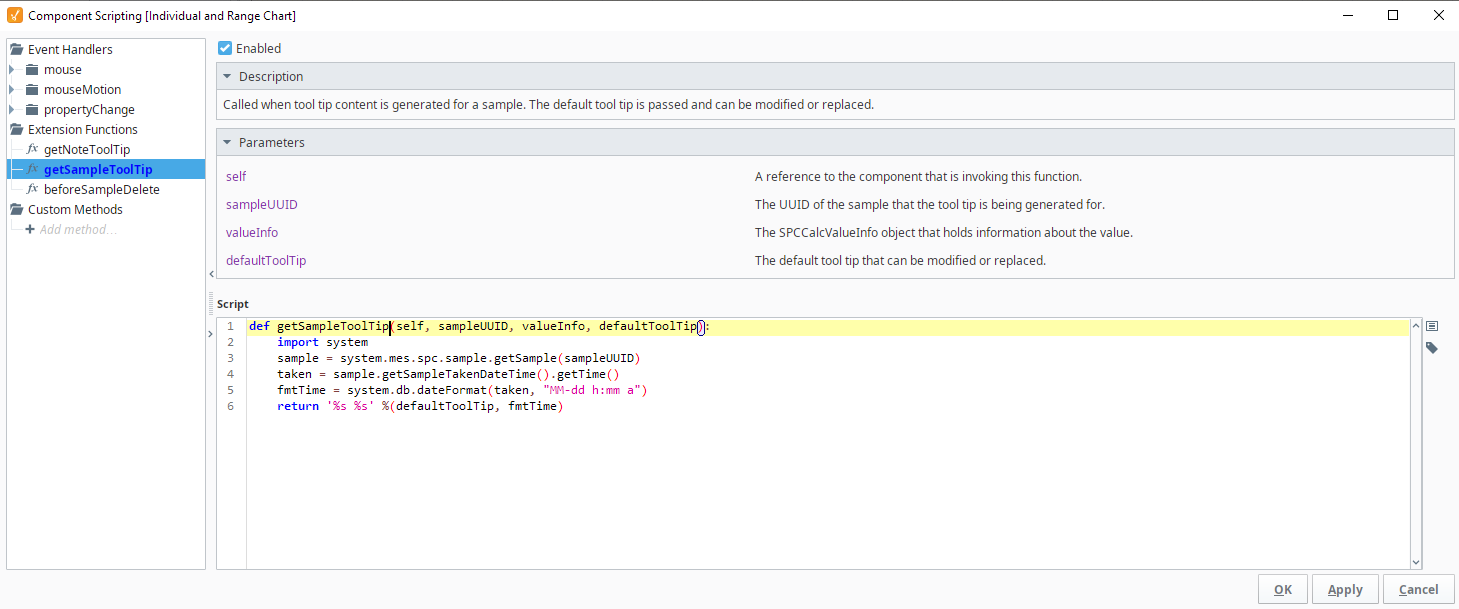
Scripting
In this example, the date and time on which the sample was taken are returned after changing the default date format.
Code |
sample = system.mes.spc.sample.getSample(sampleUUID) taken = sample.getSampleTakenDateTime().getTime() fmtTime = system.db.dateFormat(taken, "MM-dd h:mm a") return '%s %s' %(defaultToolTip, fmtTime) |