Overview
The MES Management Screen can be used to create Material Classes and Definitions, however creating a large number or "on the fly" Material or Supplemental Equipment is not efficient through this interface. Two examples follow, one for a large number of Material Definitions and another for an "on the fly" Supplemental Equipment example.
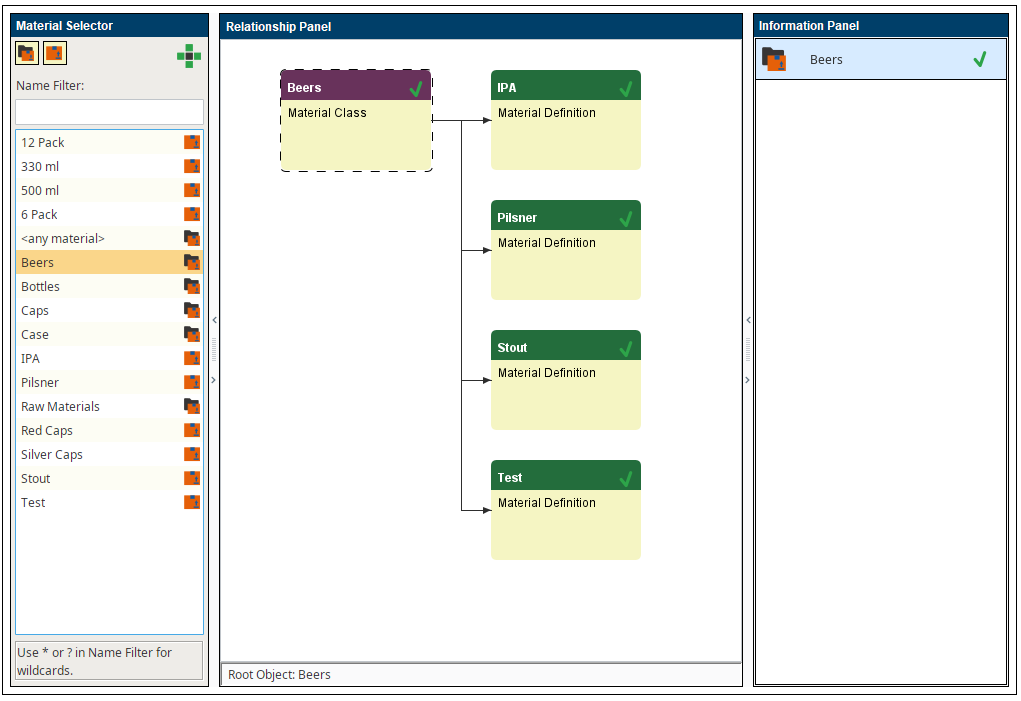
For a case where a company has hundreds of materials or if the ERP system manages materials, it is likely that you will want to dynamically create materials through scripting. The code block below provides an example of a script that creates a Material Class called LargeMatCls, then creates a 100 Material Definitions (Mat001, Mat002,...Mat100), and finally adds all the material definitions to the LargeMatCls Material Class.
Applies To and Version Info
This feature applies to the Track & Trace Module and is available in all versions.
Scripting
The general syntax of the script function.
Generate a Large Number of Material Definitions
Code |
|
Output
Code |
Jython 2.5.3 (v2.5.3:3d2dbae23c52+, Nov 17 2012, 11:51:23) [Java HotSpot(TM) 64-Bit Server VM (Oracle Corporation)] on java1.8.0_91 >>> True True Created Mat001 True Created Mat002 True Created Mat003 True Created Mat004 True Created Mat005 True Created Mat006 True Created Mat007 True Created Mat008 True Created Mat009 .... |
For an "on the fly" example with supplemental equipment, consider a case where a parts manufacturing line has numbered bins for transporting parts. The facility adds bins with unique numbers regularly and needs a button to create a new bin that can only hold one lot. Furthermore, we want the bin to be a member of an Equipment Class in order to facilitate searches and quick selection using an MES Object Selector component. Therefore we must add the parent class to the new equipment.
On The Fly Supplemental Equipment Example
Code |
|
References
Material Class
Material Definition
Equipment Class
Keywords
Track & Trace, Scripting, Material Class, Material Definition, MES Object