Overview
It is quite common that the source of material being consumed or the location at which the outfeed is being stored will change during an operation. This kb shows how to handle material or storage changes during an operation.
Thanks to Mark Kraenbring of RWS Design & Controls for his contribution to this knowledge base article.
Applies To and Version Info
This feature applies to all versions of the Track & Trace module.
Details
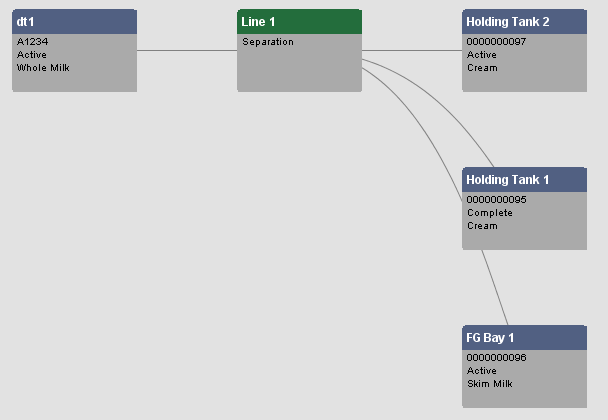
As an example, we have a separation process that consumes Organic Milk and creates two output products, Organic Skim and Organic Cream. During the operation, it is possible that the Skim or Cream may switch to a different storage tank, while the other output continues.
Solution
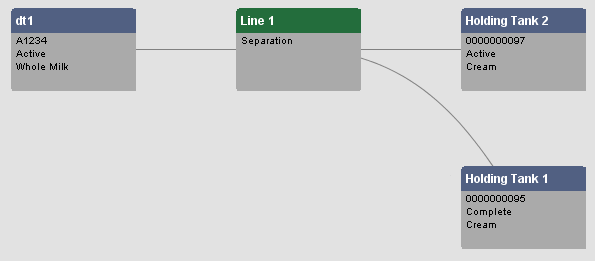
In order to model this, you do not have to stop the segment and create a new one. Instead obtain a reference to the active segment and then use the seg.setMaterial() method to change the desired Material Out properties (location etc.). The new Material Lot will show up in the trace graph.
Code |
equipPath = '"Your Enterprise\Site 1\Processing\Separator" SegmentName = 'Separation' materialPropertyName = 'Cream Out' materialName = 'Cream' quantity = '100' seg = system.mes.getActiveSegment(equipPath, SegmentName) seg.setMaterial(materialPropertyName, materialName, equipmentPath, quantity) seg.update() |