Overview
Custom calculations can be defined in the Misc. section of the MES Scripts under SPC Calculations. SPC module allows you to execute your miscellaneous calculations through scripting.
Applies To and Version Info
This feature applies to the SPC 3.0 module.
Steps
- Select MES Scripts in your Project Browser - this is available in the project you designate as your MES Gateway project.
- Create a new Calculation by right-clicking the table in the Misc. section and adding a script. Scripts can be added to folders for organization.
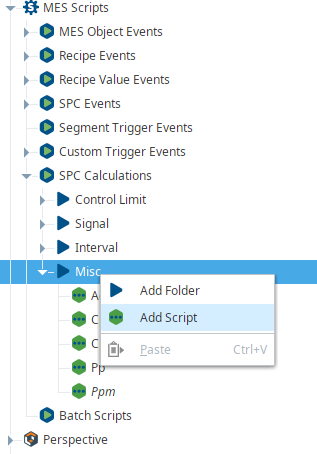
3. Name the calculation to your choosing.
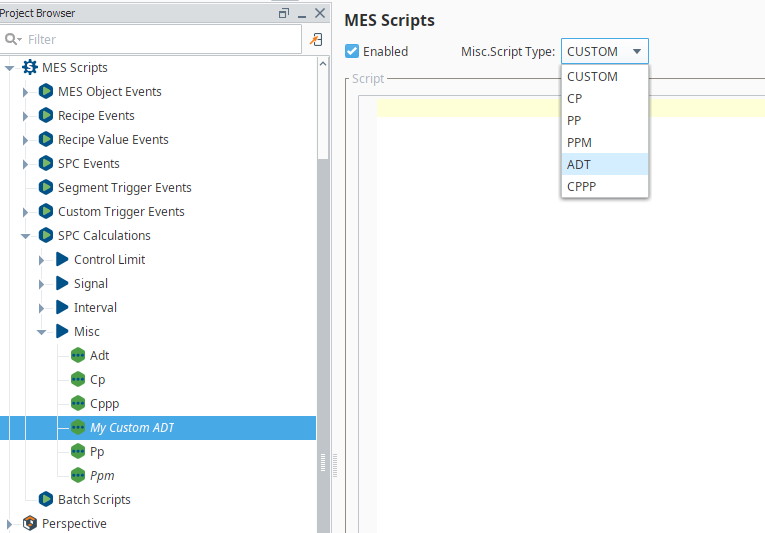
4. In this example, we will create a custom Anderson-Darling Test (ADT). Set the Script type to Anderson-Darling Test (Adt).
5. Add your own script to the script window. It is suggested to use existing scripts as a template or starting point to your own scripts.
Details
The corresponding Miscellaneous Calculations Event is created for each calculation. Refer Event Objects for more details on how to use this event.
Info

|
Custom calculations can also be done using the tag change scripts where MiscCalcEvent will execute the calculation using system.mes.spc.analysis.executeMiscCalculation |
Scripting
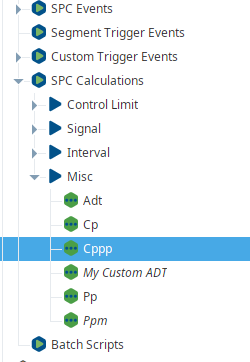
This example calculates the CPK and PPK using the default Cppp calculation included with the module.
Example 1
This example calculates CPK and PPK via the Cppp misc calculation event.
Code |
|
Example 2
This example calculates the ADT (Anderson Darling Test).
Code |
|
Example 3
This example calculates the Cp (Process Capability).
Code |
|
Example 4
This example calculates the Control limit (Individual) using the default Control limit calculation.
Code |
locationPath = 'Enterprise\El Dorado Hills\Packaging Area\Packaging Line 1\Inspection Station 1' definitionName = 'Single Attribute' sampleDefObj = system.mes.loadMESObject(definitionName, 'SampleDefinition') attribute = 'Diameter' limitName = 'Individual LCL' toDate = system.date.now() fromDate = system.date.addHours(toDate, -2) results = system.mes.spc.controllimit.calcControlLimitValue(sampleDefObj, locationPath, attribute, limitName, fromDate, toDate) print results['calculatedValue'] |