Printing, or reporting, Complex Lot Graphs Data .. without the Graph and without a Timeout 3.0
Overview
If you had a Trace Graph with too many fans for any given Lot, you could hit a Timeout trying to display ..
you will find in your log something like:
[MESBackgroundTask-1] ERROR com.sepasoft.trace.rpc.TraceRPCProxy -
Failed: getLotTraceByLotUUID com.inductiveautomation.ignition.client.gateway_interface.GatewayException: Read timed out
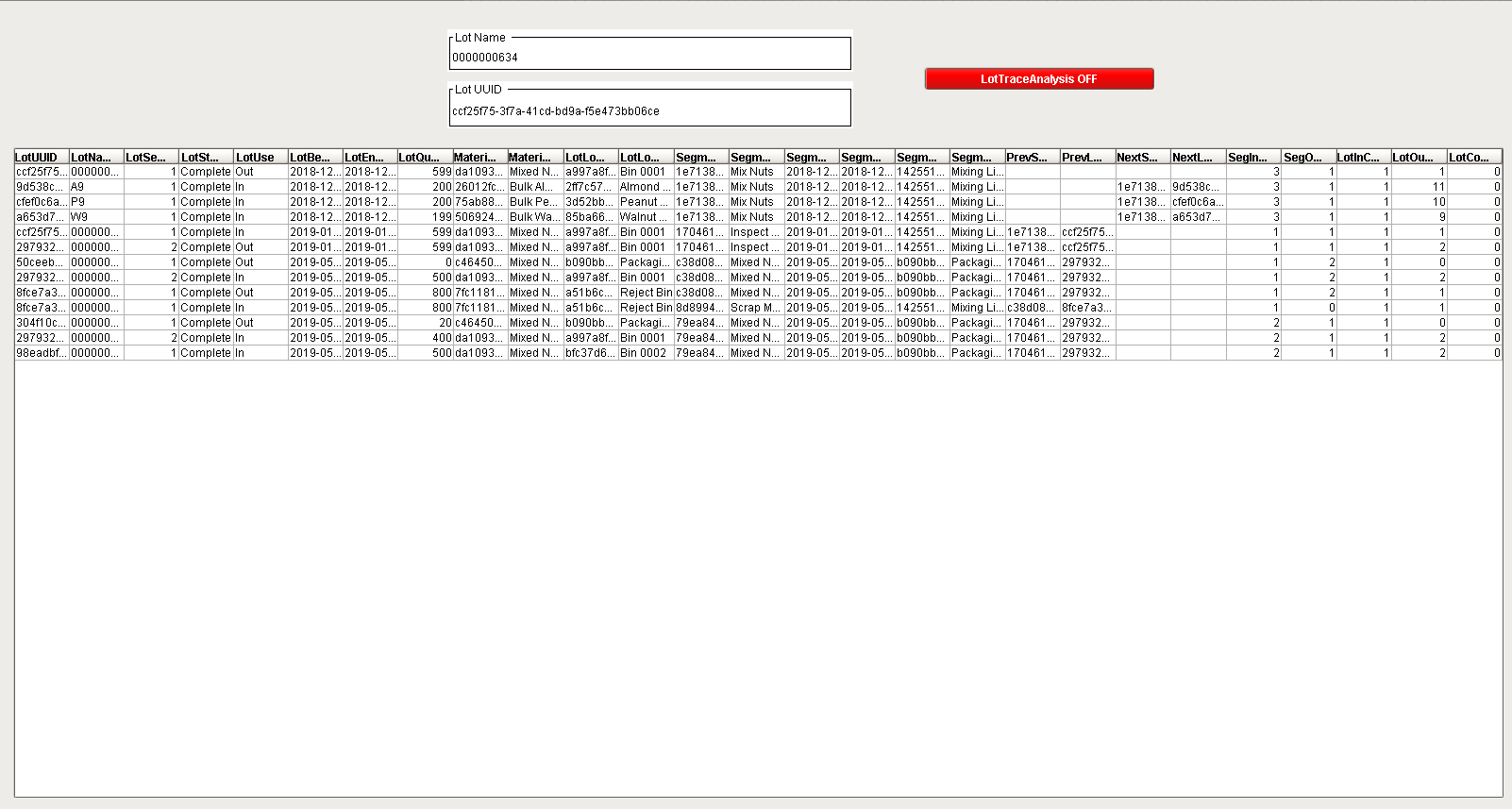
The attached window and objetcs (UDT and script) will help you show in a Table how complex your Lot is bypassing the Trace Graph Timeout
Applies To and Version Info
3.0
Details
Import the window "win LotTraceAnalysis.proj"
In your Global Script Library import "global_LotTraceScript.proj"
In your Tag Browser, Import the UDT "GWLotTraceUDT.xml" then create Tag using the Data Type Instance using that UDT
Screenshots
Scripting
The Tag "Processing" in the UDT acts a a Tag Events triggering the Script

and the Script code is
|
def doLotTraceAnalysis(tagPath):
	##tagPath will look like this: '[default]GWLotTrace/LotTrace/Processing'
	log = system.util.getLogger('shared.LotTrace.LotTraceAnalysis.doLotTraceAnalysis')
	baseTagPath = tagPath.replace('Processing', '')
	log.warn('begin')

	start = system.date.now()
	system.tag.write(baseTagPath + 'TraceAnalysisBegin', start)

	lotName = system.tag.read(baseTagPath + 'LotName').value
	lotUUID = system.tag.read(baseTagPath + 'LotUUID').value

	log.warn("%s, %s, %s" %(baseTagPath, lotName, lotUUID))

	maxFanCount = 100
	detailMode = True
	ldDS = system.mes.getLotTraceByLotUUID(lotUUID, '', maxFanCount, detailMode)
	ignDS = ldDS.toIgnitionDataset()
	system.tag.write(baseTagPath + 'LotTrace', ignDS)

	system.tag.write(tagPath, False)
	end = system.date.now()
	system.tag.write(baseTagPath + 'TraceAnalysisEnd', end)
	elapsed = (end.getTime() - start.getTime()) / 1000.0
	system.tag.write(baseTagPath + 'ElapsedSecs', elapsed)
	log.warn('end')
	return tagPath
|
References
Obtaining Material Lot Inventory
Track and Trace Implementation Tips
Win LotTraceAnalysis.proj
global_LotTraceScript.proj
GWLotTraceUDT.xml
(Scripts and UDT courtesy of Pete L.)
Keywords
Lots, Trace Graph, Timeout
Track and Trace
Configuration, Lot. Lot UUID, Lot Name