Collect Samples

|
User must be signed in to the perspective client to perform manual sample entry. |
- Launch Client to the Sample Entry screen created from the previous step.
- Sign into the perspective client
- Sign into the perspective client
- Select Sample Definition dropdown (MES Object Selector)
- Select Dimension Sample A
- Select Dimension Sample A
- Select Location Dropdown (Ignition Dropdown)
- Select Test Location equipment path
- Select Test Location equipment path
- Select Create Sample button.
- Sample Entry Component should populate with Attributes and metadata for the sample
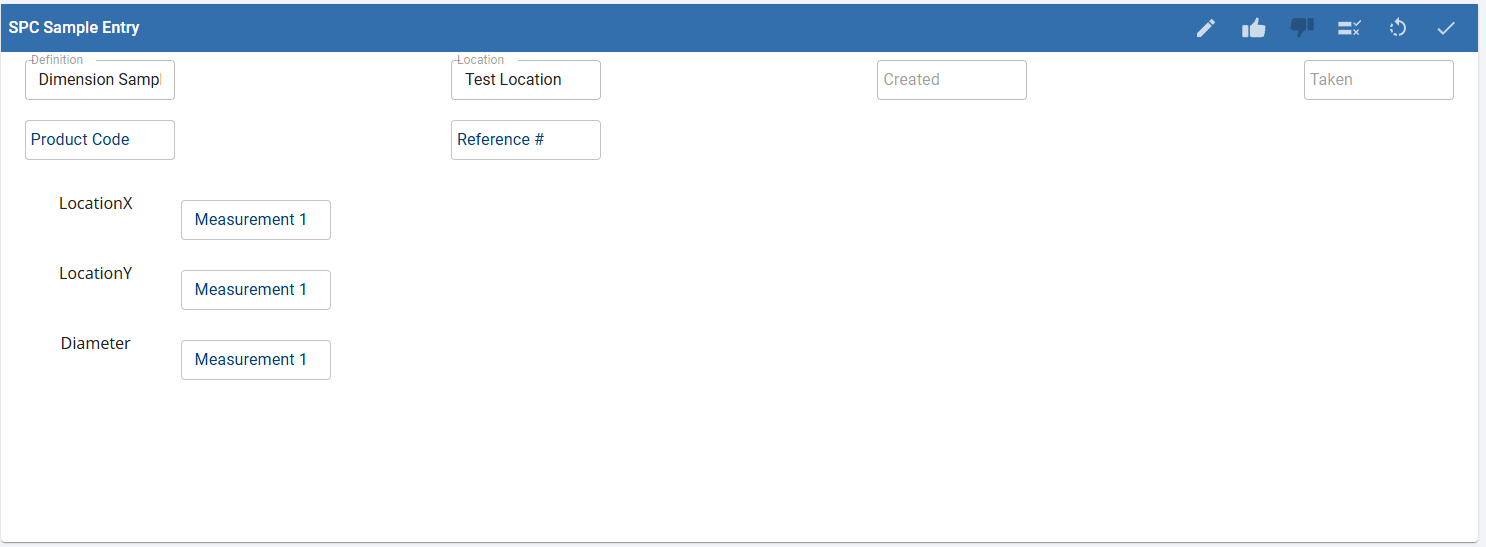
- Enter values for the attributes and click Save
 .
- Success message will appear as modal.
- Repeat for multiple samples.
When designing your own real-world sample-collection screens, consider adding work instructions alongside the sample collection interface, to provide manufacturing workers with proper guidance on data types and ranges and expectations regarding their measurements.
Manual data collection is a common use case for SPC applications. Consider use cases in the factory environment that may benefit from structured, consistent manual data collection interfaces like this.