Configure Control Chart
Components on Control Chart screen:
- DateTime Input
- DateTime Input
- SPC Analysis Selector
- SPC Individual Chart
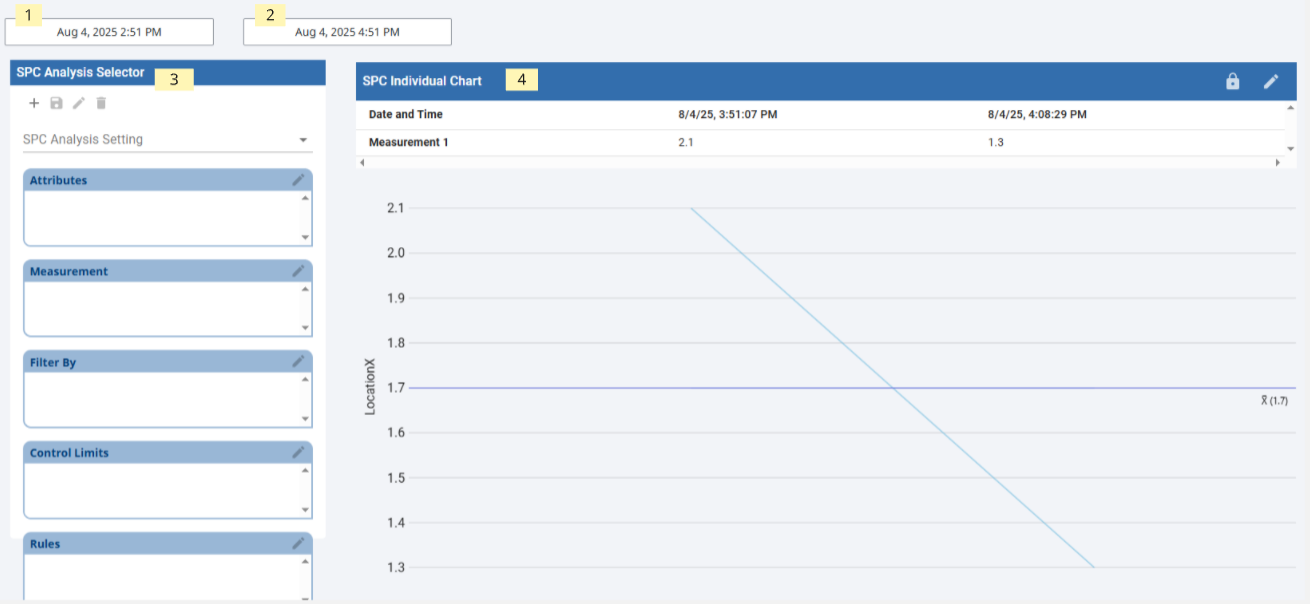
- Create a new View called SPC_02_Tags/SPC Analysis and create page url for later use.
- Drag Ignition DateTime Input component to view and rename as startDate.
- Drag Ignition DateTime Input component to view and rename as endDate.
- Drag SPC Analysis Selector to view.
- Bind property spcChartSettings.startDate to startDate dateTime component value property.
- Bind property spcChartSettings.endDate to endDate dateTime component value property.
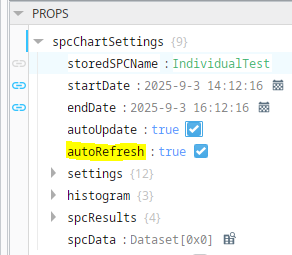
- Set autoRefresh = True
- This is required to enable setting control limits on a bound chart
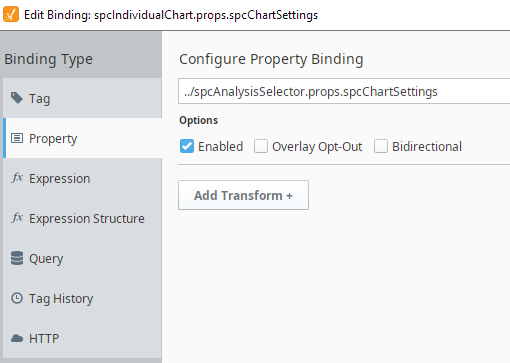
- Drag SPC Individual Chart to view.
- Set property propertySource to Use_Binding
- Bind parent level of spcChartSettings property to the Analysis Selector spcChartSettings
Set Stored Sample Analysis Config
- Launch a client to the url previously configured for the SPC Analysis page
- On the SPC Analysis Selector component, select the Add Analysis Setting

- Add a name ph Sensor Analysis
- Select pH Sensor Sample Definition
- Select SPC Data Format - Individual
- Click Save

- On the SPC Analysis Selector component, select your created analysis setting.
- Add attribute of choice
- Add Measurement
- Add Filter by and select location path
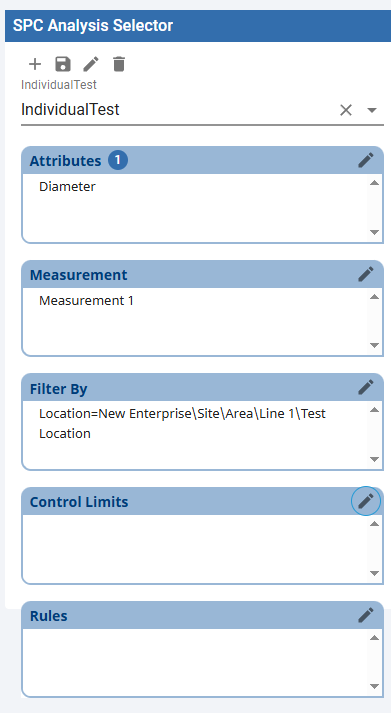
- When complete click save

- Manipulate the SPC Selector settings per your desired analysis. Be aware of the SPC Chart type and the SPC Selector's data format settings must match for proper display.
- Ensure start and end date selectors overlap sample data timestamps.
- View Data in the Individual Chart.

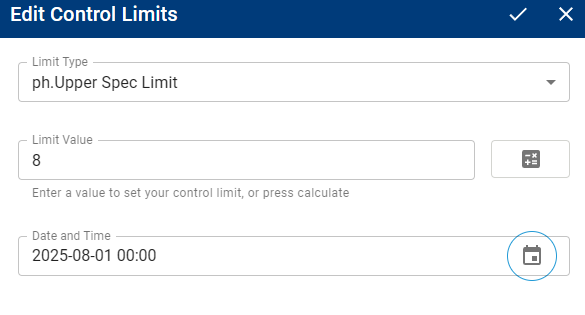
Set Spec Limit Values
Click the editControlLimits  button on the chart.
Select ph.Upper Spec Limit from the drop down.
Click the calculateControlLimits  button. The Limit value should populate with 8 as defined by the control limit script previously created.
Set a date and time previous to the sample data desired.
Save  the control limit value.

|
Control Limit Values are timestamped. Control Limit values do not need to be constantly recorded, only record the change. Control Limit value is assumed to be the previous entered value. |
Repeat for ph.Lower Spec Limit.