Sepasoft MES Module Suite
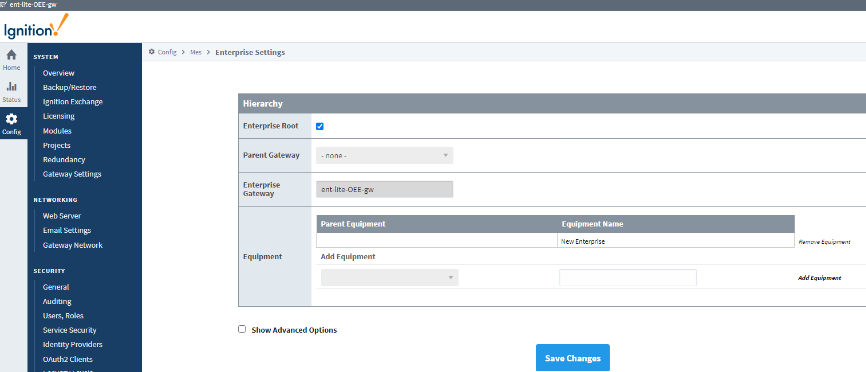
Set Server as Enterprise Root
On the Enterprise Server:
- Go to the Config tab > MES Modules > Enterprise Settings and check the Enterprise Root checkbox.
- Click Save Changes.
Sepasoft MES Module Suite
Sepasoft MES Module Suite
On the Enterprise Server:
Sepasoft MES Module Suite