Sepasoft MES Module Suite
Barcode Scanner | Vision
An invisible component that listens for barcode input received via a keyboard interface. The term invisible component means that this component appears during design time, but is not visible during runtime.
There are over 100 barcode patterns predefined to support the most common and GS1 international standards. All the patterns are customizable and can be enabled as required. Multiple components can be used on the same window to detect different types of barcodes.
The component listens to keystrokes based on a defined preamble and an optional post amble specification, then decodes the raw barcode using regular expression patterns and passes the results to a script event. The component is designed to work in the background and allow scripting to process the results of the barcode content, such as auto fill fields or update information.

|
This component when enabled will listen for barcode input only on Stage or Published clients. It doesn't activate in the designer's preview mode. |
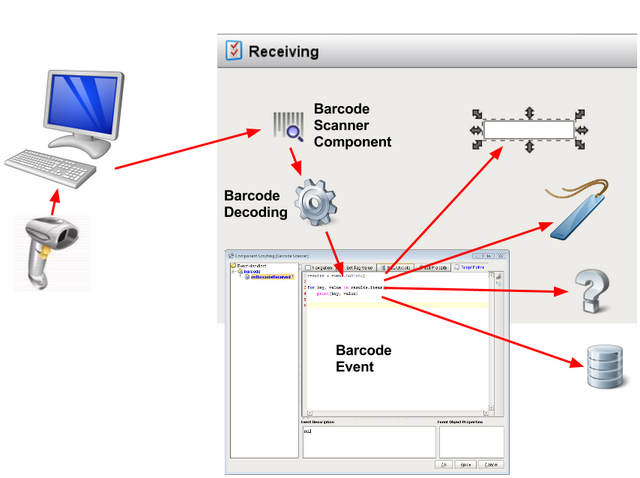
Barcode Detection and Decoding
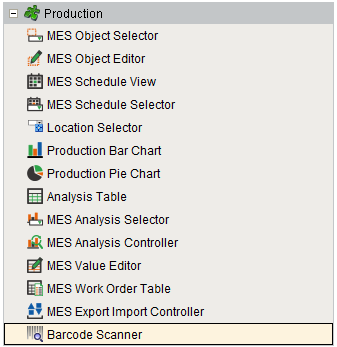
Component Palette
Features
The Barcode Pattern Configuration property allows custom menu items to be added.

Click the icon of the property to open barcode dataset viewer and add your custom menu items. These menu options become available in the client through scripting, please see the event handlers section of this page for examples.
Custom script can then be added to the onBarcodeReceived event handler to add functionality to this component.
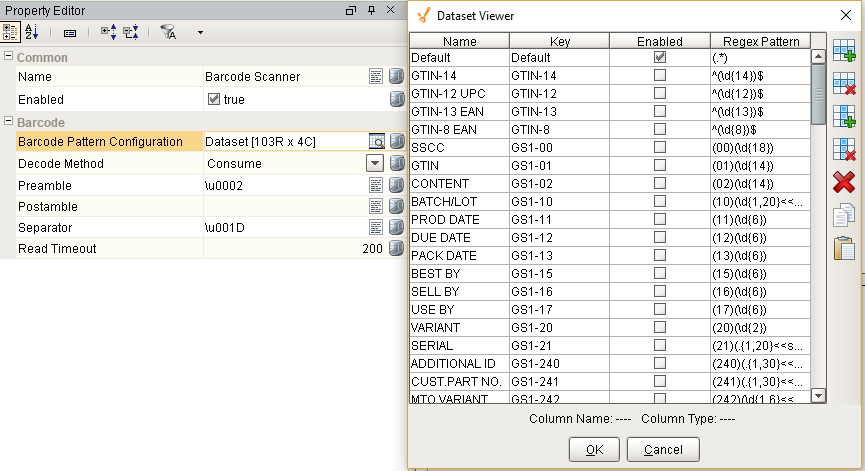
Component Properties
Properties are provided that can be set to affect the operation and look of the component. They can be set through the Property Editor in the Designer or through scripting.
Example
Python |
event.source.parent.getComponent('Barcode Scanner').readTimeout = 1000 |
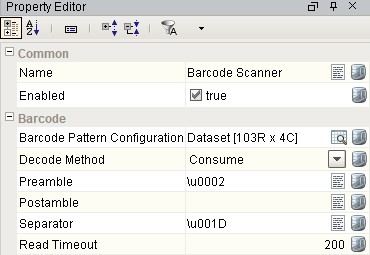
Barcode
| Name | Scripting | Property Type | Description |
|---|---|---|---|
| Barcode Pattern Configuration | patternConfiguration | Dataset | The set of Regex barcode patterns to search for a match. |
| Decode Method | decodeMethod | int | Determines if the decoding of the barcode does a single-pass or consume search method for matching patterns. |
| Preamble | preamble | String | A character, string, or regex unicode value representing the preamble pattern (ie. \\u0002 for STX - Start of Text Ascii or GS1 Symbology Identifier ]E0, ]I1, ]C1, ]d2). |
| Postamble | postamble | String | A character, string, or regex unicode value representing the postamble pattern (ie. \\u0003 for ETX - End of Text Ascii or \\u000D carriage return, \\u000A line feed ). |
| Separator | separator | String | A character, string, or regex unicode value representing the barcode group separator pattern (ie. \\u001D or \\u00E8 for Group Separator Ascii - GS1 Standard). |
| Read Timeout | readTimeout | int | The pause timeout between keystrokes to check for a barcode scan (1000 = 1 second, range: 100-1000). |
Event Handlers
Event handlers provide the ability to add custom script when a user interacts with a component.
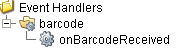
barcode
onBarcodeReceived
Is fired after the component decodes a raw barcode. It is passed a BarcodeEvent object that contains the results of the decoding, any error message, and the raw barcode.
| Property | Description |
|---|---|
| .source | The component that fired this event. |
| .results | Decoded barcode results that matched the patterns given. |
Example 1
Code |
|
Example 2
Code |
|
Extension Functions
This component does not have extension functions associated with it.
Custom Methods
Custom methods allow you to add your own component functions to a component that can be called through scripting. This is a useful and clean method of re-using script that is specific to the component (say you want to update a visual aspect of the component in the same way whether a user clicks on the component or a window property value changes). See Component Custom Methods in the Ignition Help Manual for more information.
Customizers
This component does not have any custom properties.
Component Functions
This component does not have functions associated with it.
Sepasoft MES Module Suite