Sepasoft MES Module Suite
MES Object Selector | Vision
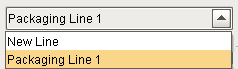
An MES Object Selector is a dropdown component that allows user selection of MES objects. It contains many properties to filter the type and name of the MES object to include in the list.
Select MES objects from a list; All MES objects can display.
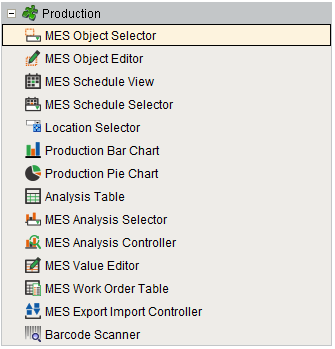
Installed with the Production Module in the Vision Component Palette
Component Properties
Properties are provided that can be set to affect the operation and look of the component. They can be set through the Property Editor in the Designer or through scripting.
Example
Python |
#The following script is placed in the event handler "internalFrame --> internalFrameActivated" for the window #containing the MES Object Selector component. It will execute whenever the window is shown or focused. #Function init() will be executed using the Ignition utility function system.util.invokeLater(). #It will use the method .updateSelected() to update the MES Object Selector to the MES Object held in the #variable uuid, and also update the MES Object Selector text display field. def init(): uuid = '59abcf21-241d-459c-9652-07fc01ee3fe5' objLink = system.mes.getMESObjectLink(uuid) system.gui.getParentWindow(event).getComponentForPath('Root Container.MES Object Selector').updateSelect(objLink) #The method above replaces the method below so that the MES Object Selector text display field will also get updated. #system.gui.getParentWindow(event).getComponentForPath('Root Container.MES Object Selector').setSelectedMESObject(objLink) #The function init() will be run after a short delay to give the MES Object Selector time to initialize. #Otherwise, the MES Object Selector will miss the change to any new MES object selection and its text display field #will either remain blank or will continue to display the text for the previous MES object selection. system.util.invokeLater(init, 250) |
Data
|
MES Object properties and types
|
property palette display name
|
data type
|
behavior
|
|---|---|---|---|
| Custom Property Name Filter | customPropertyNameFilter | String | Filter value, including * and ? wildcard characters, to filter results by custom property names. |
| Custom Property Value Filter | customPropertyValueFilter | String | List of custom property name and value to filter results by. |
| Display Text | displayText | Boolean |
|
| Enable State Filter | enableStateFilter | Boolean | Filter for MES objects. Choices are Enable, Disable or Both. |
| Excluded Equipment Path | excludedEquipmentPath | String | Comma separated string list to be excluded from equipment paths. |
| Exclude Inactive Equipment Objects | excludeInactiveEquipment | Boolean |
If set to True, any inactive equipment in the Equipment Model is excluded from the object list. |
| Include Analysis Settings Objects | includeAnalysisSettingsObjects | Boolean | If true, including MES analysis settings objects. |
| Include Equipment Class Objects | includeEquipmentClassObjects | boolean | If true, includes MES equipment class objects. |
| Include Equipment Objects | includeEquipmentObjects | boolean | If true, including MES equipment objects. |
| Include Material Class Objects | includeMaterialClassObjects | boolean | If true, including MES material class objects. |
| Include Material Def Objects | includeMaterialDefObjects | boolean | If true, including MES material definition objects. |
| includeAnalysisSettingsObjects |
include Analysis Settings Objects |
Boolean | If true, includes MES analysis settings objects. |
| Include MES Area Objects | includeMESAreaObjects | boolean | If true, including MES area objects. |
| Include MES Enterprise Objects | includeMESEnterpriseObjects | boolean | If true, including MES enterprise objects. |
| Include MES Line Cell Group Objects | includeMESLineCellGroupObjects | boolean | If true, including MES line cell group objects. |
| Include MES Line Cell Objects | includeMESLineCellObjects | boolean | If true, including MES line cell objects. |
| Include MES Line Objects | includeMESLineObjects | boolean | If true, including MES line objects. |
| Include MES Location Objects | includeMESLocationObjects | boolean |
If true, include MES Location objects |
| Include Sample Definition Class Objects | includeSampleDefinitionClassObjects | boolea |
If true, include sample definition class objects. |
| Include Sample Definition Objects | includeSampleDefinitionObjects | boolean |
If true, include sample definition objects. |
| Include MES Site Objects | includeMESSiteObjects | boolean | If true, including MES site objects. |
| Include MES Storage Unit Objects | includeMESStorageUnitObjects | boolean | If true, including MES storage unit objects. |
| Include MES Storage Zone Objects | includeMESStorageZoneObjects | boolean | If true, including MES storage zone objects. |
| Include Operations Definition Objects | includeOperationsDefinitionObjects | boolean | If true, including MES operations definition objects. |
| Include Operations Request Objects | includeOperationsRequestObjects | boolean | If true, including MES operations request objects. |
| Include Operations Response Objects | includeOperationsResponseObjects | boolean | If true, including MES operations response objects. |
| Include Operations Segment Objects | includeOperationsSegmentObjects | boolean | If true, including MES operations segment objects. |
| Include Person Objects | includePersonObjects | boolean | If true, including MES person objects. |
| Include Personnel Class Objects | includePersonnelClassObjects | boolean | If true, including MES personnel class objects. |
| Include Process Segment Objects | includeProcessSegmentObjects | boolean | If true, including MES process segment objects. |
| Include Request Segment Objects | includeRequestSegmentObjects | boolean | If true, including MES request segment objects. |
| Include Response Segment Objects | includeResponseSegmentObjects | boolean | If true, including MES response segment objects. |
| Parent MES Object Filter | parentMESObjectFilter | String | MES Object Link to parent MES Object. Typically, this property is bound to the Selected MES Object ("selectedMESObject") of another MES Object Selector component (daisy-chaining selectors, where the upstream selector provides a category or location and the downstream selector presents a list of only the objects assigned to that category or location). |
| Parent MES Object Path | parentMESObjectPath | String | Equipment Path of the parent MES Equipment object to filter the results by. This property provides similar filtering functionality as the Parent MES Object Filter property shown in the row above, but works via a binding or entry to this property instead of coming from an upstream MES Object Selector component. |
| Parent MES Object Name Filter | primaryClassFilter | String | Name of the parent MES Class object to filter the results by. When provided with an existing Class Name, the results will be filtered to only the members of this Class. |
| Selected MES Object | selectedMESObject | String | The selected MES object link. |
| Selected Name | selectedName | String | Name of the selected MES object. |
| Selected UUID | selectedUUID | String | Unique identifier of the selected MES object. |
| Show Equipment Path | showEquipmentPath | Boolean | If true, the selector will show MES equipment class names with equipment paths. |
| Name Filter | nameFilter | String | Filter value, including * and ? wildcard characters, to filter the objects populating the drop down selection. |
Batch Procedure Specific Data Properties for the MES Object Selector
|
Batch Procedure data property name:
|
Data Type
|
Display Name in property palette:
|
Behavior:
|
|---|---|---|---|
| includeAnalysisSettingsObjects | Boolean | include Analysis Settings Objects | If true, includes MES analysis settings objects. |
| includeBatchUnitClassObjects | Boolean | include Batch Unit Class Objects | If true, includes batch unit class objects. |
| includeBatchPhaseClassObjects | Boolean | include Batch Phase Class Objects | If true, includes batch phase class objects. |
| includeBatchPhaseObjects | Boolean | include Batch Phase Objects | If true, includes batch phase objects. |
| includeBatchMasterRecipeClassObjects | Boolean | include Batch Master Recipe Class Objects | If true, includes batch master recipe class objects. |
| includeBatchMasterRecipeObjects | Boolean | include Batch Master Recipe Objects | If true, includes batch master recipe objects. |
| includeBatchMasterRecipeLogicObjects | Boolean | include Batch Master Recipe Logic Objects | If true, includes batch master recipe logic objects. |
| includeBatchControlRecipeObjects | Boolean | include Batch Control Recipe Objects | If true, includes batch control recipe objects. |
| includeBatchControlRecipeLogicObjects | Boolean | include Batch Control Recipe Logic Objects | If true, includes batch control recipe logic objects. |
| includeEnumDefinitionObjects | Boolean | include Enum Definition Objects | If true, includes enum definition objects. |
| includeProcessCellObjects | Boolean | include Process Cell Objects | If true, includes process cell objects. |
| includeUnitObjects | Boolean | include Unit Objects | If true, includes unit objects. |
| includeSignatureTemplateObjects | Boolean | include Signature Template Objects | If true, includes signature template objects. |
|
|
|
|
|
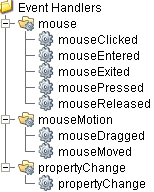
Event Handlers
Event handlers provide the ability to add custom script when a user interacts with a component such as by clicking a mouse, selecting a menu item or when a component property changes.
mouse
mouseClicked
This event signifies a mouse click on the source component. A mouse click the combination of a mouse press and a mouse release, both of which must have occurred over the source component. Note that this event fires after the pressed and released events have fired.
| Property | Description |
|---|---|
| .source | The component that fired this event. |
| .button | The code for the button that caused this event to fire. |
| .clickCount | The number of mouse clicks associated with this event. |
| .x | The x-coordinate (with respect to the source component) of this mouse event. |
| .y | The y-coordinate (with respect to the source component) of this mouse event. |
| .popupTrigger | Returns True (1) if this mouse event is a popup trigger. What constitutes a popup trigger is operating system dependent, which is why this abstraction exists. |
| .altDown | True (1) if the Alt key was held down during this event, false (0) otherwise. |
| .controlDown | True (1) if the Ctrl key was held down during this event, false (0) otherwise. |
| .shiftDown | True (1) if the Shift key was held down during this event, false (0) otherwise. |
mouseEntered
This event fires when the mouse enters the space over the source component.
| Property | Description |
|---|---|
| .source | The component that fired this event. |
| .button | The code for the button that caused this event to fire. |
| .clickCount | The number of mouse clicks associated with this event. |
| .x | The x-coordinate (with respect to the source component) of this mouse event. |
| .y | The y-coordinate (with respect to the source component) of this mouse event. |
| .popupTrigger | Returns True (1) if this mouse event is a popup trigger. What constitutes a popup trigger is operating system dependent, which is why this abstraction exists. |
| .altDown | True (1) if the Alt key was held down during this event, false (0) otherwise. |
| .controlDown | True (1) if the Ctrl key was held down during this event, false (0) otherwise. |
| .shiftDown | True (1) if the Shift key was held down during this event, false (0) otherwise. |
mouseExited
This event fires when the mouse leaves the space over the source component.
| Property | Description |
|---|---|
| .source | The component that fired this event. |
| .button | The code for the button that caused this event to fire. |
| .clickCount | The number of mouse clicks associated with this event. |
| .x | The x-coordinate (with respect to the source component) of this mouse event. |
| .y | The y-coordinate (with respect to the source component) of this mouse event. |
| .popupTrigger | Returns True (1) if this mouse event is a popup trigger. What constitutes a popup trigger is operating system dependent, which is why this abstraction exists. |
| .altDown | True (1) if the Alt key was held down during this event, false (0) otherwise. |
| .controlDown | True (1) if the Ctrl key was held down during this event, false (0) otherwise. |
| .shiftDown | True (1) if the Shift key was held down during this event, false (0) otherwise. |
mousePressed
This event fires when a mouse button is pressed down on the source component.
| Property | Description |
|---|---|
| .source | The component that fired this event. |
| .button | The code for the button that caused this event to fire. |
| .clickCount | The number of mouse clicks associated with this event. |
| .x | The x-coordinate (with respect to the source component) of this mouse event. |
| .y | The y-coordinate (with respect to the source component) of this mouse event. |
| .popupTrigger | Returns True (1) if this mouse event is a popup trigger. What constitutes a popup trigger is operating system dependent, which is why this abstraction exists. |
| .altDown | True (1) if the Alt key was held down during this event, false (0) otherwise. |
| .controlDown | True (1) if the Ctrl key was held down during this event, false (0) otherwise. |
| .shiftDown | True (1) if the Shift key was held down during this event, false (0) otherwise. |
mouseReleased
This event fires when a mouse button is released, if that mouse button's press happened over this component.
| Property | Description |
|---|---|
| .source | The component that fired this event. |
| .button | The code for the button that caused this event to fire. |
| .clickCount | The number of mouse clicks associated with this event. |
| .x | The x-coordinate (with respect to the source component) of this mouse event. |
| .y | The y-coordinate (with respect to the source component) of this mouse event. |
| .popupTrigger | Returns True (1) if this mouse event is a popup trigger. What constitutes a popup trigger is operating system dependent, which is why this abstraction exists. |
| .altDown | True (1) if the Alt key was held down during this event, false (0) otherwise. |
| .controlDown | True (1) if the Ctrl key was held down during this event, false (0) otherwise. |
| .shiftDown | True (1) if the Shift key was held down during this event, false (0) otherwise. |
mouseMotion
mouseDragged
Fires when the mouse moves over a component after a button has been pushed.
| Property | Description |
|---|---|
| .source | The component that fired this event. |
| .button | The code for the button that caused this event to fire. |
| .clickCount | The number of mouse clicks associated with this event. |
| .x | The x-coordinate (with respect to the source component) of this mouse event. |
| .y | The y-coordinate (with respect to the source component) of this mouse event. |
| .popupTrigger | Returns True (1) if this mouse event is a popup trigger. What constitutes a popup trigger is operating system dependent, which is why this abstraction exists. |
| .altDown | True (1) if the Alt key was held down during this event, false (0) otherwise. |
| .controlDown | True (1) if the Ctrl key was held down during this event, false (0) otherwise. |
| .shiftDown | True (1) if the Shift key was held down during this event, false (0) otherwise. |
mouseMoved
Fires when the mouse moves over a component, but no buttons are pushed.
| Property | Description |
|---|---|
| .source | The component that fired this event. |
| .button | The code for the button that caused this event to fire. |
| .clickCount | The number of mouse clicks associated with this event. |
| .x | The x-coordinate (with respect to the source component) of this mouse event. |
| .y | The y-coordinate (with respect to the source component) of this mouse event. |
| .popupTrigger | Returns True (1) if this mouse event is a popup trigger. What constitutes a popup trigger is operating system dependent, which is why this abstraction exists. |
| .altDown | True (1) if the Alt key was held down during this event, false (0) otherwise. |
| .controlDown | True (1) if the Ctrl key was held down during this event, false (0) otherwise. |
| .shiftDown | True (1) if the Shift key was held down during this event, false (0) otherwise. |
propertyChange
propertyChange
Fires whenever a bindable property of the source component changes. This works for standard and custom (dynamic) properties.
| Property | Description |
|---|---|
| .source | The component that fired this event. |
| .newValue | The new value that this property changed to. |
| .oldValue | The value that this property was before it changed. Note that not all components include an accurate oldValue in their events. |
| .propertyName | The name of the property that changed. NOTE: Remember to always filter out these events for the property that you are looking for! Components often have many properties that change. |
Extension Functions
objectSelected
- Description
Called when a MES object is selected.
- Parameters
self - A reference to the component that is invoking this function.
mesObjectLink - The MESObjectLink that contains a reference to the selected MES object. Use mesObjectLink.getMESObject() to get the MES object itself.
- Return
1
- Scope
Client
Custom Methods
Custom methods allow you to add your own component functions to a component that can be called through scripting. This is a useful and clean method of re-using script that is specific to the component (say you want to update a visual aspect of the component in the same way whether a user clicks on the component or a window property value changes).
Customizers
This component does not have any custom properties.
Component Functions
This component provide the following functions that can be called on it. If this component has been dropped onto the windows root container, the path and an example call would be event.source.parent.getComponent('MES Object Selector ').clearSelection() .
clearSelection()
- Description
Deselects the previous selection.
- Parameters
None
- Return
Nothing
- Scope
Client
getParentMESObjectFilter()
- Description
Returns the parent MES object to filter the results by.
- Parameters
None
- Return
MESObjectLink parentMESObjectFilter - The parent MES object filter.
- Scope
Client
getParentMESObjectPath()
- Description
Gets the path of the parent MES object to filter the results by.
- Parameters
None
- Return
String path - The path of the parent MES object.
- Scope
Client
getSelectedMESObject()
- Description
Returns the selected MES object.
- Parameters
None
- Return
MESObjectLink objLink - The link to the selected MES object.
- Scope
Client
getSelectedMESObjectTypes()
- Description
Returns the selected MES object types.
- Parameters
None
- Return
MESObjectTypes types - The object types of the selected MES objects.
- Scope
Client
setEquipmentItemPath(equipmentItemPath)
- Description
Sets the equipment item path.
- Parameters
String equipmentItemPath - The path to set for the equipment item.
- Return
Nothing
- Scope
Client
setExcludedEquipmentPath(excludedEquipmentPath)
- Description
Sets the path of the equipment to be excluded.
- Parameters
String excludedEquipmentPath - The path of the equipment to be excluded.
- Return
Nothing
- Scope
Client
setExcludeInactiveEquipment(boolean)
- Description
Excludes inactive equipment defined in the Equipment Model.
- Parameters
Boolen - Set to True to exclude inactive equipment.
- Return
Nothing
- Scope
Client
setIncludeEquipmentClassObjects(includeEquipmentClassObjects)
- Description
If set to true, includes MES equipment class objects.
- Parameters
boolean includeEquipmentClassObjects - Set to true to include MES equipment class objects.
- Return
Nothing
- Scope
Client
setIncludeEquipmentObjects(includeEquipmentObjects)
- Description
If set to true, includes MES equipment objects.
- Parameters
boolean includeEquipmentObjects - Set to true to includes MES equipment objects.
- Return
Nothing
- Scope
Client
setIncludeMESAreaObjects(includeAreaObjects)
- Description
If set to true, includes MES area objects.
- Parameters
boolean includeAreaObjects - Set to true to includes MES area objects.
- Return
Nothing
- Scope
Client
setIncludeMESEnterpriseObjects(includeEnterpriseObjects)
- Description
If set to true, includes MES enterprise objects.
- Parameters
boolean includeEnterpriseObjects - Set to true to includes MES enterprise objects.
- Return
Nothing
- Scope
Client
setIncludeMESLineCellGroupObjects(includeLineCellGroupObjects)
- Description
If set to true, includes MES line cell group objects.
- Parameters
boolean includeLineCellGroupObjects - Set to true to includes MES line cell group objects.
- Return
Nothing
- Scope
Client
setIncludeMESLineCellObjects(includeLineCellObjects)
- Description
If set to true, includes MES line cell objects.
- Parameters
boolean includeLineCellObjects - Set to true to includes MES line cell objects
- Return
Nothing
- Scope
Client
setIncludeMESLineObjects(includeLineObjects)
- Description
If set to true, includes MES line objects.
- Parameters
boolean includeLineObjects - Set to true to includes MES line objects
- Return
Nothing
- Scope
Client
setIncludeMESSiteObjects(includeSiteObjects)
- Description
If set to true, includes MES site objects.
- Parameters
boolean includeSiteObjects - Set to true to includes MES site objects
- Return
Nothing
- Scope
Client
setIncludeMESStorageUnitObjects(includeStorageUnitObjects)
- Description
If set to true, includes MES storage unit objects.
- Parameters
boolean includeStorageUnitObjects - Set to true to includes MES storage unit objects
- Return
Nothing
- Scope
Client
setIncludeMESStorageZoneObjects(includeStorageZoneObjects)
- Description
If set to true, includes MES storage zone objects.
- Parameters
boolean includeStorageZoneObjects - Set to true to includes MES storage zone objects.
- Return
Nothing
- Scope
Client
setIncludeMaterialClassObjects(includeMaterialClassObjects)
- Description
If set to true, includes MES material class objects.
- Parameters
boolean includeMaterialClassObjects - Set to true to includes MES material class objects
- Return
Nothing
- Scope
Client
setIncludeMaterialDefObjects(includeMaterialDefObjects)
- Description
If set to true, includes MES material definition objects.
- Parameters
boolean includeMaterialDefObjects - Set to true to includes MES material definition objects.
- Return
Nothing
- Scope
Client
setIncludeOperationsDefinitionObjects(includeOperationsDefinitionObjects)
- Description
If set to true, includes operations definition objects.
- Parameters
boolean includeOperationsDefinitionObjects - Set to true to includes MES operations definition objects
- Return
Nothing
- Scope
Client
setIncludeOperationsRequestObjects(includeOperationsRequestObjects)
- Description
If set to true, includes operations request objects.
- Parameters
boolean includeOperationsRequestObjects - Set to true to includes MES operations request objects
- Return
Nothing
- Scope
Client
setIncludeOperationsResponseObjects(includeOperationsResponseObjects)
- Description
If set to true, includes operations response objects.
- Parameters
boolean includeOperationsResponseObjects - Set to true to includes MES operations response objects
- Return
Nothing
- Scope
Client
setIncludeOperationsSegmentObjects(includeOperationsSegmentObjects)
- Description
If set to true, includes operations segment objects.
- Parameters
boolean includeOperationsSegmentObjects - Set to true to includes MES operations segment objects.
- Return
Nothing
- Scope
Client
setIncludePersonObjects(includePersonObjects)
- Description
If set to true, includes person objects.
- Parameters
boolean includePersonObjects - Set to true to includes MES person objects.
- Return
Nothing
- Scope
Client
setIncludePersonnelClassObjects(includePersonnelObjects)
- Description
If set to true, includes personnel class objects.
- Parameters
boolean includePersonnelObjects - Set to true to includes MES personnel objects.
- Return
Nothing
- Scope
Client
setIncludeProcessSegmentObjects(includeProcessSegmentObjects)
- Description
If set to true, includes process segment objects.
- Parameters
boolean includeProcessSegmentObjects - Set to true to includes MES process segment objects.
- Return
Nothing
- Scope
Client
setIncludeRequestSegmentObjects(includeRequestSegmentObjects)
- Description
If set to true, includes request segment objects.
- Parameters
boolean includeRequestSegmentObjects - Set to true to includes MES request segment objects.
- Return
Nothing
- Scope
Client
setIncludeResponseSegmentObjects(includeResponseSegmentObjects)
- Description
If set to true, includes response segment objects.
- Parameters
boolean includeResponseSegmentObjects - Set to true to includes MES response segment objects
- Return
Nothing
- Scope
Client
setParentMESObjectFilter(parentMESObjectFilter)
- Description
Sets the parent MES object to filter the results by.
- Parameters
MESObjectLink parentMESObjectFilter - The parent MES object to filter the results by.
- Return
Nothing
- Scope
Client
setParentMESObjectPath(parentMESObjectPath)
- Description
Set the path of the parent MES object to filter the results by.
- Parameters
String parentMESObjectPath - The path of the parent MES object to filter the results by.
- Return
Nothing
- Scope
Client
setSelectedMESObject(selectedMESObject)
- Description
Sets the selected MES object link.
- Parameters
MESObjectLink selectedMESObject - The selected MES object link to be set.
- Return
Nothing
- Scope
Client
setSelectedMESObjectTypes(mesObjectTypes)
- Description
Sets the MES object types to be selected.
- Parameters
String mesObjectTypes - The MES object types to be selected. This input String is comma delimited. The MES object types are listed on page: MES Object Type Name
- Return
Nothing
- Scope
Client
setShowEquipmentPath(showEquipmentPath)
- Description
Set to True to display equipment paths.
- Parameters
boolean showEquipmentPath - If set to True, the equipment paths are displayed.
- Return
Nothing
- Scope
Client
updateSelected(selectedMESObject)
- Description
Sets the selected MES object link and updates the display text.
- Parameters
MESObjectLink selectedMESObject - The selected MES object link to be set.
- Return
Nothing
- Scope
Client
Code Snippet
Python |
#The following script is placed in the event handler "internalFrame --> internalFrameActivated" for the window #containing the MES Object Selector component. It will execute whenever the window is shown or focused. #Function init() will be executed using the Ignition utility function system.util.invokeLater(). #It will use the method .updateSelected() to update the MES Object Selector to the MES Object held in the #variable uuid, and also update the MES Object Selector text display field. def init(): uuid = '59abcf21-241d-459c-9652-07fc01ee3fe5' objLink = system.mes.getMESObjectLink(uuid) system.gui.getParentWindow(event).getComponentForPath('Root Container.MES Object Selector').updateSelect(objLink) #The method above replaces the method below so that the MES Object Selector text display field will also get updated. #system.gui.getParentWindow(event).getComponentForPath('Root Container.MES Object Selector').setSelectedMESObject(objLink) #The function init() will be run after a short delay to give the MES Object Selector time to initialize. #Otherwise, the MES Object Selector will miss the change to any new MES object selection and its text display field #will either remain blank or will continue to display the text for the previous MES object selection. system.util.invokeLater(init, 250) |
Sepasoft MES Module Suite