Sepasoft MES Module Suite
Script Phase
Supports custom Ignition scripts to be run on the Ignition server. Keep in mind this is not on the client. Scripts to be run on the client must occur on an Ignition tag change event in order for all clients to run the script.
When a script is run, all input parameters of the Batch, Procedure, Unit Procedure, Operation and Script Phase are passed to the script function as a Python dictionary.
When the script has successfully completed, all values returned by the script, as a Python dictionary, are assigned to the output parameters.
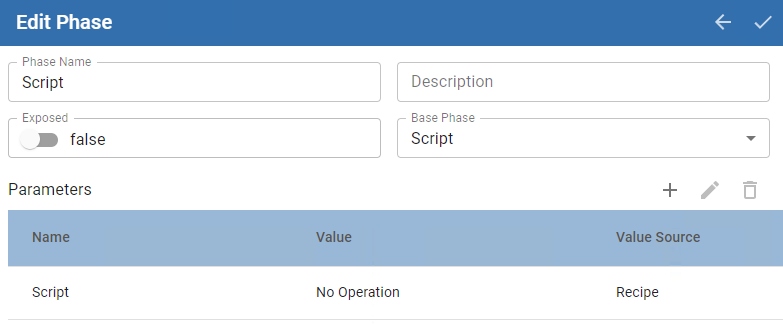
Phase Parameters
| Parameter Name | Default Value | Value Source | Data Type | Recording Type | Description | ||
|---|---|---|---|---|---|---|---|
| Propegate_Hold_To_Parent | True | Recipe Not changeable | Boolean Not changeable | Changes Not Saved Not changeable | When a Phase state changes to HELD, the HELD state is propagated to the Unit Procedure and Operation. If this parameter is set to True, then the HELD state is passed up to the next parent level. Keep in mind that when you restart the Unit Procedure or Operation, the batch is not restarted. Restart the batch from Batch Controller or Batch Monitor. | ||
| Script | No Operation | Recipe Not changeable | Enum | Changes Not Saved Not changeable | |||
| batchId | batchId | Recipe | String | Changes saved | The batchId of the running batch.
|

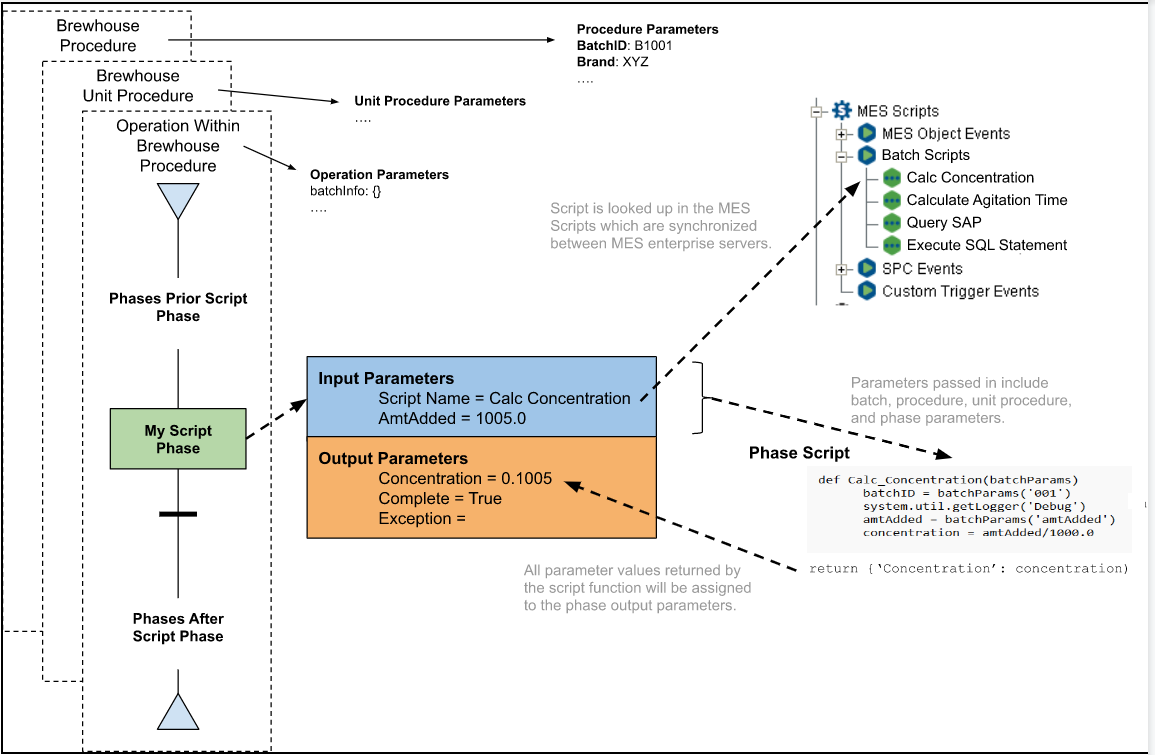
Scripts in MES Scripts
An Ignition Project file that is set as the Configuration file, provides a MES Scripts node in the Project Browser.
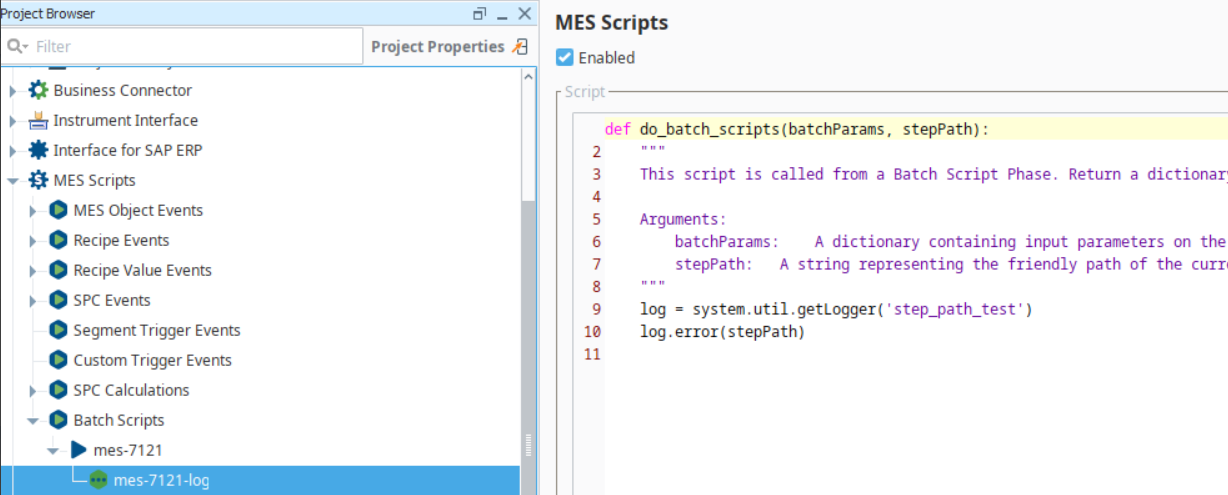
batchParams: a dictionary of the input parameters in the batch recipe.
stepPath: A string representing the friendly path of the current step in the recipe execution hierarchy. Can be used to programmatically interact with specific steps in a recipe. stepPath provides scripts with a definitive understanding of their place in the execution flow, enabling more intelligent, targeted, and dynamic behavior.

|
Available in versions 3.81.11 SP10 and later. |
The primary use case involves script phases that need to modify recipe parameters during runtime. The stepPath parameter directly empowers a script phase to identify its own location, providing the exact string value required by the stepPath argument in functions like system.mes.batch.queue.setParameterValue(). This allows a script to programmatically target itself or related steps for modification.The primary benefit of stepPath is the crucial positional awareness it provides. Whether used in tag scripts or script phases, this parameter unlocks the ability to execute more dynamic and context-sensitive logic. Scripts are no longer fire-and-forget entities; they can now query their own position and act upon that information.
Sepasoft MES Module Suite