Sepasoft MES Module Suite
Reporting on Batches
With the Ignition Reporting Module, you can create a generic batch report that works with any Batch Recipe.
In Designer > Project Browser > Reports:
- Add a report.
- In the Data tab, add the parameter: BatchID
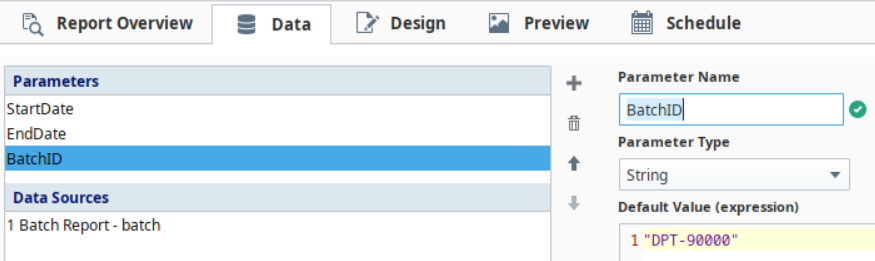
- Add a batch data source.
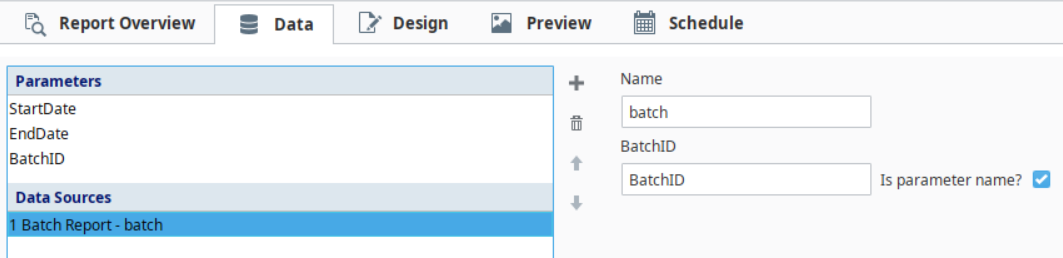
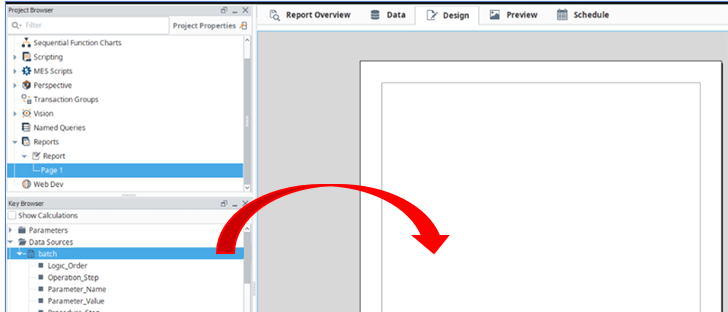
In Key Browser:
- Drag the batch data item to the report. Doing this creates a table on the report page.
In Property Inspector:
- Select the table and in the Property Inspector, add Procedure_Step, Unit_Procedure_Step, and Operation_Step grouping items. Make sure the in the order shown in the image below.
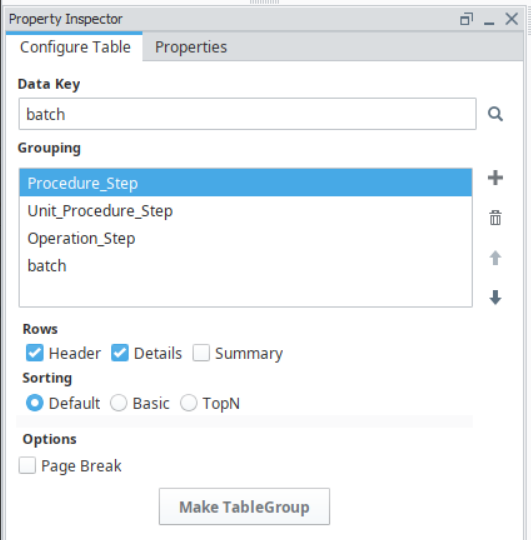
- Check the Header option just for the Procedure_Step
- Design the report by dragging items from Key Browser to the report.
- Add other elements, adjust fonts, configure custom group sections as desired.
Sepasoft MES Module Suite