---
title: "Business Connector and Web Services"
id: "business-connector-and-web-services"
project: "MES User Manual"
url: "https://docs.sepasoft.com/articles/user-manual/business-connector-and-web-services"
updated: 2026-07-31T14:57:09Z
---
# Business Connector and Web Services
**Sepasoft MES Module Suite**
## Business Connector and Web Services
Sepasoft ERP Connectivity includes three major connection capabilities, Web Services, Business Connector, and Interface For SAP ERP.
* [Installation Requirements Based On Functionality](/articles/user-manual/business-connector-and-web-services/a/h2__1827047689)
* [Web Services Module](/articles/user-manual/business-connector-and-web-services/a/h3_2098740320)
* [Business Connector Module](/articles/user-manual/business-connector-and-web-services/a/h3_71945007)
* [Business Connector Server Functionality](/articles/user-manual/business-connector-and-web-services/a/h4__985821437)
* [Interface for SAP ERP Module](/articles/user-manual/business-connector-and-web-services/a/h3_1789520337)
* * *
### Installation Requirements Based On Functionality
| **For this functionality:** | **Install these Connection Module(s):**
**To get these modules: [Go to Downloads](https://www.sepasoft.com/downloads/)** and navigate to Sepasoft Business Connector and Web Services. |
| --- | --- |
| Visual development tools for data exchange including, GUI for:
- Chart building
- Material flow sequencing
- Data selection and filtering
- Data mapping
| **Business Connector Module**
*Platform Consideration:*
MES 3.0 and MES 4.0: Supports the ability to create MES objects using B2MML.
MES 2.0: Creating MES objects using B2MML is not supported. |
| Data exchange with web protocols. | **Web Services Module** |
| Visual tools of the Business Connector and connectivity via web protocols. | **Business Connector - Web Services Modules** |
| Visual tools of the Business Connector and connectivity to an SAP server. | **Business Connector - Interface for SAP Modules** |
| Visual tools and connecting via web protocols and an SAP server. | **Business Connector - Web Services - Interface for SAP Modules** |
|  | Business Connector and Web Services resources display in the **MESGateway** **Ignition project**. This project: MESGateway is where you manage these resources. |
| --- | --- |
* * *
### Web Services Module
The Web Services Module is used to communicate with ERP and business systems that support SOAP and RESTful endpoints. It can be used in conjunction with the Sepasoft Business Connector and its easy-to-use interface, or independently, as a tool for simplifying such communications via scripting in Ignition.
For configuration, see [Web Services](/articles/user-manual/web-services).
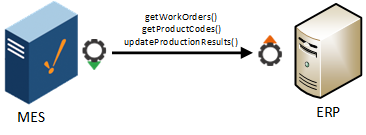
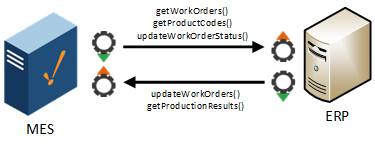
### Business Connector Module
The Sepasoft Business Connector is a module for connecting Ignition to business systems. It provides intuitive drag-and-drop interfaces for developing business logic, transforming data, and mapping data between Ignition and other systems. It builds upon decades of industry best practices to enable seamless integration between your enterprise systems and your Ignition-powered manufacturing floor.
For configuration, see [Business Connector](/articles/user-manual/business-connector-1).
#### Business Connector Server Functionality
|  | Version Specific - offered in **3.81.10 RC1 and later** |
| --- | --- |
Business Connector Module provides Server functionality. This functionality allows external systems (clients) to make **BAPI** calls into:
* Interface for SAP module
* Web Service provider endpoints
* Files located in a directory
Business Connector Server Functionality, see
Input/output data structures in start element , see [Start Block](/articles/user-manual/start-block).
### Interface for SAP ERP Module
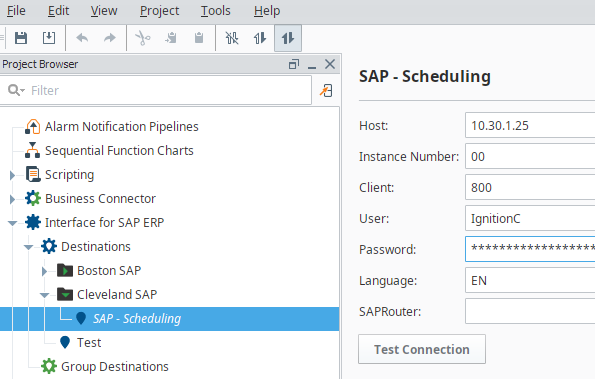
The Interface for SAP ERP Module enables the Sepasoft Business Connector to connect to SAP and provides built-in templates for common data exchange scenarios. The cost of the Interface Module for SAP is an order of magnitude less than other middleware tools for SAP connectivity. The Interface for SAP ERP Module is SAP Labs certified.
For configuration, see [Interface for SAP ERP](/articles/user-manual/interface-for-sap-erp).
**Sepasoft MES Module Suite**