Sepasoft MES Module Suite
Changeovers
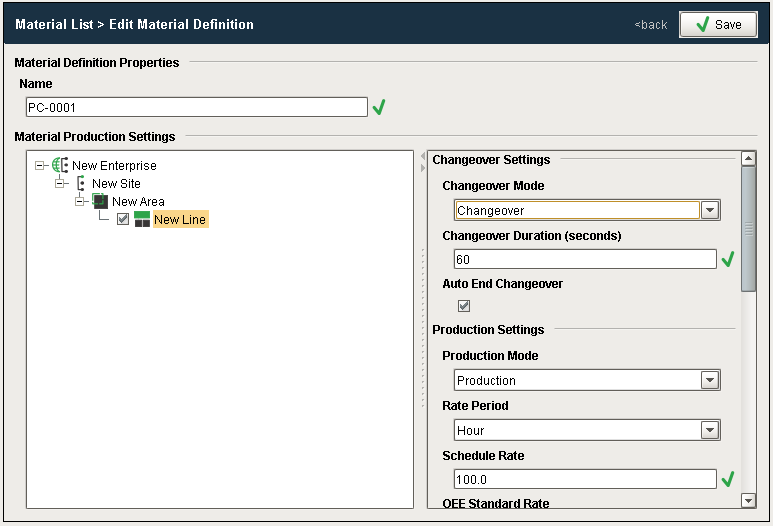
When an OEE Run is started, the Line Mode is automatically set to the mode as defined in the OEE Material Manager - Vision for the selected product and line combination. In the example screen, the Line mode will be set to Changeover for the first 60 seconds of the production run, at which point the mode will then be set to Production.
For more information on the Changeover and Production settings including how to set up the system to automatically create a Changeover Overrun condition, please refer to the OEE Material Production Settings page.
Running Changeovers
OEE Downtime provides support for running changeovers, where multiple products can be being processed on the same line at the same time.
When a production run is started, the product code specified for the run will be indexed to all cells on the line. If a new production run that specifies a different product code is then started on the same line, the new product code will be automatically indexed to the first cell on the line, or if the first cell defined in the line is a cell group, all cells (and cell groups) within that cell group will be indexed with that product code. As the new product code makes it way down the production line, the product code can be indexed to each cell by setting the value of the tag bound to the cell Product Code Tag Path to the product code and using the function system.mes.oee.indexCellProduct. This function can be called sequentially for each cell on the line. When this function is called, all upstream cells will have their product code indexed too if they have not already been indexed.
Sepasoft MES Module Suite