Sepasoft MES Module Suite
Lot Handling Configuration
Lot Handling Methods
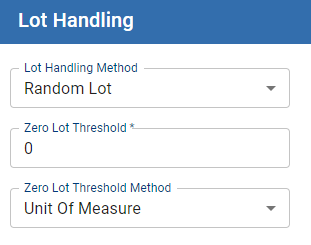
Storage Units and equipment can be configured with different lot handling modes that define how lots (or batches) of material are stored at equipment.
You configure Lot Handling Methods for a Line in Equipment Manager.
Summary of Lot Handling Methods
- Lot Handling Configuration
- Summary of Lot Handling Methods
- Zero Lot Threshold
- Single Lot Handling
- Single Lot Handling
- Single Lot Handling Errors
- Random Lot Handling
- FIFO Lot Handling
- FIFO Lot Handling Errors
- Same Lot Handling
- Blend Lot Handling
- Using a Subset of the Available Quantity
- Using All of the Available Quantity
Lot Handling Methods | Summary |
|---|---|
Single Lot | Only one lot can be stored at this location even if the location is not full. |
Random Lot | Default - You can put any lots in any order and pull them out in any order. |
FIFO | This will cause the first lot stored at this location to be used first and the second lot to be used second and so on. |
LIFO | This will cause the last lot stored at this location to be used first and the second to last lot to be used second and so on. |
Same Lot | Material from the same lot that is received over multiple trucks or vessels can be added. |
Blend Lot | Allows only one lot at a time in that tank. If you add another lot, it will cause a new lot to be created. |
Zero Lot Threshold

|
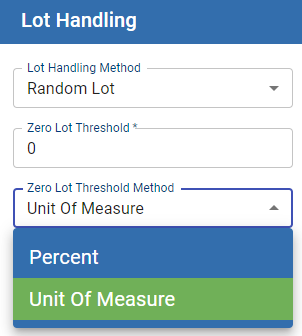
In order to use Zero Lot Threshold functionality, set the Auto Lot Quantity Completion property of the Process Segment (or Operations Segment, if preferred) to Enabled (see Material Resource Property). |
Single Lot Handling
Single Lot handling method is for storage units and equipment that can only hold 1 lot of material at a time. After storing a lot to the storage unit or loading it into a piece of equipment that lot must be taken out before another can be added.
Example:
In order to prep them for shipment, a factory that creates CNC milling machines stores each finished machine into a storage container. Each storage container can only hold one machine at a time. In order for another machine to be loaded into the storage the current machine must be removed from the storage container.
Single Lot Handling
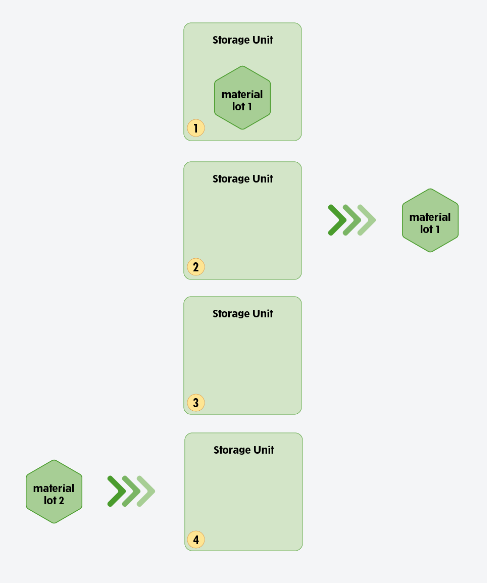
We are starting with a storage unit configured to Single Lot Handling Mode. We have 2 material lots: material lot 1 and material lot 2.
- We are starting with material lot 1 inside the storage unit.
- We then remove material lot 1 from the storage unit.
- The storage unit is now empty and something else can be added to it.
- We are now free to add material lot 2 or any other material lot to the storage unit.
Single Lot Handling Errors
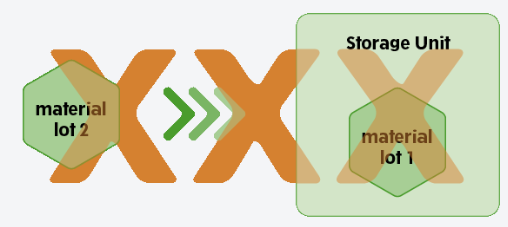
Adding a lot to an already full storage unit or piece of equipment configured for Single Lot Handling is not a valid operation. If the user attempts this an exception will be thrown by the system.
Random Lot Handling
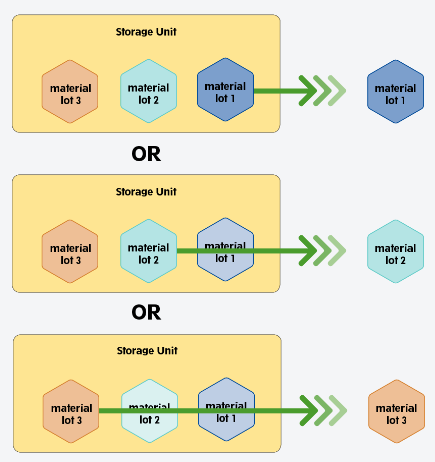

|
Random Lot Handling, you can get the next lot or select the lot manually. |
FIFO Lot Handling
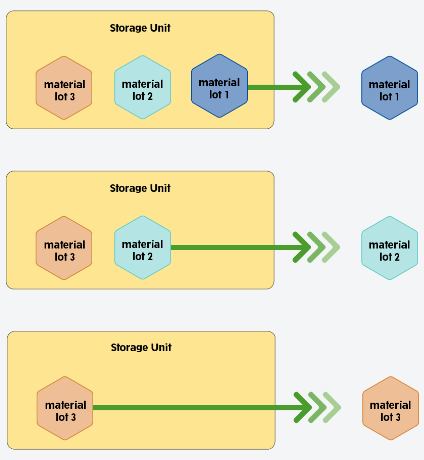
FIFO Lot Handling Errors
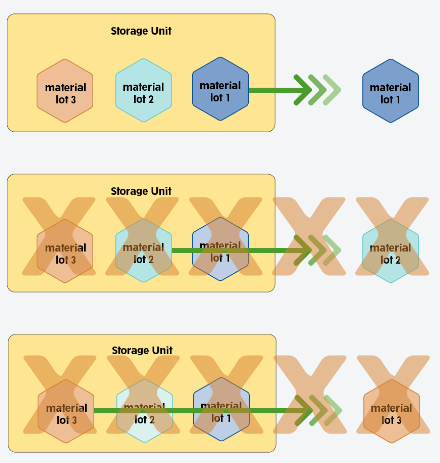
|
|
Overriding FIFO Lot Handling Restrictions put on a storage unit in FIFO Lot Handling can be overridden by using scripting. No Exception is thrown. |
Same Lot Handling
Blend Lot Handling
|
|
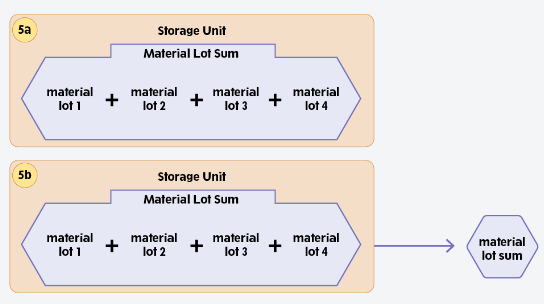
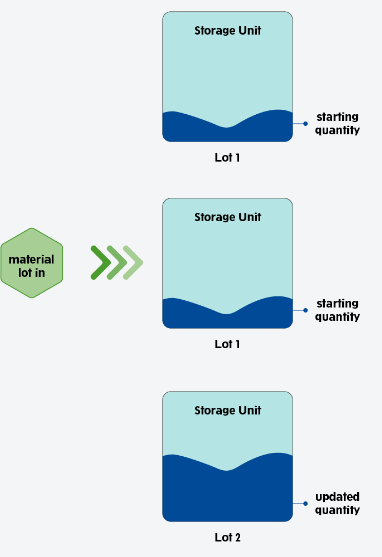
Blend Lot creates new lot when material is added. This allows for historical tracking of the storage unit. Keep in mind that with Same Lot the material is always added to the one lot. |
The storage unit is set to Blend Lot Handling. This storage unit already has material in it named available quantity and an input lot of material called material lot in.
The starting quantity and the quantity of material lot in are summed together and a new lot is created called Lot 2.
Using a Subset of the Available Quantity
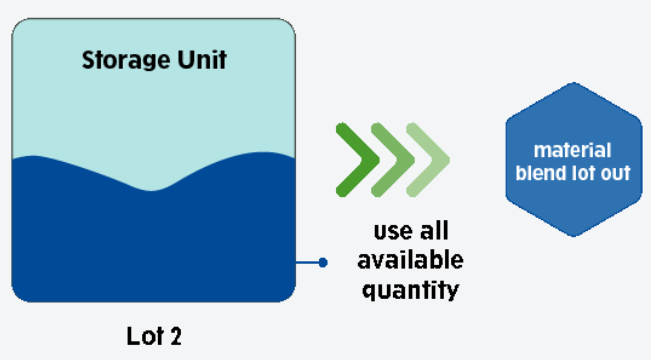
Using All of the Available Quantity
Sepasoft MES Module Suite