---
title: "Expression Syntax for e-Signature Templates"
id: "expression-syntax-for-e-signature-templates"
project: "MES User Manual"
url: "https://docs.sepasoft.com/articles/user-manual/expression-syntax-for-e-signature-templates"
updated: 2026-07-31T14:57:26Z
---
# Expression Syntax for e\-Signature Templates
**Sepasoft MES Module Suite**
## Expression Syntax
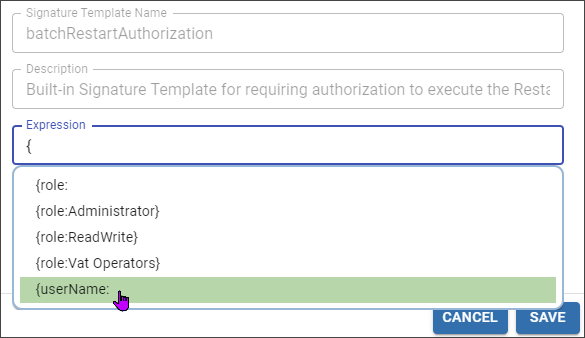
You set an expression for a MES Signature Template in the Edit Template or New Template dialog. This component uses a Perspective Session in Ignition Designer or web browser.
| Required approval | Expression |
| --- | --- |
| Any Supervisor | {role:Supervisor} |
| Any Operator | {role:Operator} |
| Any Supervisor and a specific user | {role:Supervisor} AND {userName:Bob}
Note: Using the AND operator requires that all entities approve the challenge for the expression to be True. However, only one entity needs to reject the challenge for the expression to be False. |
| A specific User or Any Supervisor | {userName:Bob} OR {role:Supervisor} |
| Anyone at the site | [securityZone:Site] |
| Anyone at Site with Role Supervisor | [securityZone:Site] AND {role:Supervisor} |
Type '[' to use autocomplete for security zones.

Type '{' to use autocomplete for security providers and user names.
**Sepasoft MES Module Suite**