Sepasoft MES Module Suite
Description
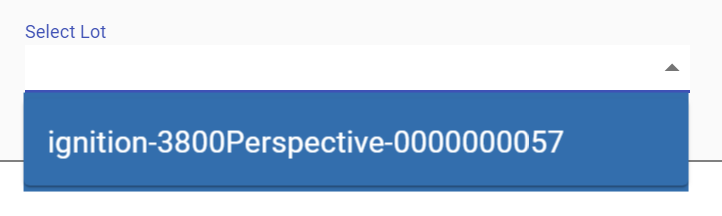
A component to allow auto complete selection of MES Material Lot or MES Material Sublot objects. It contains many properties to filter the MES Material Lot or MES Material Sublot objects to include in the list. The auto complete feature will include only appropriate names that start with what the user has typed. This is very useful so scrolling of large lists does not have to be done and full lot or serial number does not have to be typed in.
There are two possible modes that the MES Lot Selector component can be used. If the Mode property is set to Lot, then the selector will be populated with MES Material Lot objects. If the Mode property is set to Sublot, then the selector will be populated with MES Material Sublot objects.
The Max Results property prevents a huge number of options from being loaded from the database along with all of the overhead of passing then to the client when the user will not use all of them. This along with the Begin Date Time and End Date Time properties, keep from taking up unneeded resources.
Traceability section of
Component Palette
Component Properties
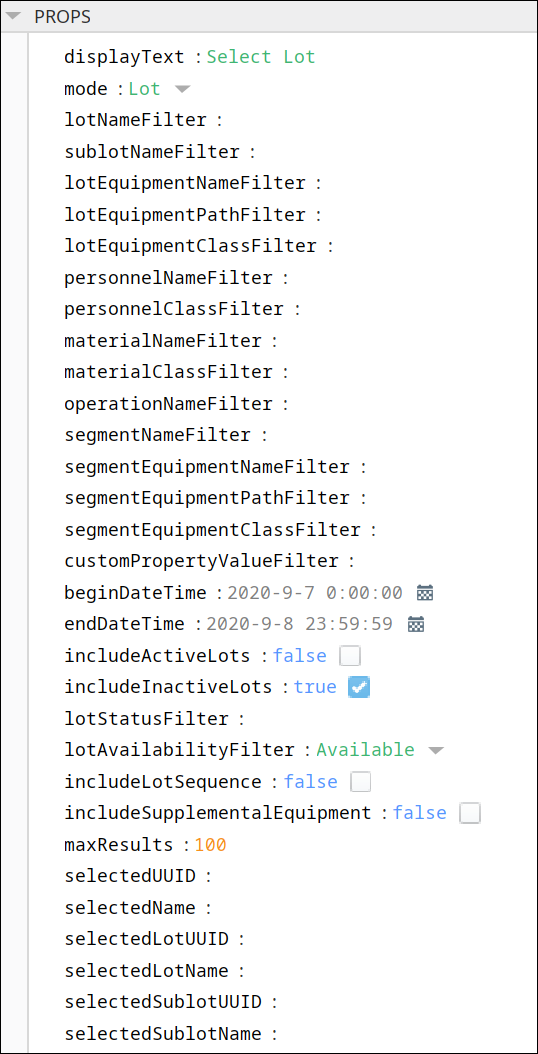
Properties are provided that can be set to affect the operation and look of the component. They can be set through the Perspective Property Editor in the Designer or through scripting. Note that the section prefix is included before the property name (props, position, custom or meta).
Example
Code |
|
PROPS
Component Properties
| Name | Scripting | Property Type | Description |
|---|---|---|---|
| Display Text | displayText | ||
| Mode | mode | Integer | Select what to search:
|
| Lot Name Filter | lotNameFilter | String | Filter value, including * and ? wildcard characters, to filter results by lot names. |
| Sublot Name Filter | sublotNameFilter | String | Filter value, including * and ? wildcard characters, to filter results by sublot names. |
| Lot Equipment Name Filter | lotEquipmentNameFilter | String | Filter value, including * and ? wildcard characters, to filter results by lot location names. |
| Lot Equipment Path Filter | lotEquipmentPathFilter | String | Filter value, including * and ? wildcard characters, to filter results by lot location paths. |
| Lot Equipment Class Name Filter | lotEquipmentClassFilter | String | Filter value, including * and ? wildcard characters, to filter results by class of lot location names. |
| Personnel Name Filter | personnelNameFilter | String | Filter value, including * and ? wildcard characters, to filter results by personnel names. |
| Personnel Class Name Filter | personnelClassFilter | String | Filter value, including * and ? wildcard characters, to filter results by personnel class names. |
| Material Name Filter | materialNameFilter | String | Filter value, including * and ? wildcard characters, to filter results by material names. |
| Material Class Name Filter | materialClassFilter | String | Filter value, including * and ? wildcard characters, to filter results by material class names. |
| Operation Name Filter | operationNameFilter | String | Filter value, including * and ? wildcard characters, to filter results by operation names. |
| Segment Name Filter | segmentNameFilter | String | Filter value, including * and ? wildcard characters, to filter results by segment names. |
| Segment Equipment Name Filter | segmentEquipmentNameFilter | String | Filter value, including * and ? wildcard characters, to filter results by segment location names. |
| Segment Equipment Path Filter | segmentEquipmentPathFilter | String | Filter value, including * and ? wildcard characters, to filter results by segment location paths. |
| Segment Equipment Class Name Filter | segmentEquipmentClassFilter | String | Filter value, including * and ? wildcard characters, to filter results by class of segment location names. |
| Custom Property Value Filter | customPropertyValueFilter | String | List of custom property name and value to filter results by. (E.g. "MaterialLot.CustomPropertyName=Value") |
| Begin Date Time | beginDateTime | DateTime | The beginning date and time to include in the results. Only valid when Include Inactive Lots property is set to true. |
| End Date Time | endDateTime | DateTime | The ending date and time to include in the results. Only valid when Include Inactive Lots property is set to true. |
| Include Active Lots | includeActiveLots | Boolean | If true, include lots that are currently being processed. |
| Include Inactive Lots | includeInactiveLots | Boolean | If true, include lots that are done being processed. |
| Lot Status Filter | lotStatusFilter | String | Filter value, including * and ? wildcard characters, to filter results by lot status. |
| Lot Availability Filter | lotAvailabilityFilter | ||
| Include Lot Sequence | includeLotSequence | Boolean | If true, include an item for each lot number and sequence combination. |
| Include Supplemental Equipment | includeSupplementalEquipment | Boolean | If true, include lots located on supplemental equipment. |
| Max Results | maxResults | Integer | Amount to limit the number of lots to show in the selector. |
| Selected UUID | selectedUUID | String | The selected operation UUID. |
| Selected Name | selectedName | String | The selected operation Name. |
| Selected Lot UUID | selectedLotUUID | String | The lot UUID for the currently selected lot. |
| Selected Lot Name | selectedLotName | String | The lot Name for the currently selected lot. |
| Selected Sublot UUID | selectedSublotUUID | String | The sublot UUID for the currently selected lot. |
| Selected Sublot Name | selectedSublotName | String | The sublot Name for the currently selected lot. |
There are also numerous styling properties available:
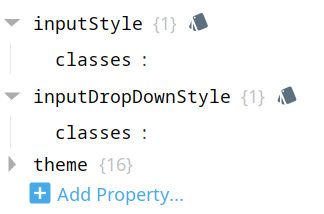
Each property above can be edited for text, background, margins and padding, border, shape, as well as opacity, cursor and overflow characteristics:
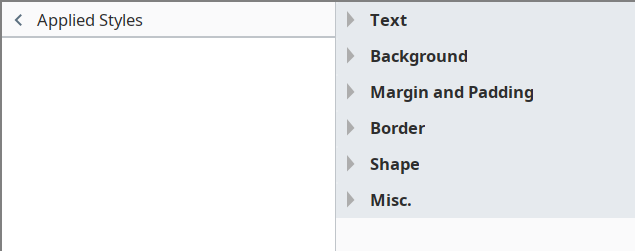
Ignition Style Editor

|
Refer to the Ignition 8 docs page Style Reference for information on modifying the properties listed below. |
| Name | Scripting | Property Type | Description |
|---|---|---|---|
| Classes | classes | <<< ???????? >>> | |
| Input Drop Down Style | inputDropDownStyle | <<< ???????? >>> | |
| Theme | theme | <<< ???????? >>> |
POSITION
Position Properties
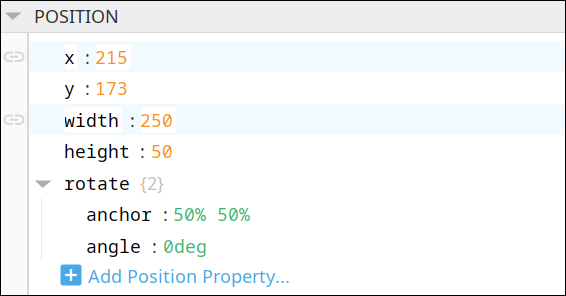
The component position properties aren't usually changed by users during runtime, but they can be written and read in the same manner as other properties, if ever needed. Refer to Ignition Perspective Component Properties for details on POSITION properties.
New user-defined position properties can be created in this section.
User-defined Properties
|
|
Best practice: If user-defined properties are required, create them in the CUSTOM section instead of here. |
CUSTOM
Custom Properties
New user-defined custom properties can be created in this section.

META
Meta Properties
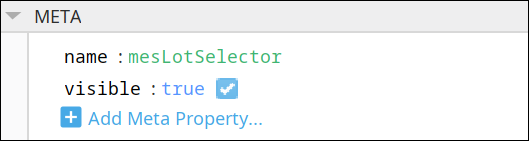
This section contains the name and visibility properties for the component.
New user-defined meta properties can be created in this section.
User-defined Properties
|
|
Best practice: If user-defined properties are required, create them in the CUSTOM section instead of here. |
Event Handlers
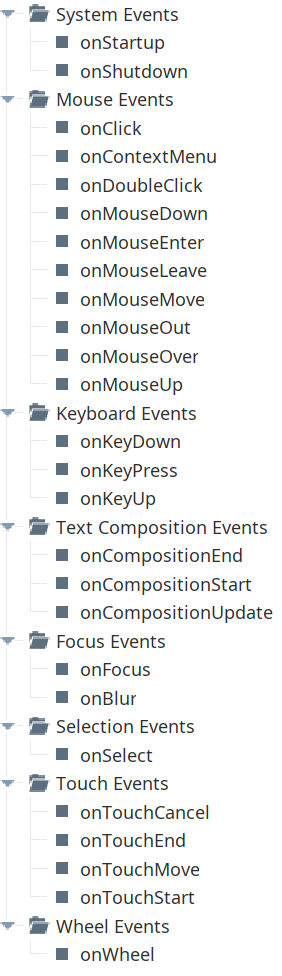
Event handlers provide the ability to add custom script when a user interacts with a component.
Refer to the Ignition User Manual for details on using the available event handlers:
Component Functions
This component has no Component Functions.
Sepasoft MES Module Suite