Sepasoft MES Module Suite
Operations Control
If an OEE run or operation has been scheduled, it can be started and ended using the MES Schedule Selector component. Right click on the desired operation and select Begin OEE Run for an OEE Run or Begin Operation for a non OEE Run operation.
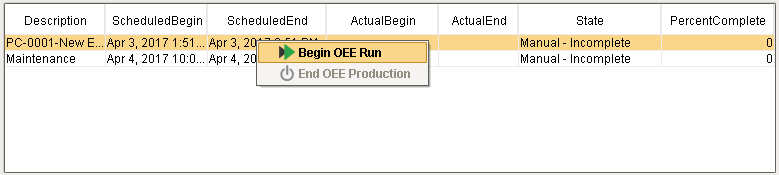
MES Schedule Selector
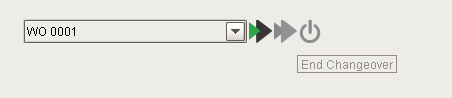
The OEE Run Director - Vision component can also be used to start and end OEE runs, whether they are scheduled or un-scheduled. It cannot however be used to control un-scheduled non OEE operations. That functionality comes as part of the Track & Trace module and can be implemented using the MES Operation Selector and MES Segment Selector components.
Automated Schedule Control
OEE runs can be configured to automatically start and end based on the schedule time and production count.
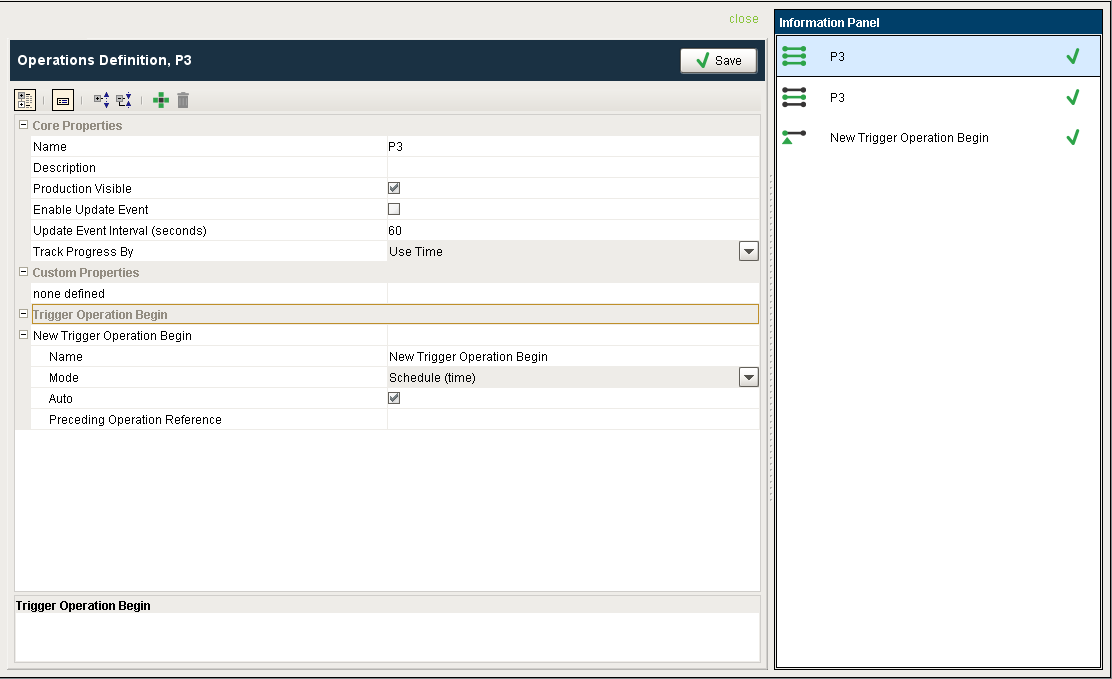
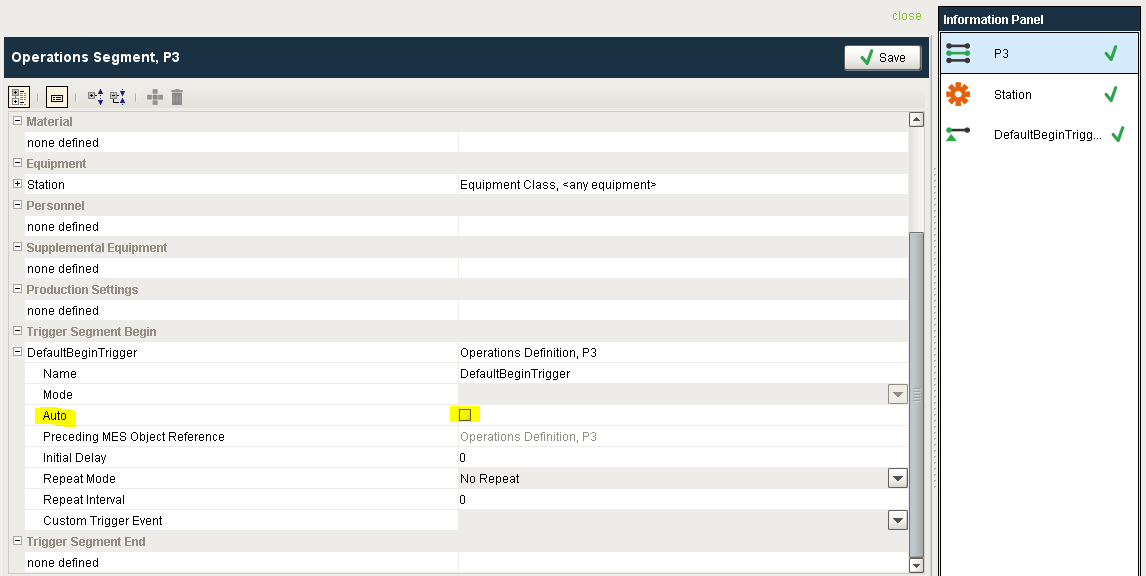
To setup a run to automatically start, the Operations Definition that was created for you for the product code / line combination can be modified in the MES Object Editor. Ensure that the MES Object Editor's "Editor Mode" property is set to "Segments and Operations" in order to access and modify the Operations Definition. Under Trigger Operation Begin, change the Mode to Schedule (time) and check Auto. Note that the Operations Segment under the Operations Definition also needs its Begin Trigger Auto checkbox selected to enable the automatic start of the operation.
This same functionality can also be achieved by adding a script to the BeginSchedule event for the OperationsRequest in the MES Object Events section of the Production Model Designer at the Enterprise Production Item level.
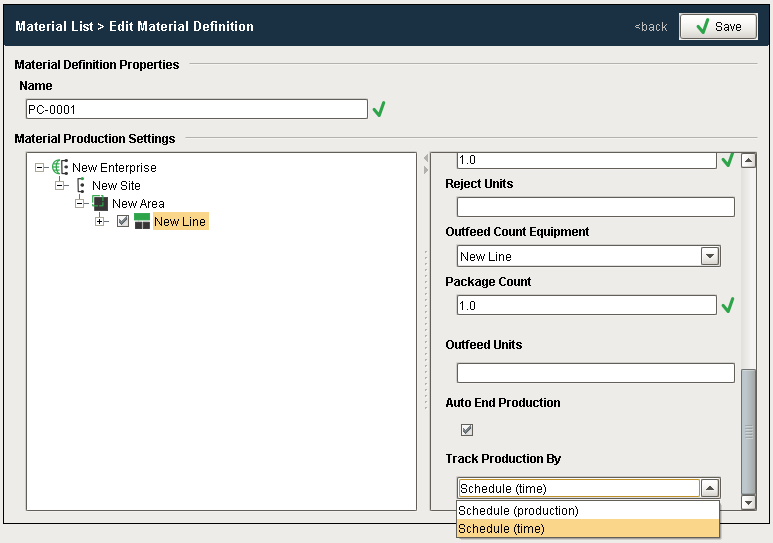
To automatically end an OEE run, set Auto End Production to True and set Track Production By to Schedule (time) to stop the OEE Run based on the schedule, or to Schedule (Production) to automatically end the run after the required quantity has been produced.
Scripting Functions
The following scripting functions are provide to control OEE Runs...
- system.mes.oee.abortRun
- system.mes.oee.beginOEERun
- system.mes.oee.endCellChangeover
- system.mes.oee.endOEEChangeover
- system.mes.oee.endOEEProduction
- system.mes.oee.getOEEActiveSegment
- system.mes.oee.getOEEAllActiveSegments
- system.mes.oee.indexCellProduct
- system.mes.oee.removeMaterialOperationSegments
- system.mes.oee.updateMaterialOperationSegments
Sepasoft MES Module Suite