---
title: "Preallocate Resources Phase"
id: "preallocate-resources-phase"
project: "MES User Manual"
url: "https://docs.sepasoft.com/articles/user-manual/preallocate-resources-phase"
updated: 2026-07-31T14:58:58Z
---
# Preallocate Resources Phase
**Sepasoft MES Module Suite**
## Preallocate Resources Phase
Use the Preallocate Resources phase when a specific quantity is needed for a process and must be reserved so that other processes do not deplete inventory before the current process begins an operation on the material.
Any materialIn parameters in phases must have the preallocate parameter in the materialIn dictionary set to True for the material to be allocated by this phase.
Invalid uses of the Preallocate phase will cause the recipe validation to fail. Examples of invalid uses are inside a loopback, outside of a unit procedure, parallel preallocate phases inside an AND construct.
The preallocate phase must be part of a unit procedure to be available in the recipe phase pallet when defining a recipe. It is not a stand alone phase.
Supported Sepasoft Module Versions:
|  | New in:
3.81.8 RC1 Release Candidate and later |
| --- | --- |
### Preallocate Resources Default Phase Parameters
**See** [Properties Common to All Phase Parameters](/articles/user-manual/properties-common-to-all-phase-parameters)
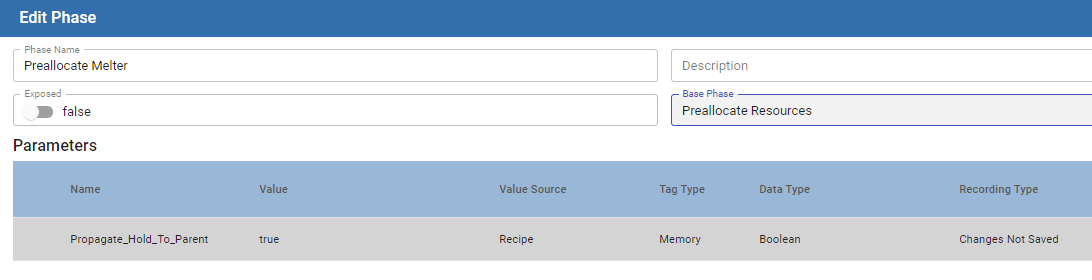
| Parameter Name | Default Value | Value Source | Tag Type | Data Type | Recording Type | Description |
| --- | --- | --- | --- | --- | --- | --- |
| **Propegate\_Hold\_To\_Parent** | **True** | **Recipe**
Not changeable | **Memory**
Not changeable | **Boolean**
Not changeable | **Changes Not Saved**
Not changeable | When a Phase state changes to HELD, the HELD state is propagated to the Unit Procedure and Operation. If this parameter is set to True, then the HELD state is passed up to the next parent level.
Keep in mind that when you restart the Unit Procedure or Operation, the batch is not restarted. Restart the batch from Batch Controller or Batch Monitor. |
**Sepasoft MES Module Suite**