Sepasoft MES Module Suite
SAP Listener Configuration
The Sepasoft SAP Listener configuration uses RFC (Remote Function Call) connections via TCP/IP.
The Interface for SAP ERP module registers as an RFC server on the SAP instance after configuration.
This allows SAP to push data to Ignition via the Interface for SAP ERP module. On receipt of a message, the module execute the defined business connector chart.
- Minimum Settings in SAP
- Register Ignition in SAP
- Sepasoft MES Business Connector
- SAP Listener | Configuration within Ignition
- Servers
- Destinations

|
Ignition Vision Read Time-Out setting in the Ignition Designer Project Properties affects read-timeouts for Business Connector's SAP calls to get a list of BAPIs When retrieving BAPIs in Business Connector using the BAPI block in a chart for the first time, a read timeout occurs. This can be due to several items, such as:
You can set the Read Timeout in the Ignition Designer Project Properties dialog, under Vision > Timing > Read Timeout. If Vision is not installed, use the system.util.setReadTimeout(readTimeout) script function to set the Read Timeout setting. See the Ignition User Manager for more details. |
Minimum Settings in SAP
There are two minimum settings in SAP:
-
The RFC Destinations name must be unique and match between the SAP server and Ignition server.
-
The Program ID must be unique and match between the SAP server and Ignition server.
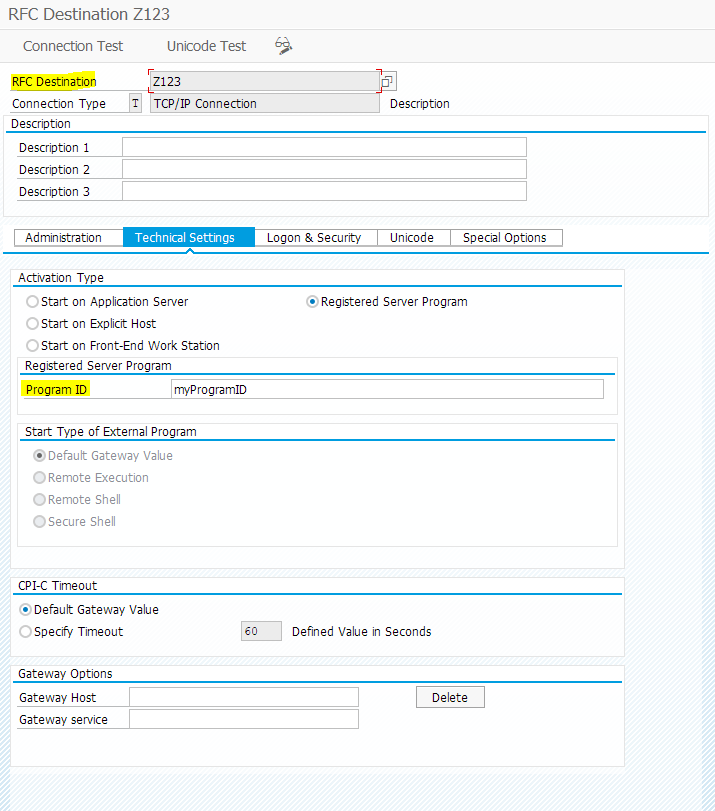
Register Ignition in SAP
There are two ways to register Ignition:
-
ACL Mode, which allows any program to connect (not recommended for production).
To use this mode, the profile for the SAP instance must have the gateway gw_acl_mode set to zero:
gw/acl_mode = 0
-
RegInfo file in the SAP directory. Set IP address(s).
Link to SAP documentation (Keep in mind that this link into SAP documentation is not owned by Sepasoft and may possibly be outdated.)

|
SAP Authorizations: Make sure the user account has permissions to call Remote-enabled Function Modules. |
Sepasoft MES Business Connector
Multiple function calls can be passed in to one corresponding Business Connector chart i.e., one RFC connection is set up for all functions. The BAPI (ABAP) interfaces for input and output are defined in the Start Block of a Business Connector Chart.
SAP Listener | Configuration within Ignition
-
In Ignition Designer > Project Browser > Interface for SAP ERP.
|
|
Keep in mind that this node in the Project Browser can only be viewed in the Configuration Project File that you set in the Ignition Gateway.
|
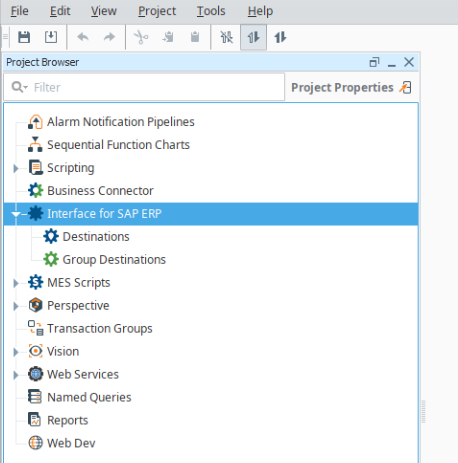
- Under Interface for SAP ERP, right click to add a New Destination.
Servers
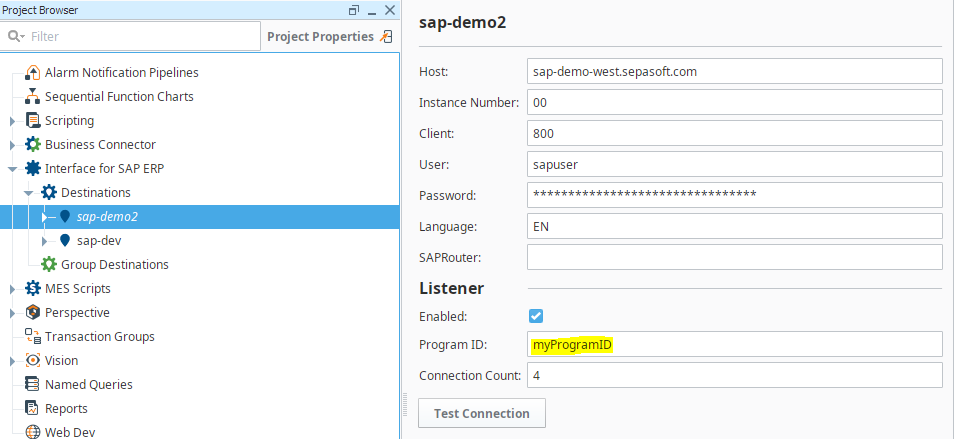
SAP Listener has these three fields under the Listener section within the Destinations dialog.
|
SAP Listener Field of the Destinations dialog: |
Description |
|---|---|
|
Enabled |
If this server is listening for incoming requests from SAP |
|
Program ID |
User specified program ID, must match what is input on SAP side Connection Count: Maximum number of incoming JCO connections, managed by JCO library. |
|
Connection Count |
Maximum number of incoming JCO connections, managed by JCO library. |
Destinations
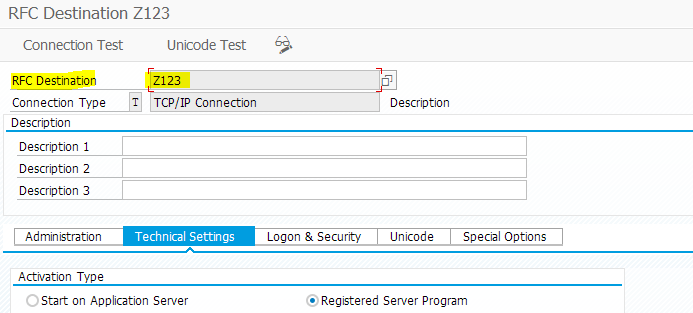
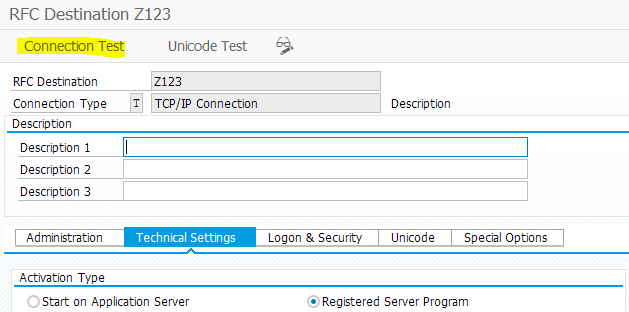
- Test connectivity once configuration is saved.
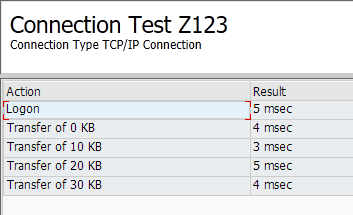
Successful test message:
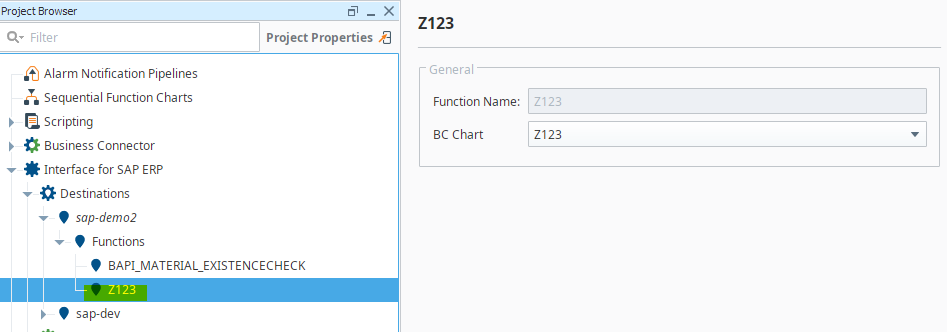
RFC Functions on the Ignition side are tied to a Business Connector chart. When the function is called from SAP, the Business Connector chart is then executed.
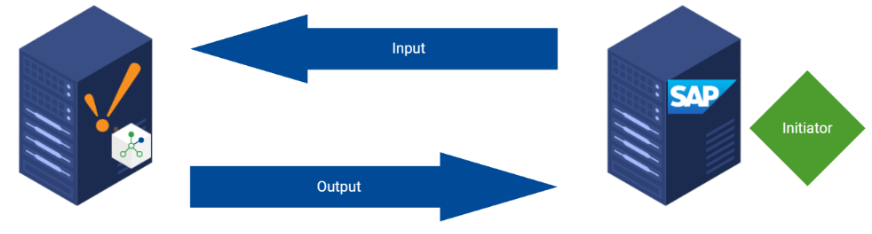
Communication with SAP involves inputs and outputs. When SAP is the initiator of the communication, the Inputs are data being sent to Ignition. The outputs are response data sent back to SAP from Ignition.
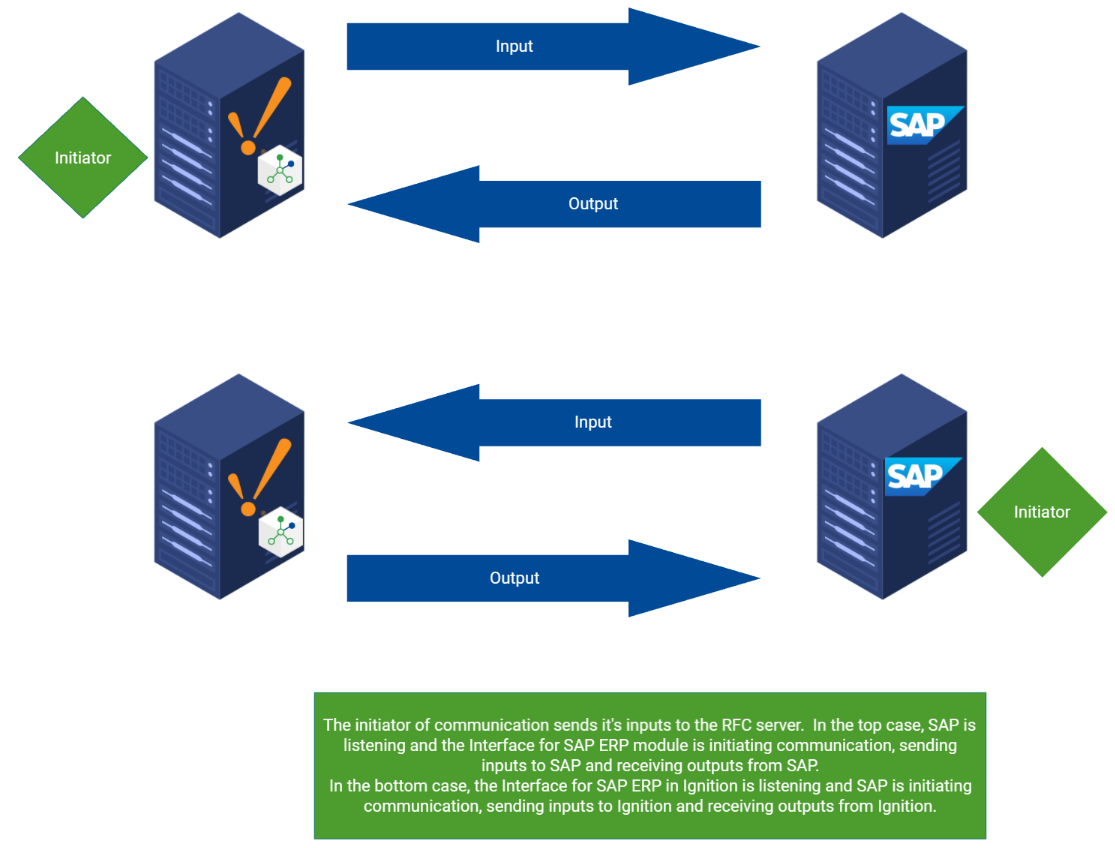
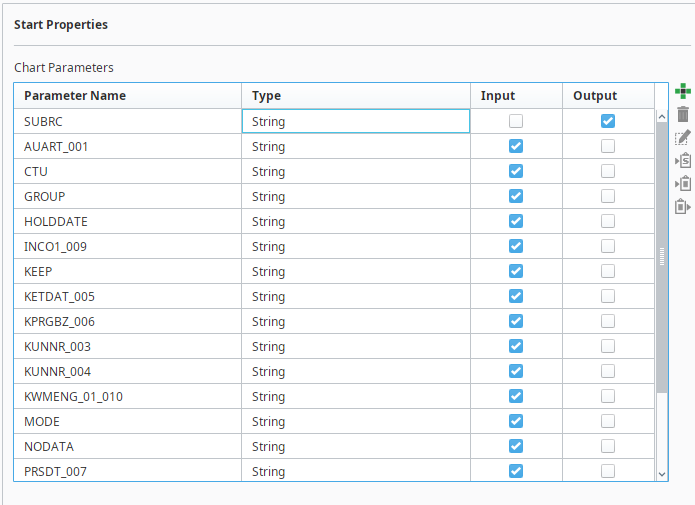
In the Business Connector start block, parameters can be defined as Input, Output, both, or neither.
Parameters required by the RFC call need to be defined as the appropriate inputs or outputs.
Consider this RFC call configuration from SAP (SAP as initiator):
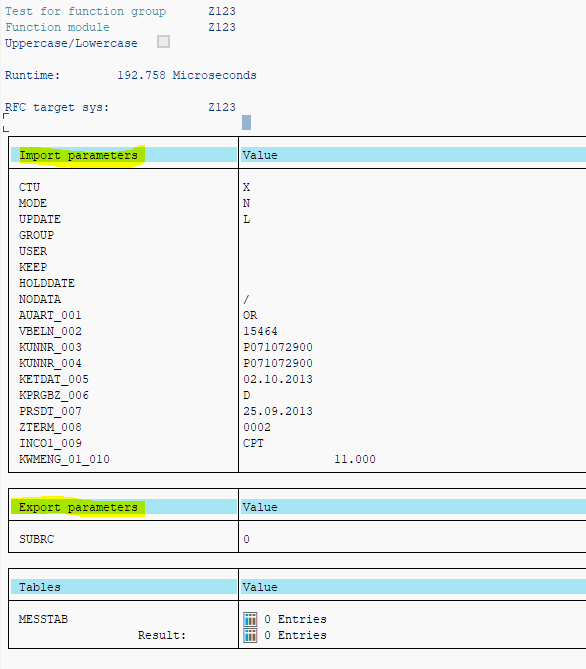
Here is the start block parameters to "catch" the input parameters and send back the output parameters:
Consider this RFC call configuration from Ignition (Ignition as initiator):
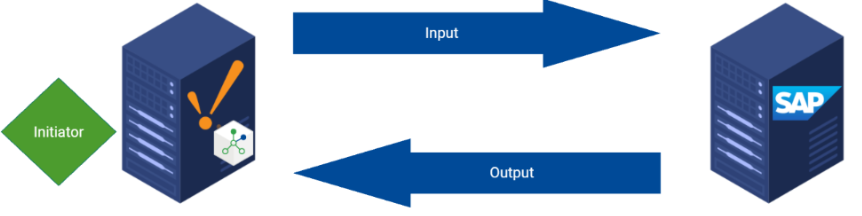
Inputs and outputs are defined in the mapper section when using a BAPI or RFM block.

Sepasoft MES Module Suite