Sepasoft MES Module Suite
Setting Up Connectivity Overview
The intuitive visual interface of the Sepasoft Business Connector accelerates configuration, dramatically reducing labor costs to implement business communications. The lower learning curve increases scalability, simplifying maintenance, making it ideal for high-availability, low-downtime environments. The concurrent execution and exception capability supports reliable communications and high-data throughput. Best practices and industry standards for communications are baked in, increasing reliability and trust while decreasing risk.
MES Compatibility

|
The Business Connector module is available for use alongside both the Sepasoft MES 2.x modules and the MES 3.x modules. However, when used with MES 2.x, the functionality related to manipulating MES Objects, such as the Verify MES Object and Save MES Object blocks, will not be available for use. |
Add-on Modules
Several add-on modules are available for use with the Sepasoft Business Connector:
Interface for SAP ERP Module
The Interface for SAP ERP Module enables the Sepasoft Business Connector to connect to SAP and provides built-in templates for common data exchange scenarios. The cost of the Interface Module for SAP is an order of magnitude less than other middleware tools for SAP connectivity. The Interface for SAP ERP Module is SAP Labs certified.
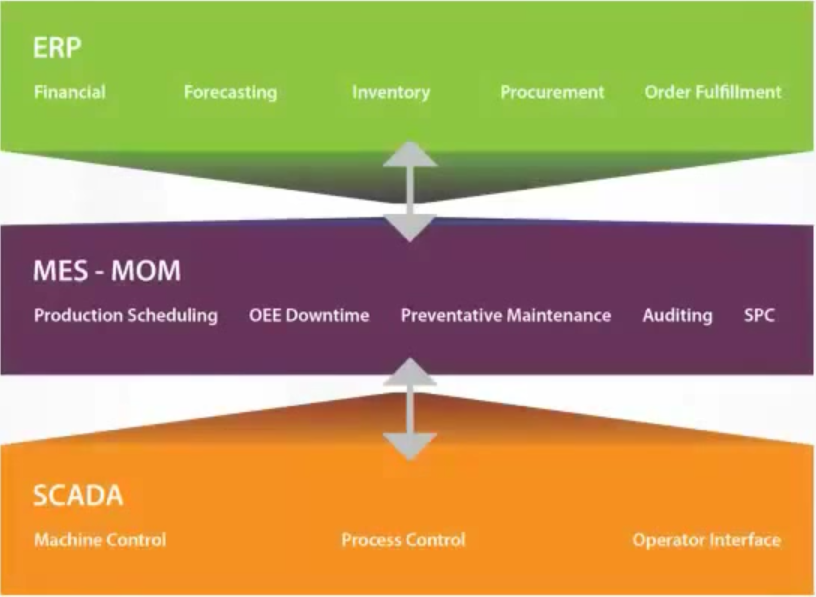
Ignition → MES/Sepasoft Business Connector → Business System
Software Stack (From Factory Level Up to Business Systems)
Sepasoft Business Connector "Chart"
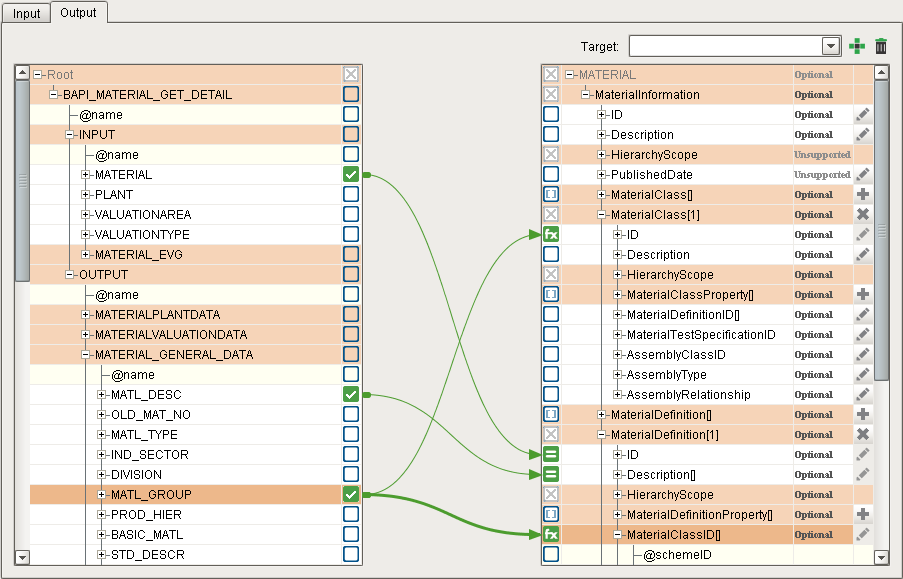
Sepasoft Business Connector "Mapping"
Sepasoft MES Module Suite