Sepasoft MES Module Suite
Sepasoft MES 4.0 Configuration in Ignition 8.3 Gateway
Ignition 8.3 unveils a refreshed interface and enhanced navigation. While MES configuration persists, its location has been updated.
Detailed explanations of these enhancements follow:
- Sepasoft Module Installation
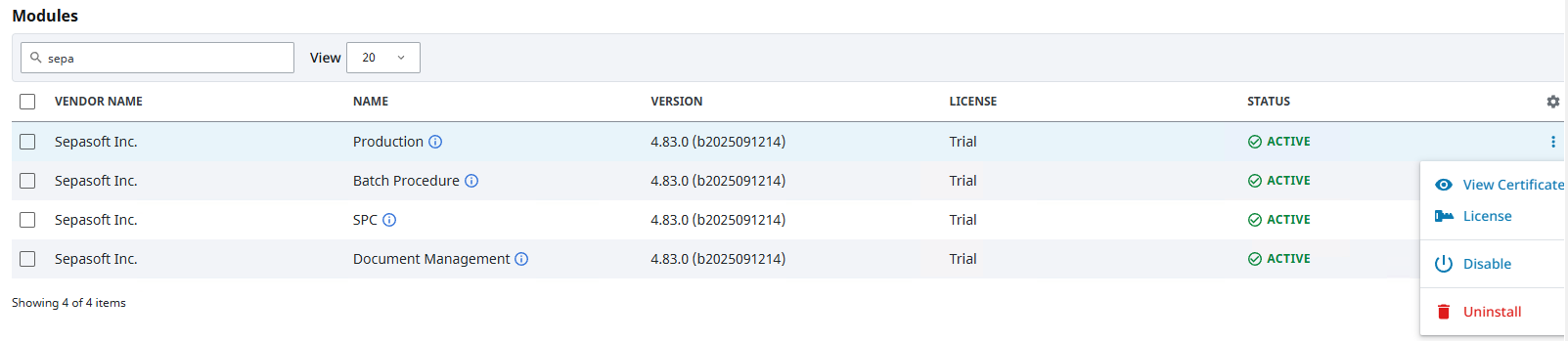
- Module License, Disabling, Uninstalling and Certificates
- Sepasoft Platform In Ignition Gateway 8.3
- MES Settings
- Advanced Settings
- Enterprise Network
- Task Routing
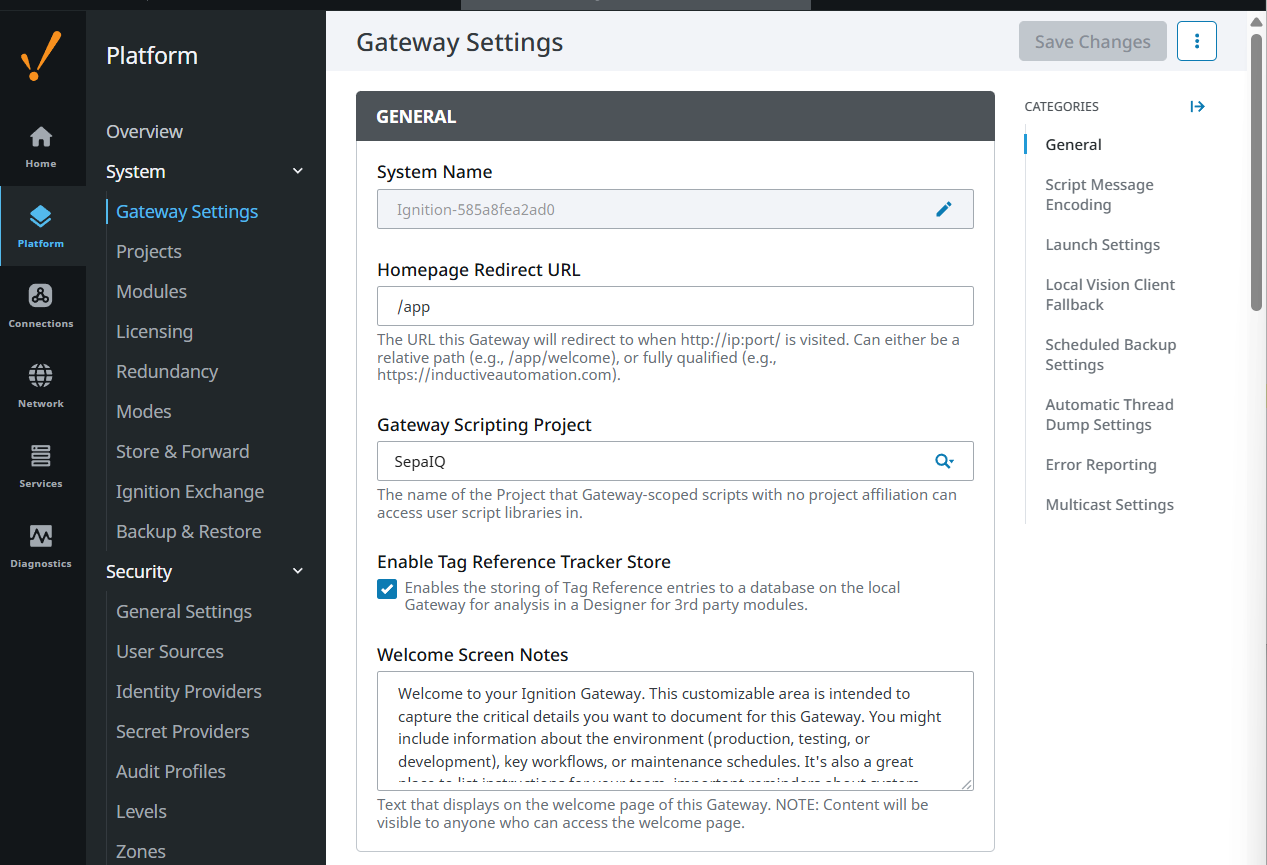
- Gateway Scripting Project
Sepasoft Module Installation
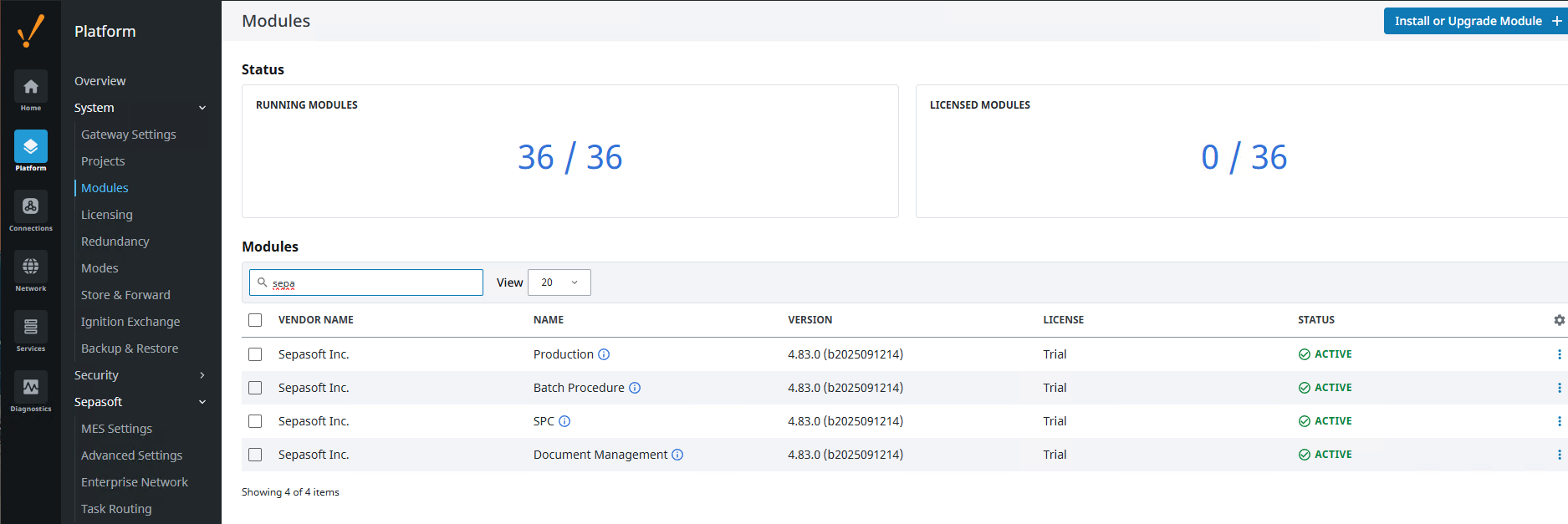
In Ignition 8.3 Gateway, you install modules under Platform > System > Modules. You must be logged into the gateway to see the configuration icons.
Use the Search menu to filter for Sepasoft modules.
The Production module adds the Sepasoft navigation menu to the gateway navigation.
Module License, Disabling, Uninstalling and Certificates
You access actions for installed modules from the ellipsis icon, on the right.
Sepasoft Platform In Ignition Gateway 8.3
The Production module adds the Sepasoft navigation menu item to the gateway.
MES Settings
MES Settings is where you point to the MES database. This is the only requirement to getting the MES system going.

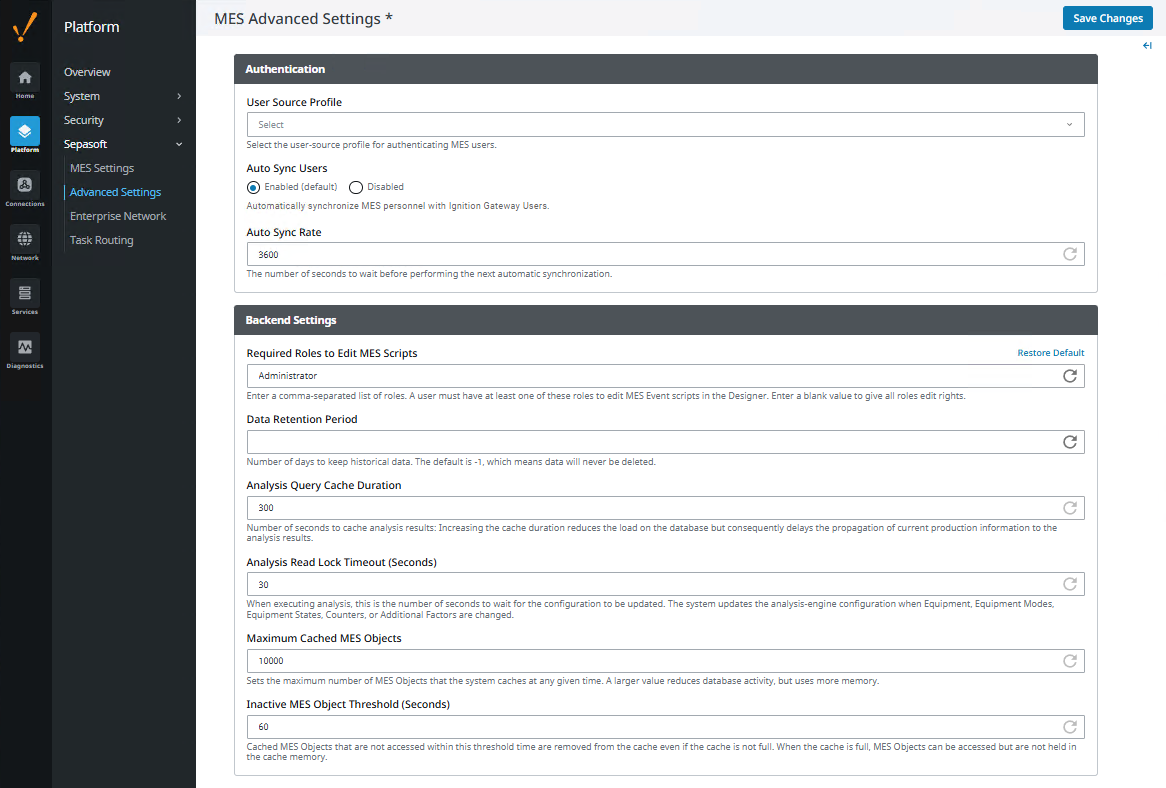
Advanced Settings
Advanced Settings includes configuring Authentication and data backend settings.
Enterprise Network
To define incoming and outgoing servers, start reviewing and following the instructions in the MES Enterprise Network.
In Ignition 8.3, the navigation to the synchronization settings has changed to: Platform > Sepasoft > Enterprise Network.
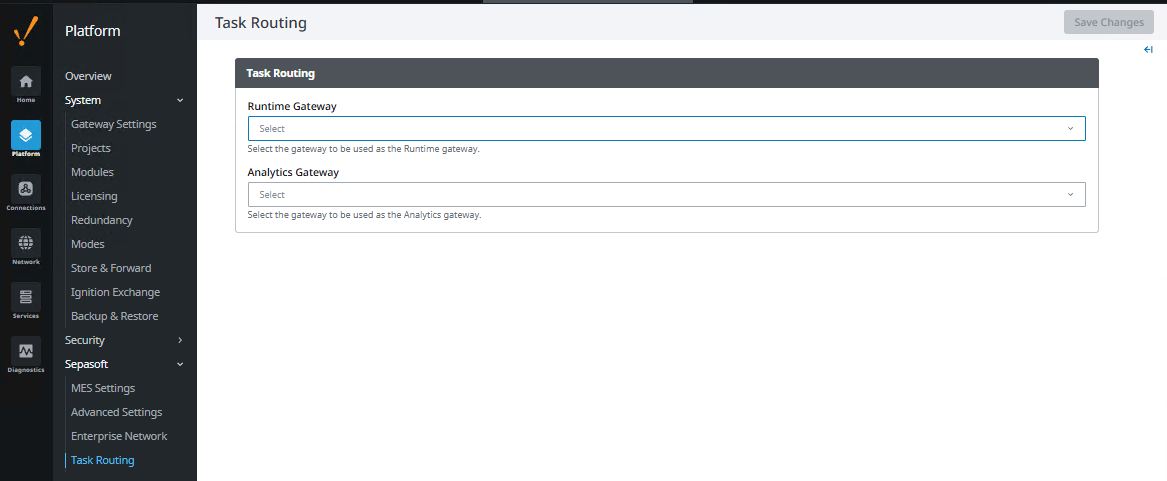
Task Routing
In Ignition 8.3, set the runtime and analytics gateways here: Platform > Sepasoft > Task Routing.
Gateway Scripting Project
You can set a project to access user script libraries.
- Ignition Gateway > Platform > Gateway Settings: Gateway Scripting Project.
Sepasoft MES Module Suite