Sepasoft MES Module Suite
SPC Control Limit Script Set Up
Set up a new Control Limit script that is triggered when the control limit is calculated. It's important to assign it to the Enterprise to create a Gateway scope script.
In Ignition Designer create the script:
- In the Project Browser, under MES Scripts > SPC Calculations, add a Control Limit script.
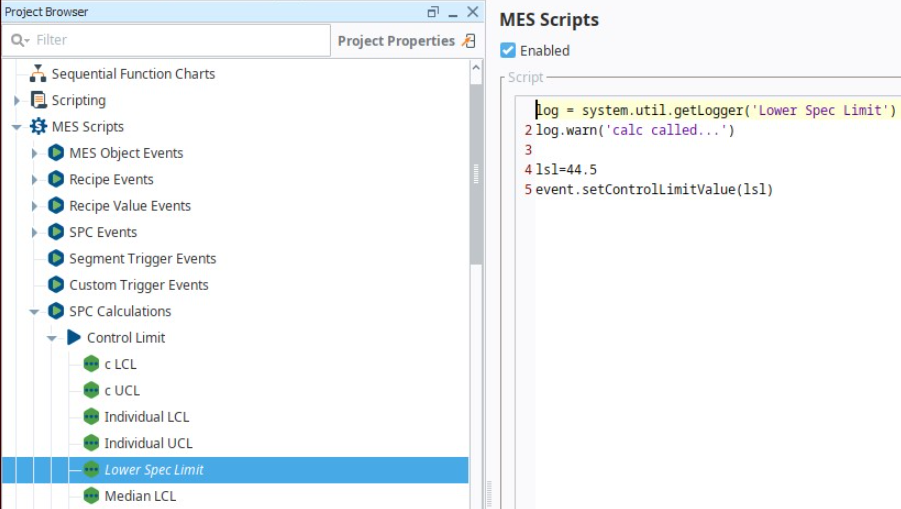
- Save the Project.
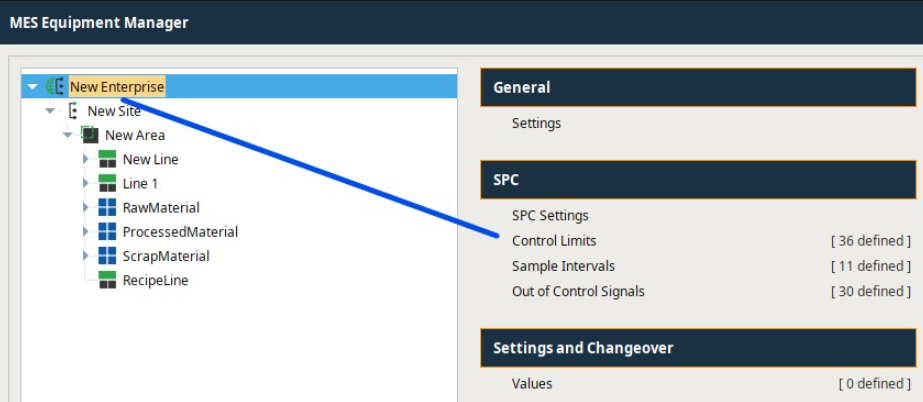
In Equipment Manager set the scope to Enterprise:
- Select the Enterprise node in the equipment-model tree, then select SPC > Control Limits.
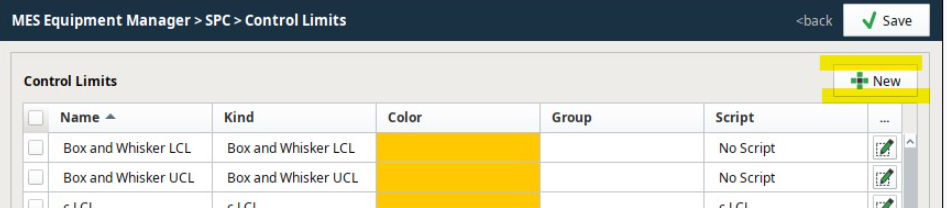
- Select New.
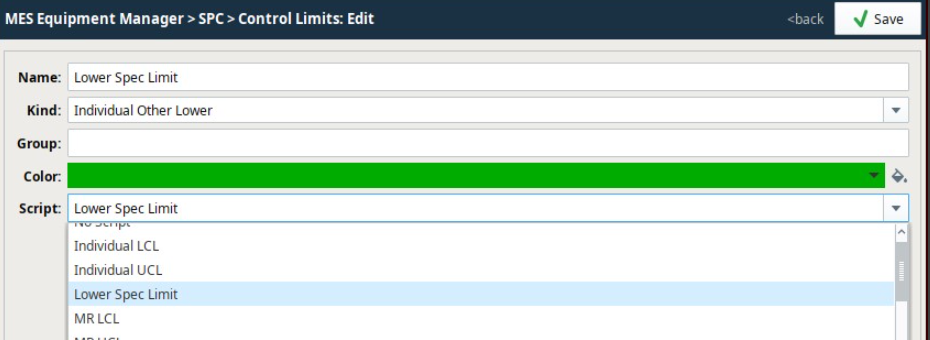
- Enter the Name and Kind. Then select the script you added in the Ignition Designer > Project Browser.
- Save.
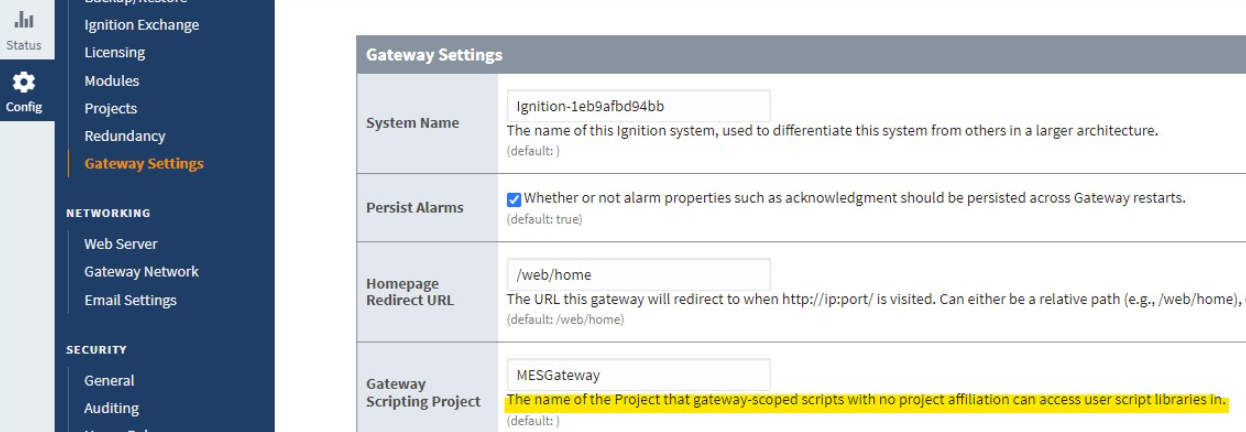
Lastly, In the Ignition Gateway, set the scripts in the project to be available as a Gateway-scoped script.
- In the Ignition Gateway > Config > Gateway Settings, enter the Designer Project file name to Gateway Scripting Project. Doing this ensure that the control limit script is accessible as a Gateway-Scoped Script.
The script is ready to be used.
Sepasoft MES Module Suite