---
title: "SPC Analysis Selector"
id: "spc-analysis-selector"
project: "MES User Manual"
url: "https://docs.sepasoft.com/articles/user-manual/spc-analysis-selector"
updated: 2026-07-31T14:57:31Z
---
# SPC Analysis Selector
**Sepasoft MES Module Suite**
### SPC Analysis Selector
This component is installed with the SPC module.
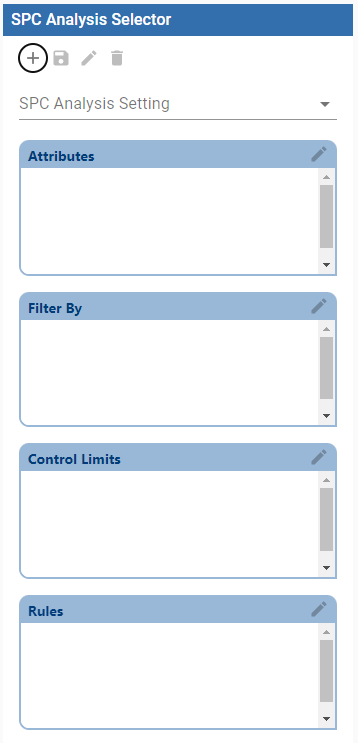
The Perspective SPC Analysis Selector:
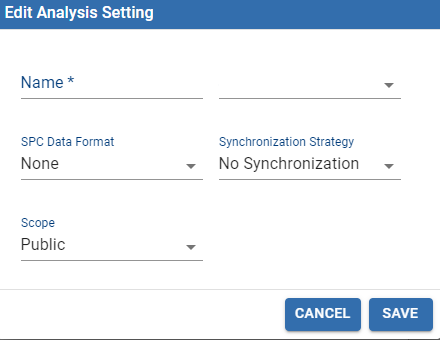
**Analysis Settings**
| Setting Name | Description |
| --- | --- |
| **Name** | Sets the name of a stored setting. |
| **SPC Data Format** | SPC Chart format |
| **Synchronization Strategy** | 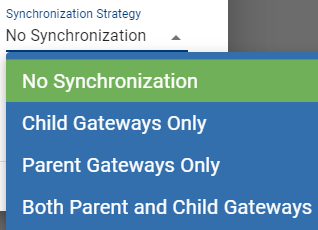 |
| **Scope** | Public or Private. Based on login credentials. For example, if you set the Scope to Admin and the Synchronization Strategy to synchronize across gateways, all users with Admin privileges can see the stored setting. |
####
#### Component Properties
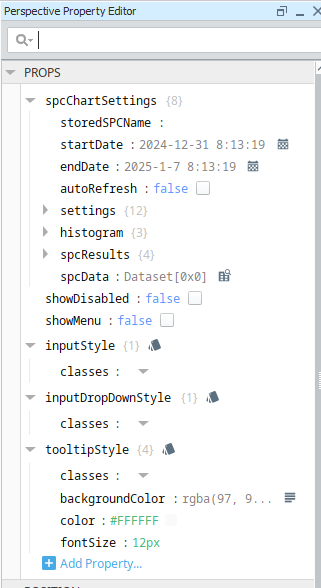
| Property Name | Description |
| --- | --- |
| **spcChartSettings** | **storedSPCName:** sets the name to an existing Stored SPC Setting.
**startDate:** sets a start date in the data filter.
**endDate:** sets an end data in the data filter.
**autoRefresh**: ability to refresh data when sample or definition changes. Defaults to False.
**settings**
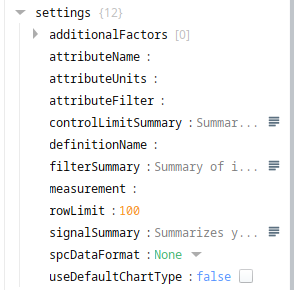
**additionalFactors**: adds an array of additional factors to include in the data
**attributeName**: name of the sample attribute
**attributeUnits**: unit label of the current sample attribute
**attributeFilter**: summary of attribute filters in the data
**controlLimitSummary**: summary of control limits in the data
**definitionName**: name of the Sample Definition
**filterSummary**: summary of the filters in the data
**measurement**: measurement to filter on
**rowLimit**:****sets the maximum number of samples to return in the data
**signalSummary**:****summary of the signals in the data
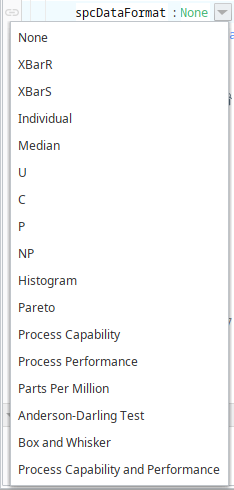
**spcDataFormat:** sets a specific format for an SPC chart and returns the data in that format
****
**useDefaultChartType**: when True, sets the chart type to the type defined in the Attribute Definition.
histogram
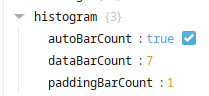
**autoBarCount**: when True the system automatically calculates the number bars in the Histogram results
**dataBarCount**: when autoBarCount is False, dataBarCounts set the number bars in the results.
**paddingBarCount**: sets the number of bars before and after the results.
**spcResults**
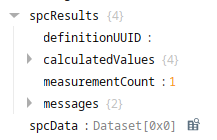
**definitionUUID**: UUID of a Sample Definition
**calculationValues**: calculated values in the data
**measurementCount**: number of measurements in the sample data
**messages**: messages in the sample data.
**spcData**: SPC data set
**showDisabled**: when True, includes disabled Definitions.
**showMenu**:when True, shows the menu in the SPC Analysis Selector |
**Sepasoft MES Module Suite**