Sepasoft MES Module Suite
Description
Creates a new counter. Increment or decrement the counter value using the methods .increment() and .decrement().
Syntax
system.mes.monitor.count(name)
- Parameters
String name - The name to identify this metric by. Using '/' in the name will create sub folders in the Tag structure.
- Returns
counter - Counter object.
- Scope
All
Object Functions
The following methods use the Counter object.
increment()
Description
Increments the counter metric by the integer n. If not present, the counter metric is incremented by 1.
Syntax
increment(n)
- Parameters
Integer n - (optional) The integer to increment the counter metric by. If not present, the counter metric is incremented by 1.
- Returns
None
- Scope
All
Code Examples
Code Snippet
Code |
|
Counter value appears in Metric Categories list in the MES Monitor component:

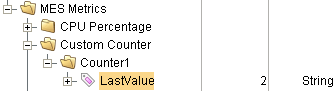
The associated Tag value is also updated:
decrement()
Description
Decrements the counter metric by the integer n. If not present, the counter metric is decremented by 1.
Syntax
decrement(n)
- Parameters
Integer n - (optional) The integer to decrement the counter metric by. If not present, the counter metric is decremented by 1.
- Returns
None
- Scope
All
Code Examples
Code Snippet
Code |
|
Counter value appears in Metric Categories list in the MES Monitor component:
The associated Tag value is also updated:
addException()
Description
Adds an exception to the counter metric.
Syntax
addException(e)
- Parameters
Exception e - The exception to add to the counter metric.
- Returns
None
- Scope
All
Code Examples
Code Snippet
Code |
|
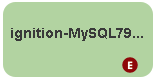
The existence of an exception is noted on the server in the MES Monitor component by the  icon:
icon:
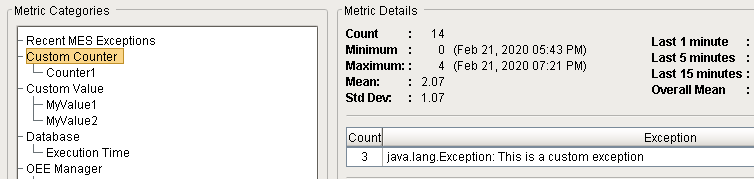
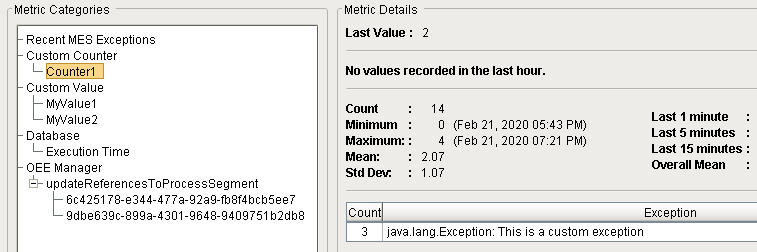
The exception appears in the Metric Categories list in the MES Monitor component (in several places):

Sepasoft MES Module Suite