Sepasoft MES Module Suite
Most BAPIs and RFMs are 'stateless' (requires no memory of process states between successive sessions), and using sessions are not required. However, there are certain calls to SAP, such as those related to the SAP Business Object Repository (BOR) Runtime Environment, that are 'stateful' and must be executed within the same session.
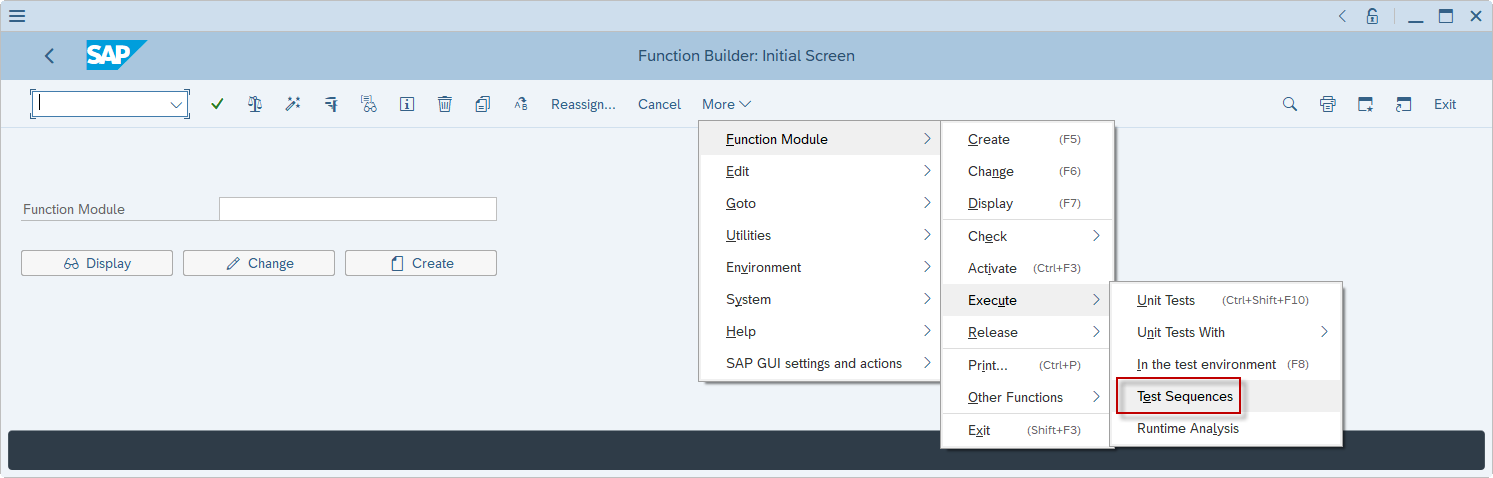
Using the SE37 T-Code within the SAP GUI, users can execute sequences of calls within the same session by using the Test Sequences menu option.
The Interface for SAP ERP module provides Advanced Settings for the SAP BAPI Action Block and SAP RFM Action Block to achieve a similar effect, using JCo contexts under the hood.
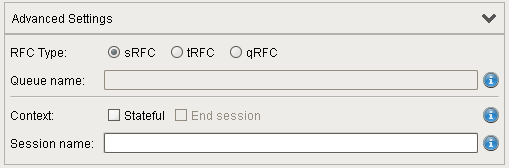
By default, every call is stateless and executes in its own session. Only when the Stateful checkbox is enabled will stateful operation come into play.
Multi-Chart Sessions
It may be desirable to allow a session to span calls from multiple chart instances, such as when using the Enclosing Chart Block. In this case, the Session name field can be hard-coded or set to a Chart Parameter value (must be type String). Any SAP BAPI or SAP RFM Action Blocks that have the session name will execute in the same session.
Note

|
If a Chart Parameter is used, then its current value is used as the session name. If the value of the Chart Parameter changes, then the SAP BAPI or SAP RFM Action Block with that Chart Parameter in the Session name field will not be executing on the same session. |
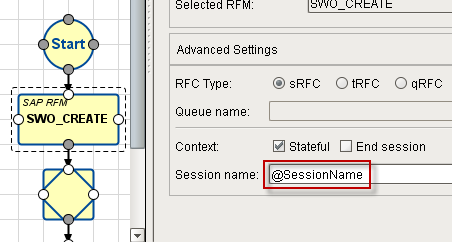
Chart Instance Sessions
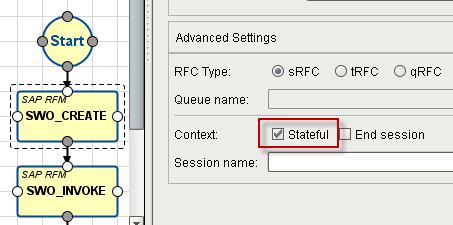
If the Stateful button is checked, a session will be created that is associated with the UUID (unique identifier) of the chart instance. That is, SAP BAPI and SAP RFM Action Blocks that are used in the same chart instance and have the Stateful button checked will execute in the same session.
Note
|
|
Note that sessions are unique to chart instances, not charts themselves. Thus, each chart execution will have its own session, unless Multi-Chart Sessions are used (selecting a specific session by name in the Session name field allows more than one chart to participate in the same 'stateful' transaction. The Session name is given by the SAP BAPI or SAP RFM Action Block that begins the stateful session. See the section Multi-Chart Sessions below). |
Ending a Session
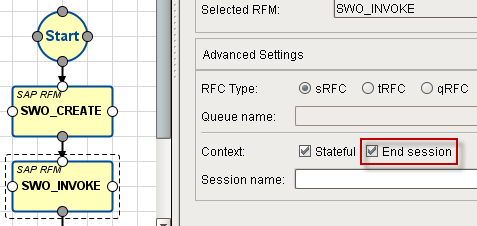
Since sessions can span multiple charts, sessions must be manually closed by checking the End session box (Stateful must be enabled). Only the last SAP BAPI or SAP RFM Action Block in a chart to be executed with a session should have the End session box checked.
Warning
|
|
Make sure to not check the End Session checkbox on a block that is inside an iteration loop (that executes more than once), as the session will be closed during the first iteration. Also, if using the Enclosing Chart Block, be mindful of whether the last call in a session is within the enclosed chart or within the parent chart. |
Sepasoft MES Module Suite