There are various levels of logging available in Ignition Designer. When needed, you can switch Business Connector Action Block mapping parameters to 'Trace' and verify the mapping connections.
Start Trace on Mapping Parameters
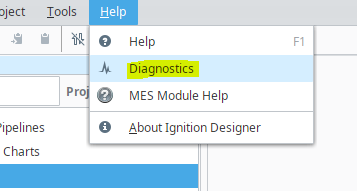
- In Ignition Designer, open diagnostics with: Help → Diagnostics
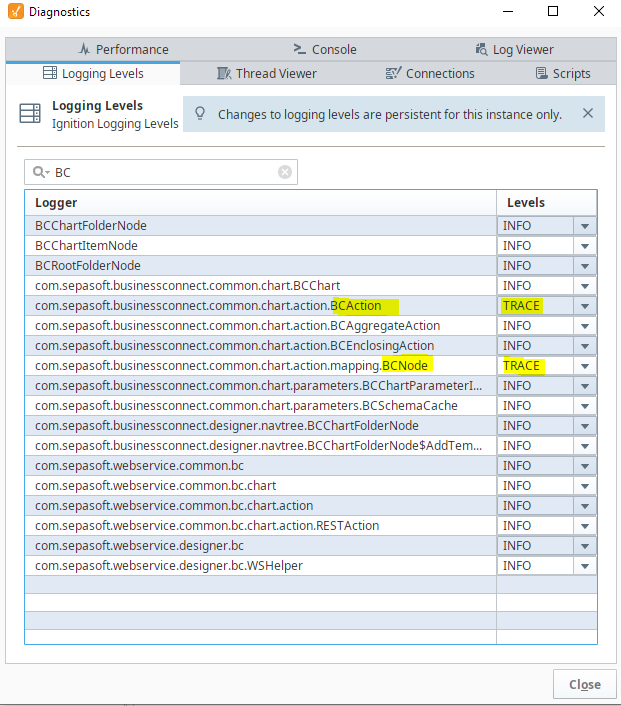
- Navigate to the Logging Levels tab.
- Search for "BC" to filter for Business Connector related items.
- Using the drop-down selectors on the right, set ...BCAction and ...BCNode to TRACE, as shown below.
- When the chart is run, the Console tab in Diagnostics will show the parameter mapping connections.

|
Loggers are lazy loaded, If ...BCAction and ...BCNode aren't already present in the Logging Levels tab, go to the chart and click on the particular action block you want to monitor and Designer will load the loggers into its cache. They will then be visible in the list. |
Example output:
