You want to highlight specific Events in the Downtime Table or change the Default color for Equipment State in the OEE Time Chart
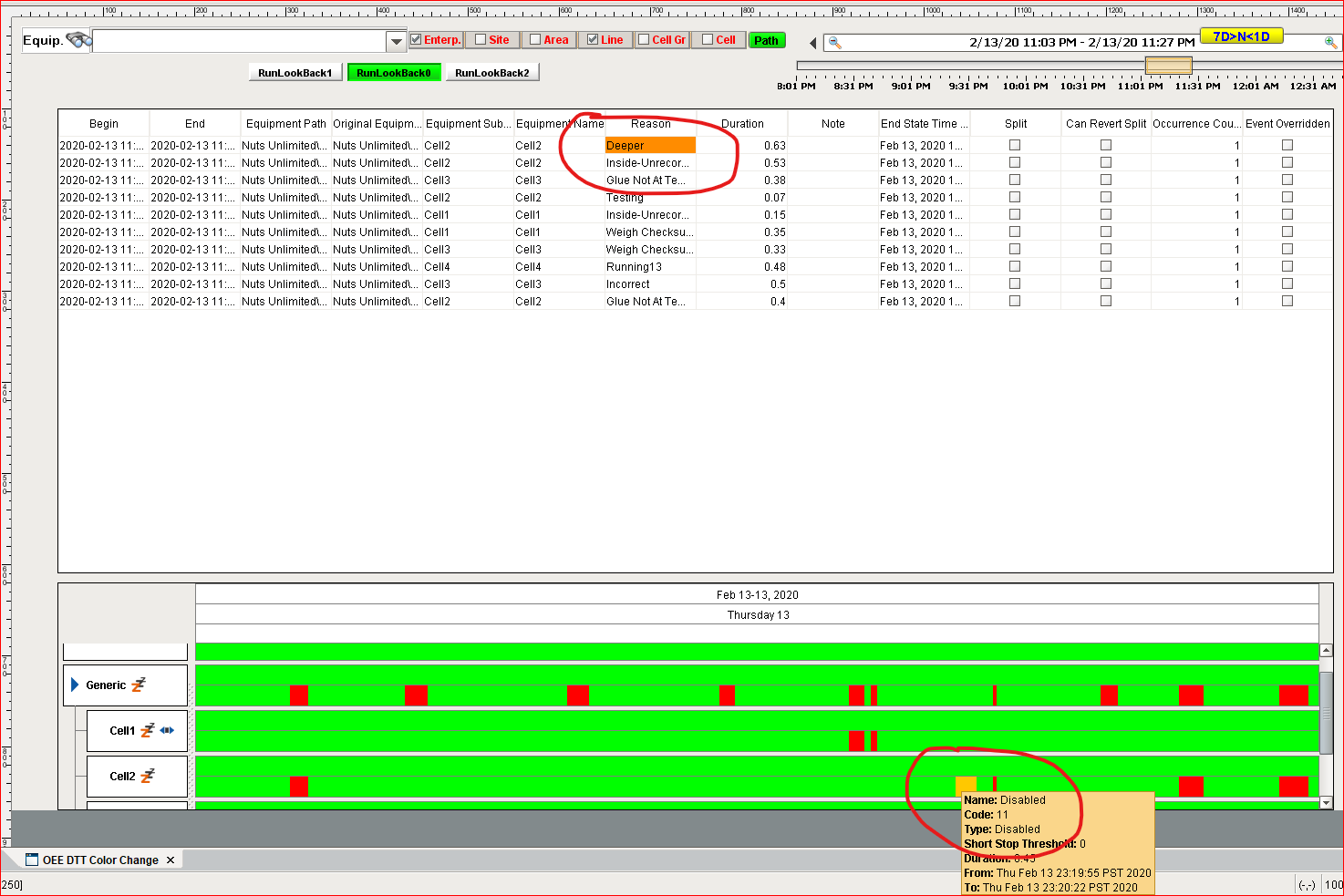
Step-by-step guide
For OEE Downtime Table use (Enable) the Component Scripting Function configureCell with code like:
Codeif colName == 'Reason': if value == 'Deeper': return {'background': '#FF8C00'} elif value == 'E-Stop Pulled': return {'background': '#FD1800'}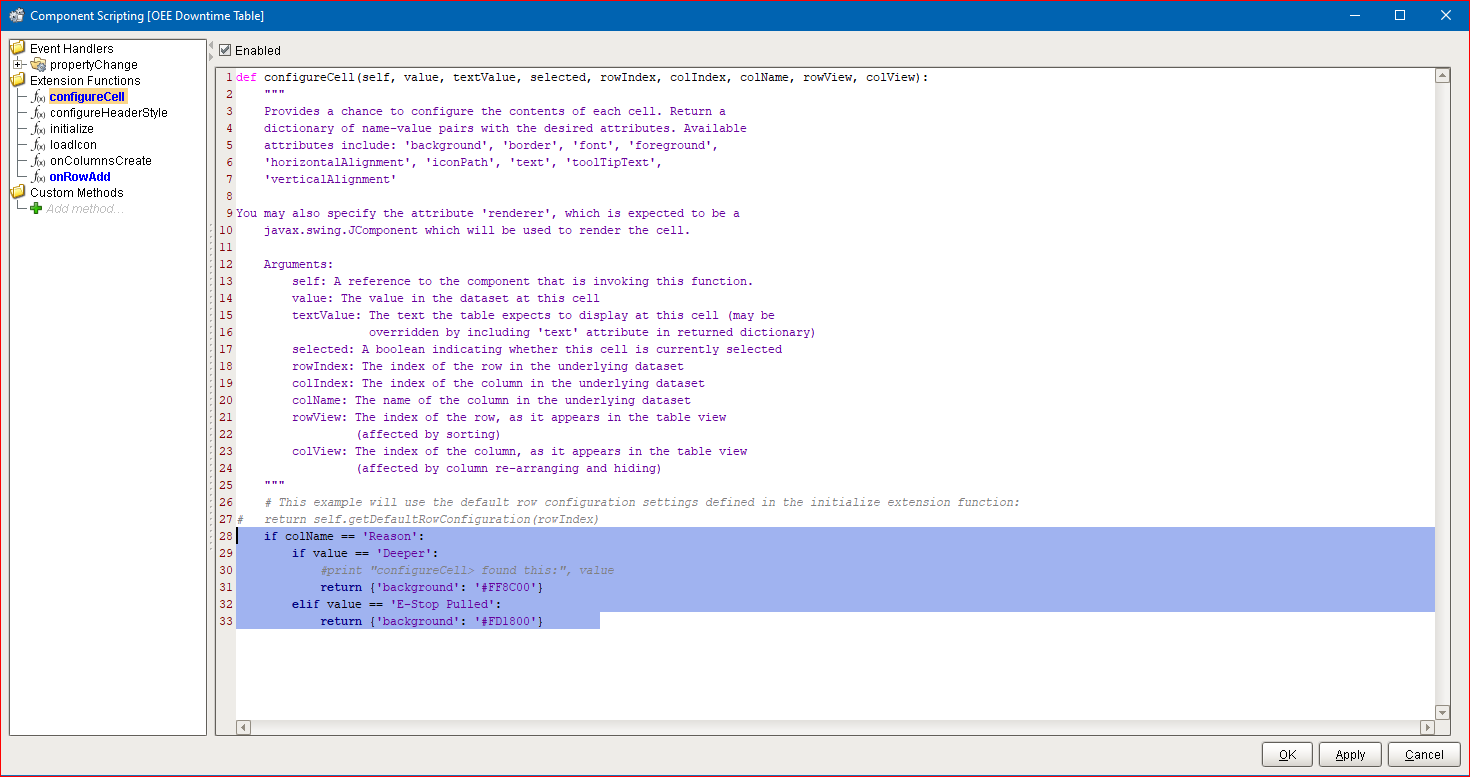
For OEE Time Chart use (Enable) Scripting Function getStateColor
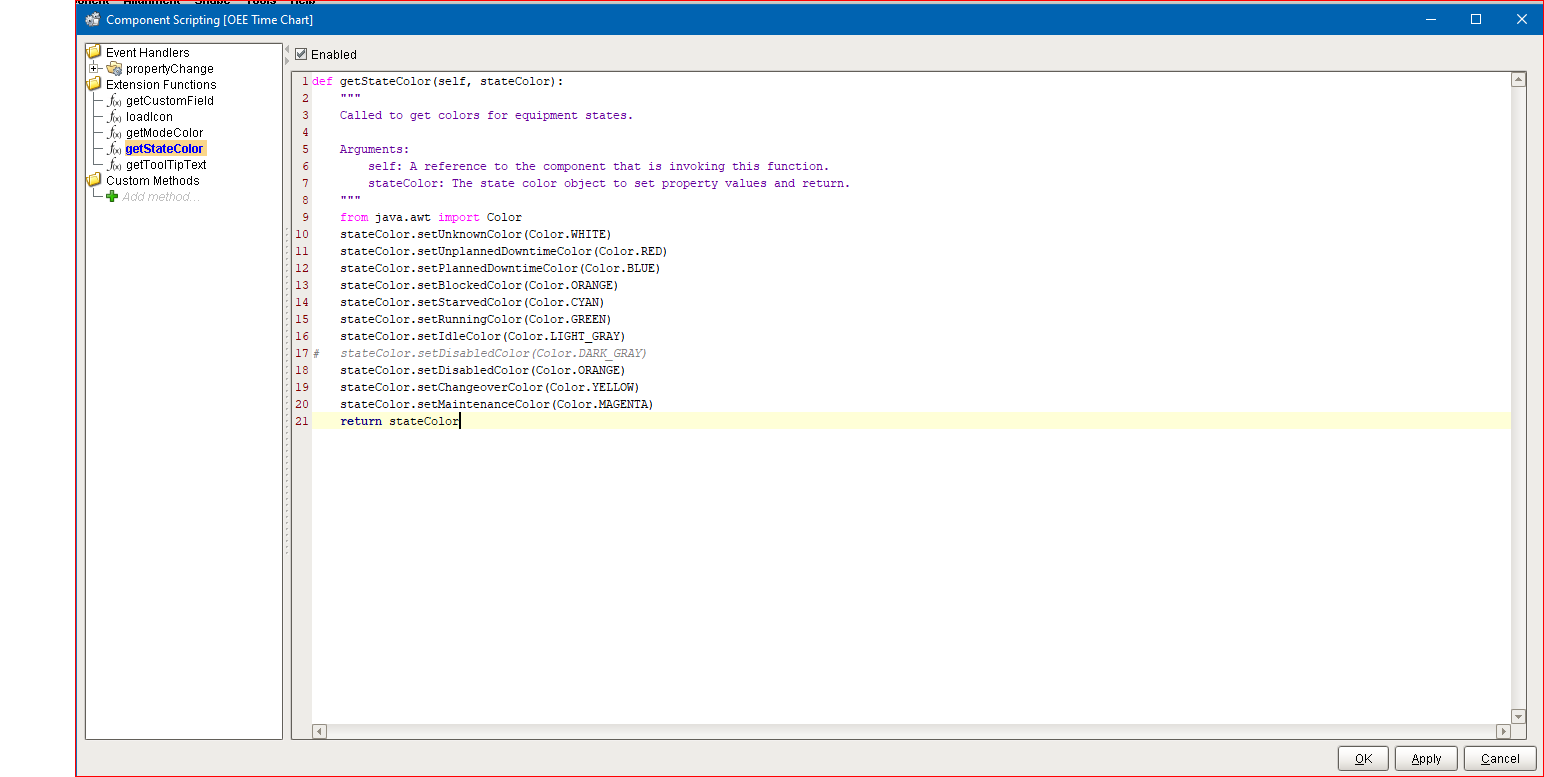
(in this example the State Disabled default (DARK) color is changed to ORANGE)
Related articles
OEE Time Chart - Vision
OEE Downtime Table - Vision