Example: You want to highlight Work Order Table Row(s) if the Remaining Quantity < 0
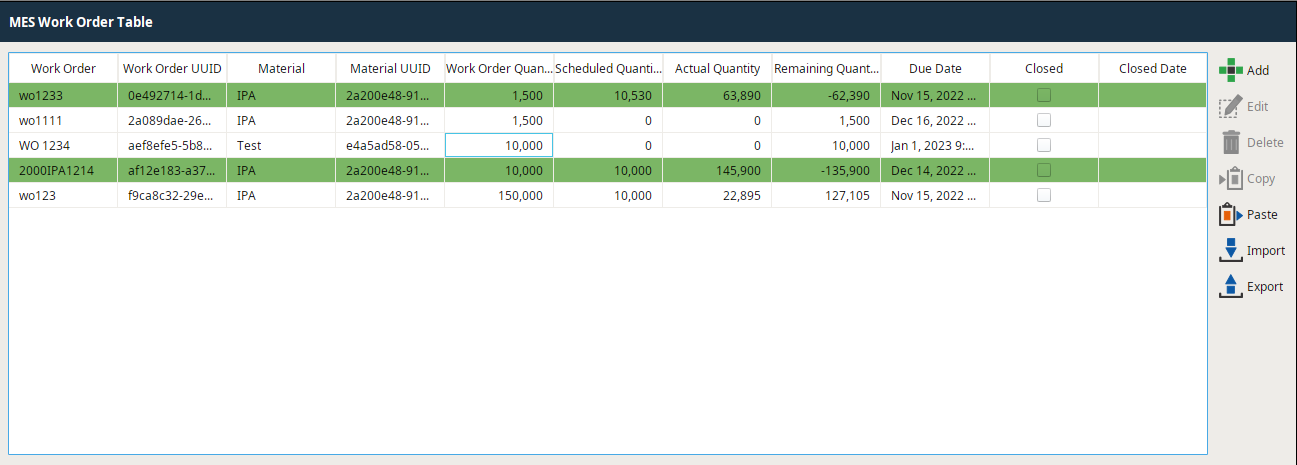
Step-by-step guide
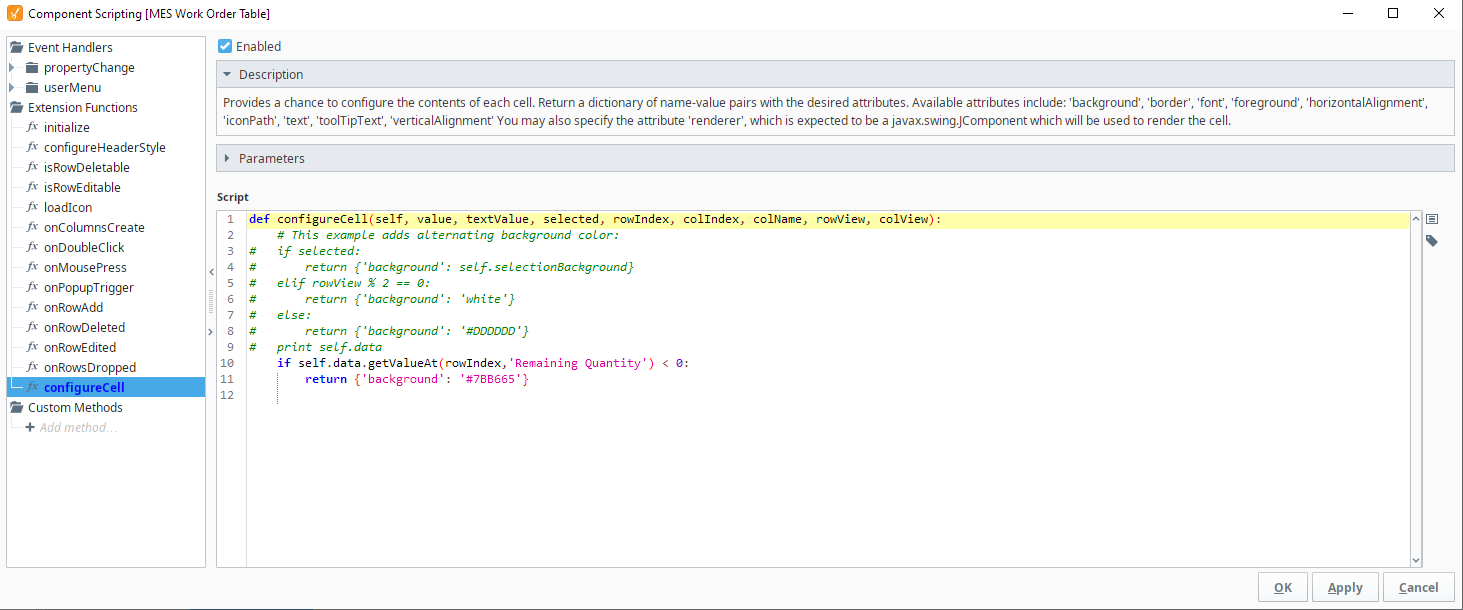
- From the designer, right-click on the Work Order Table and go to Scripting. Then navigate to the Extension Functions and find configureCell
Add the following script under the function:
Codeif self.data.getValueAt(rowIndex,'Remaining Quantity') < 0: return {'background': '#7BB665'}
Caution
This function executes for all cells in the Table. Ensure your script is minimal to keep from blocking the UI.