Problem
you are using system.mes.updateTagCollectorValue(equipmentPath, collectorType, key, lastTimeStamp, value)
to update a note and it is not showing in your Downtime Table (but you can see it in your Value Editor!)
Solution
You may have cells under your Line where the State is being collected.
- A Note is entered
- 1) at the Line Level while the State is at the Cell Level
- 2) the TimeStamp of the State and the TimeStamp of the Note MUST be identical
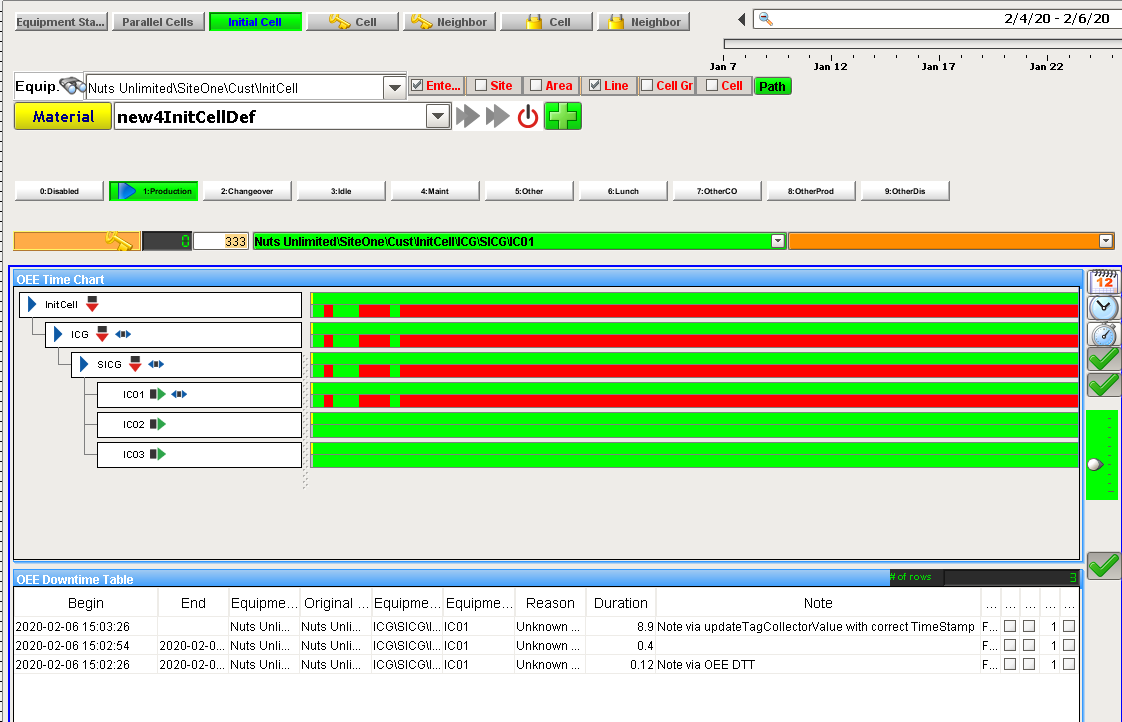
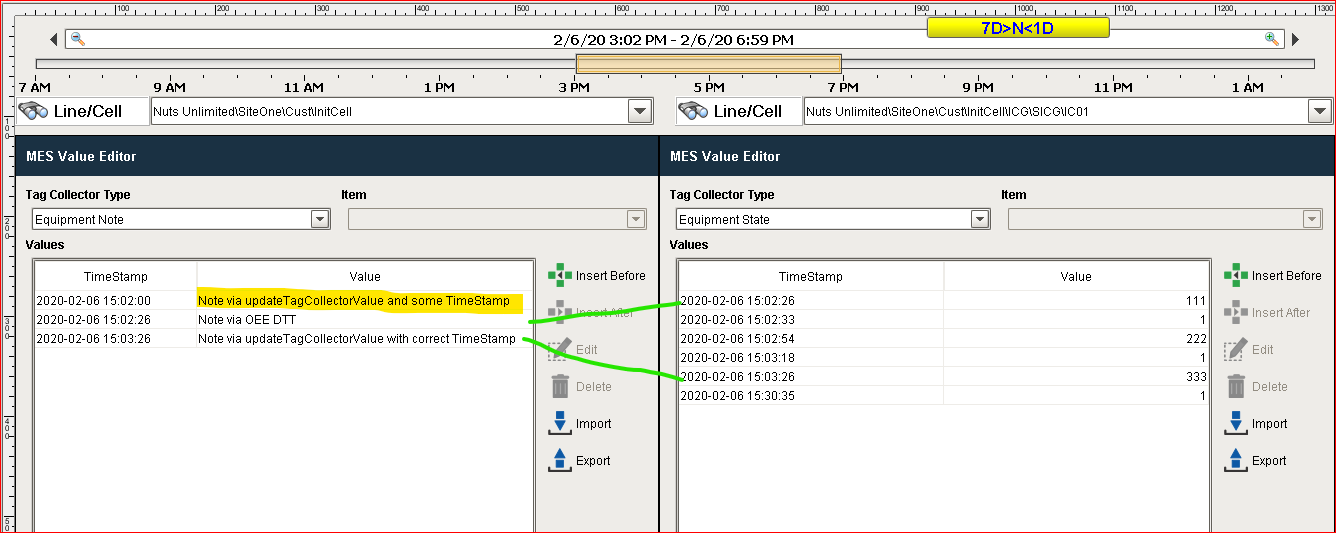
Here is a method to do this via script:
Python |
equipmentPath = '[global]\Nuts Unlimited\SiteOne\Cust\InitCell' collectorType = 'Equipment Note' key = '' #cooking a date #remember here for month, 0 = 1 :) date = system.date.getDate(2020, 1, 6) dateTime = system.date.setTime(date, 15, 2, 0) print "equipmentPath [%s]", equipmentPath print "collectorType [%s]", collectorType print "dateTime [%s]", dateTime value = "Note via updateTagCollectorValue and some TimeStamp" print "value [%s]", value # wrong #system.mes.updateTagCollectorValue(equipmentPath, collectorType, key, dateTime, value) # correct # step 1 get correct TimeStamp for the last State at the cell level equipmentPath = '[global]\Nuts Unlimited\SiteOne\Cust\InitCell\ICG\SICG\IC01' collectorType = 'Equipment State' lastTimeStamp = system.mes.getTagCollectorLastTimeStamp(equipmentPath, collectorType, key) print "lastTimeStamp [%s]", lastTimeStamp # step 2 now I can update the note using the timestamp from the cell state timestamp equipmentPath = '[global]\Nuts Unlimited\SiteOne\Cust\InitCell' collectorType = 'Equipment Note' value = "Note via updateTagCollectorValue with correct TimeStamp" system.mes.updateTagCollectorValue(equipmentPath, collectorType, key, lastTimeStamp, value) |
Related articles
system.mes.updateTagCollectorValue