Overview
Whenever a material lot auto creates a new lot number, the CreateLotNumber event is fired. You can use this event to intercept the generation of lot numbers so that the format of the lot number or even the number itself can be modified. For systems that retrieve lot numbers from a ERP or other system, this event will allow obtaining a lot number from it. Script in this event can also read from a block of available lot numbers that are maintained in a database. This example will explain how to generate a lot number through scripting.

|
For more information, read MES Object Events, Material Lot |
Applies To and Version Info
This feature applies to the Track & Trace module and is available 3.8x versions.
Steps to define the script event:
1. Go into the designer locate the MES Scripts in the project browser.
2. Navigate to MES Object Events → Material Lot → Create Lot Number
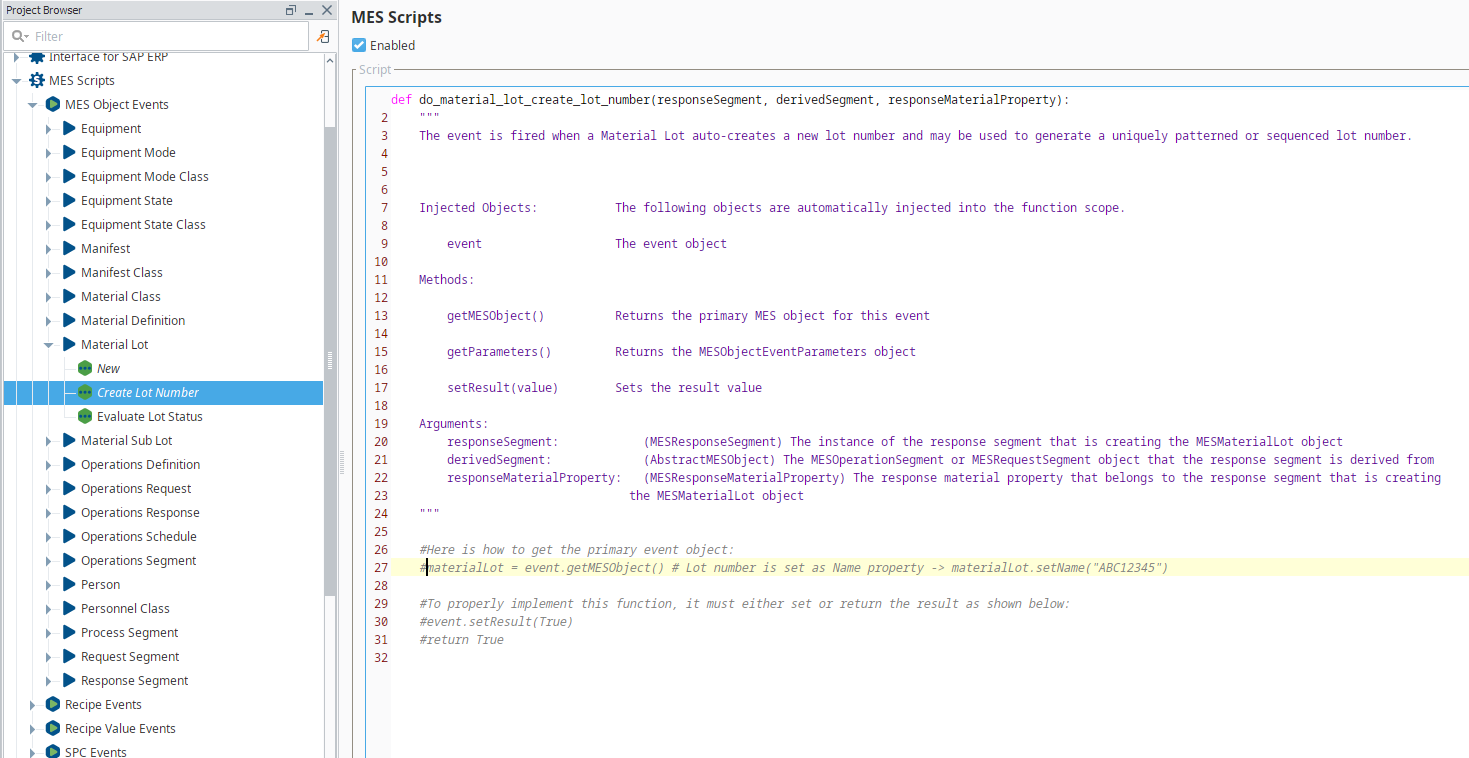
3. Modify the script using the commented example to set the lot name to your name scheme of choice. Full ignition script library is available here.
4. Save your project
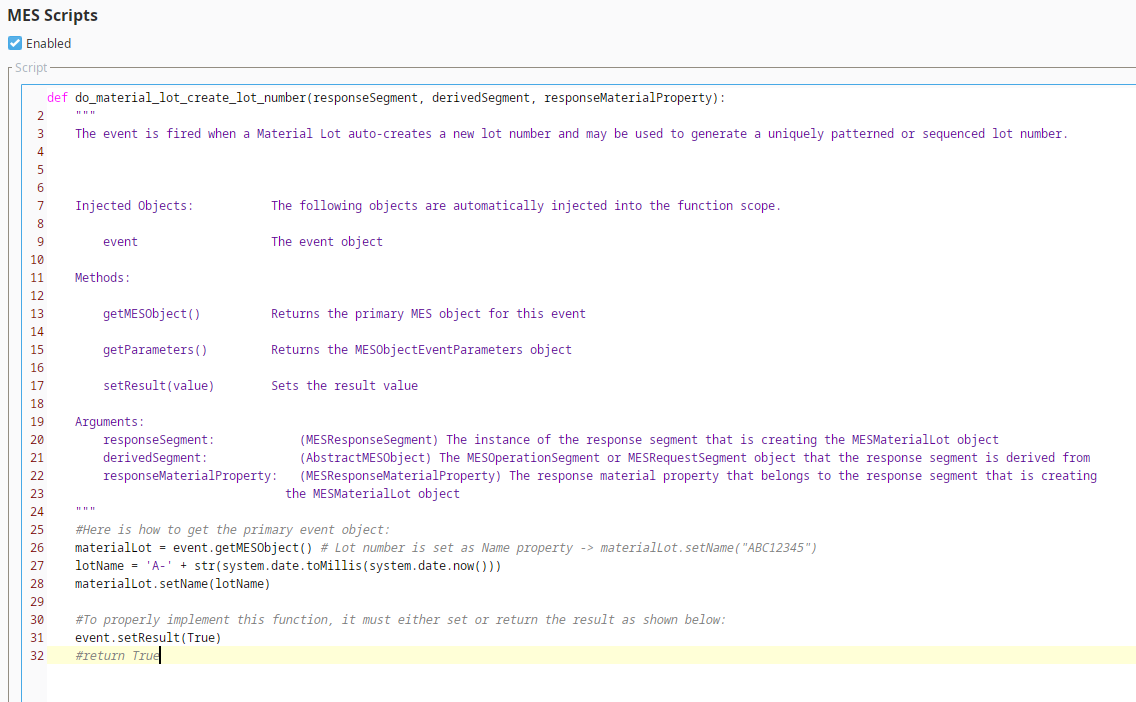
Scripting Examples
Code |
|
Generate Lot Number for a specific Material
Code |
|