Find and Print Shifts for Equipment via Script
To use a script to find the Shift that has been configured for Equipment, follow the steps below:
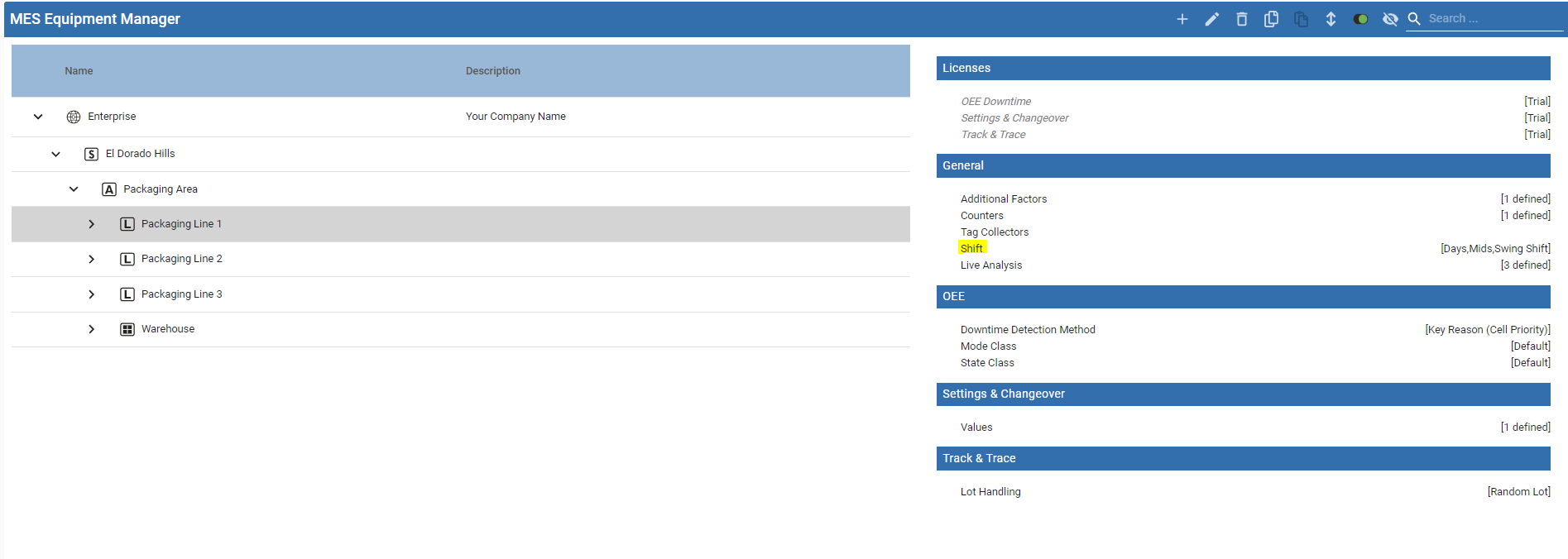
Use this function/code
PythoneqObj= system.mes.loadMESObjectByEquipmentPath('<Enterprise>\<Site>\<Area>\<Line>') eqObj.getIgnitionSchedule()

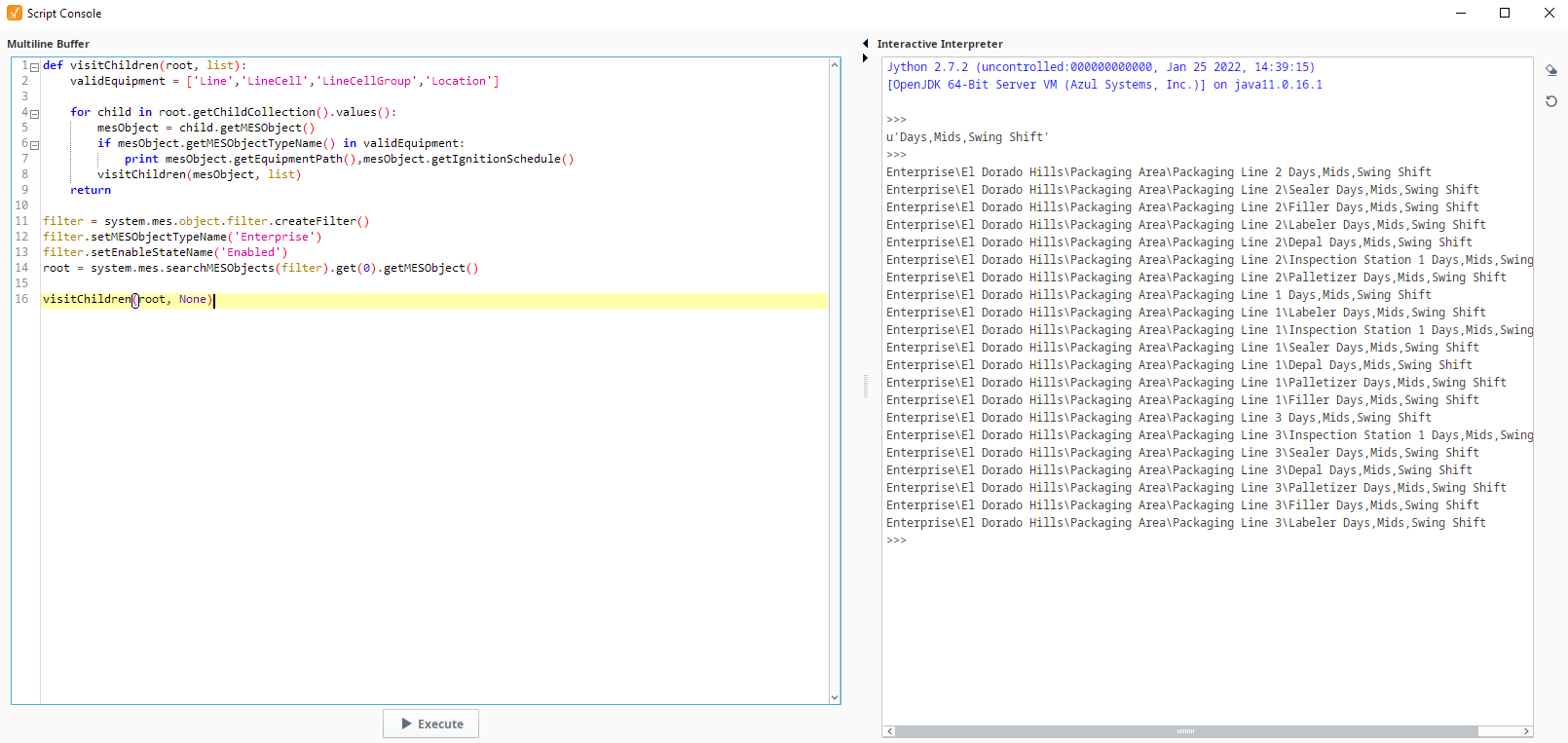
- If you wanted to get all your Equipment shifts assignments, use this code:
Get Shifts For Equipment
Python |
def visitChildren(root, list): validEquipment = ['Line','LineCell','LineCellGroup','Location'] for child in root.getChildCollection().values(): mesObject = child.getMESObject() if mesObject.getMESObjectTypeName() in validEquipment: print mesObject.getEquipmentPath(),mesObject.getIgnitionSchedule() visitChildren(mesObject, list) return filter = system.mes.object.filter.createFilter() filter.setMESObjectTypeName('Enterprise') filter.setEnableStateName('Enabled') root = system.mes.searchMESObjects(filter).get(0).getMESObject() visitChildren(root, None) |
- If you wanted for example to find the Shift Available for a given Date/Time Window for a given Equipment, another option would be:
Python |
begin = system.date.now() anotherBegin = system.date.addDays(begin, 4) end = system.date.addDays(begin, 5) print begin print anotherBegin print end analysis = system.mes.analysis.createMESAnalysisSettings('analysis') analysis.setDataPoints("Line Schedule Available,Scheduled Shift") analysis.setFilterExpression("Equipment Path = 'Enterprise\El Dorado Hills\Packaging Area\Packaging Line 1'") analysis.setGroupBy("Scheduled Shift") analysis.setSettingValues("Include Future=True") # system.mes.analysis.executeAnalysis() returns an MES Analysis Results object # For documentation, see: https://help.sepasoft.com/docs/display/MHD/MES+Analysis+Results results = system.mes.analysis.executeAnalysis(anotherBegin, end, analysis) if results.hasMessage(): count = results.getMessageCount() message_list = [str(results.getMessage(index)) for index in range(count)] # getDataset() returns an Ignition Dataset # For documentation, see: https://docs.inductiveautomation.com/display/DOC79/Datasets dataset = results.getDataset() sep = ",\t" print sep.join(dataset.getColumnNames()) for row in range(dataset.getRowCount()): print sep.join(map(str, dataset.getRow(row))) |