Viewing Production Equipment Hierarchy via Script
When dealing with a complex and deep Production Model, it can be useful to quickly collect its scope
Details
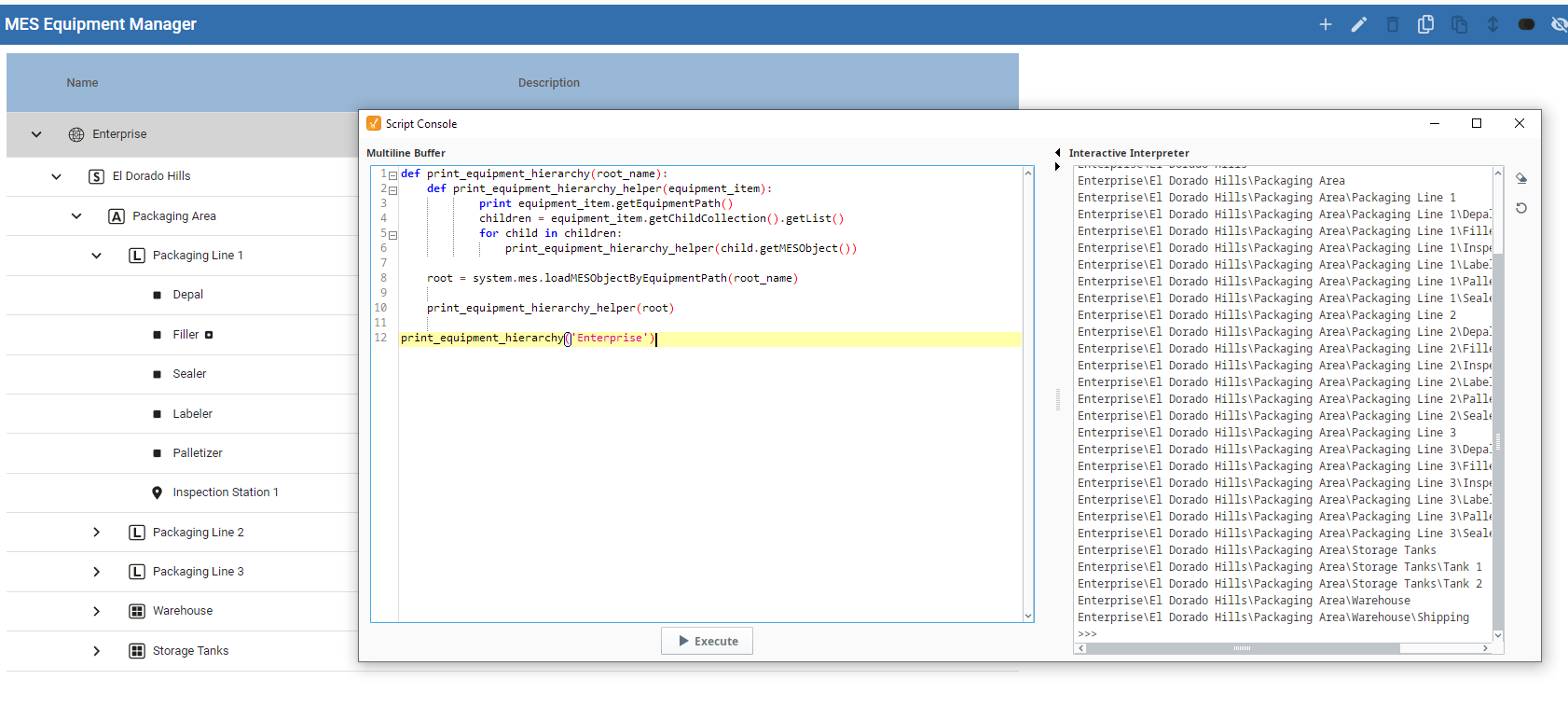
- In the Designer, open Tools→ Script Console
- copy/paste the code below
- replace <your Enterprise Name> with the name of your Enterprise
Scripting
Python |
def print_equipment_hierarchy(root_name): def print_equipment_hierarchy_helper(equipment_item): print equipment_item.getEquipmentPath() children = equipment_item.getChildCollection().getList() for child in children: print_equipment_hierarchy_helper(child.getMESObject()) root = system.mes.loadMESObjectByEquipmentPath(root_name) print_equipment_hierarchy_helper(root) print_equipment_hierarchy('<your Enterprise Name>') # example print_equipment_hierarchy('Nuts Unlimited') |