Running getWeather
We will now execute the Business Connector chart (which calls the getWeather RESTful Consumer) via the Business Connector Chart button script in the Perspective WeatherRestAPI view.
Run the Chart from the Button Script
- In Preview mode, enter a valid United States zip code, such as 95667 (Placerville, California, as show below) into the Text Field.
- Click the Business Connector Chart button. A map should appear in the Map component, with a marker pin at the center of the selected zip code area. You can drag and/or zoom the map to find the marker pin if it is on a portion of the map that isn't currently visible.
- Hover over the marker 'pin' to open the hover tooltip with the city name, temperature and humidity values returned from the weather app.
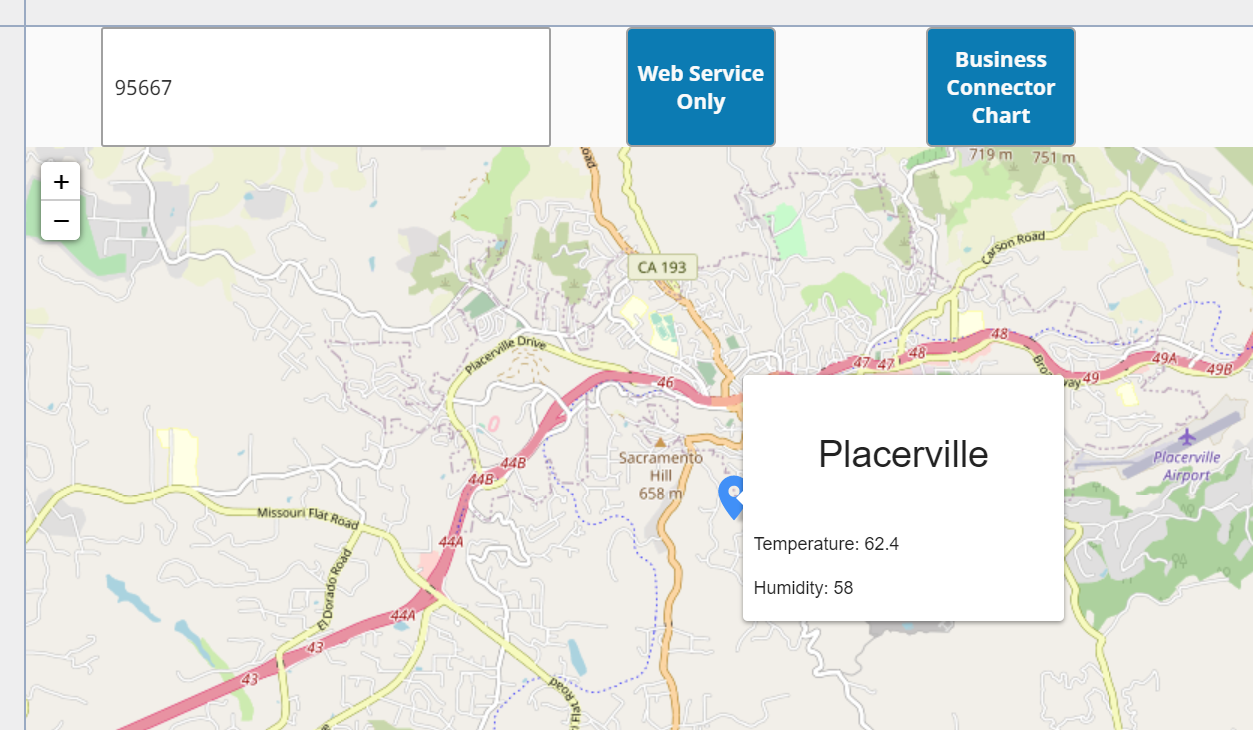
Map component displaying map, marker and hover tooltip