TagDataRetrieval RESTful Consumer
This RESTful Consumer will be executed from the Script Console and will call the RESTful Provider called TagDataRetrieval, which will fetch and return tag values. It should already be pre-built and ready for use in the Consumers → RESTful Configurations → InstructorTools folder.
If this RESTful Consumer already exists, you can analyze how it was built and then skip to the next page, else construct it as shown below.
Configure Request Message
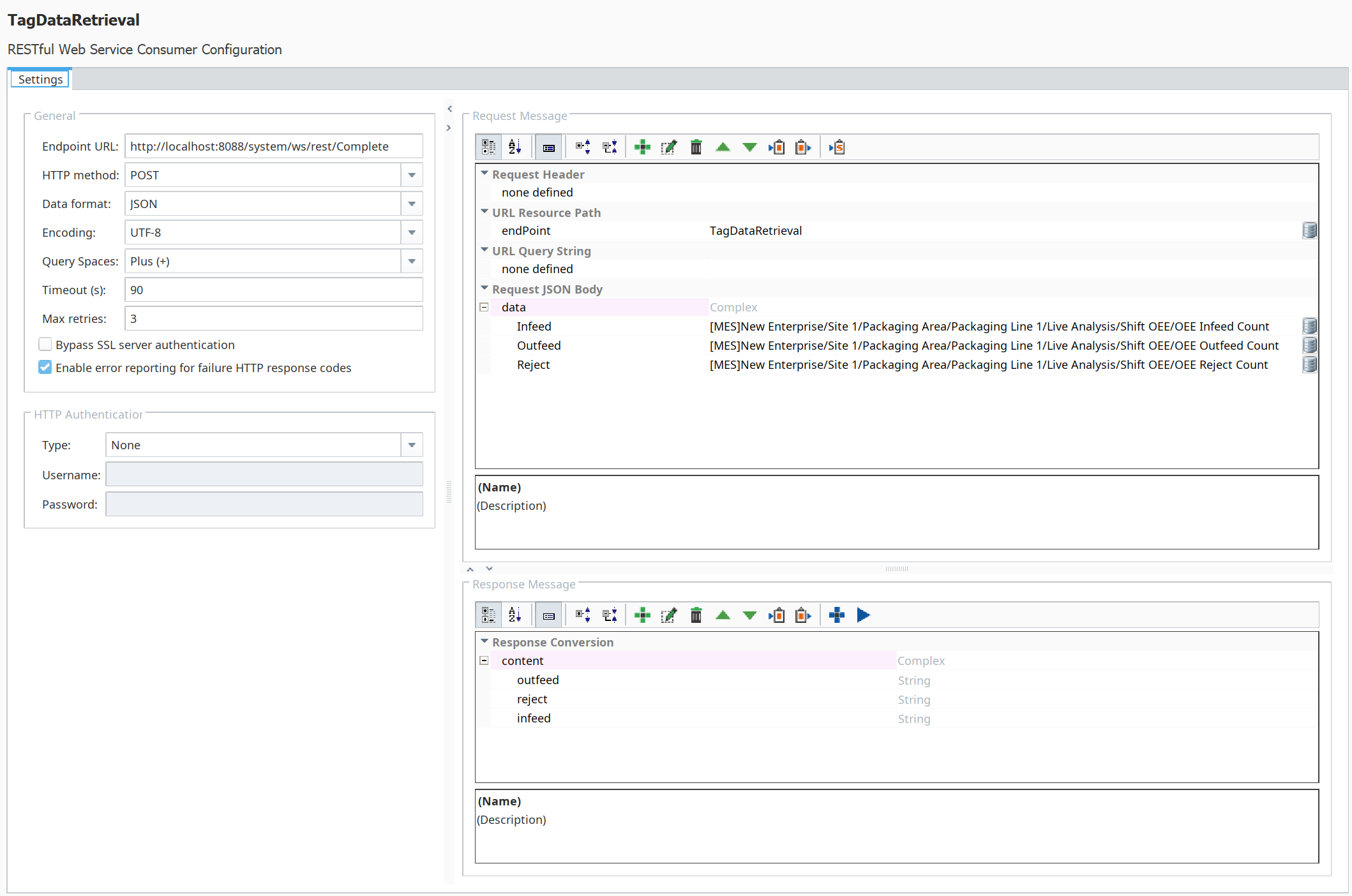
Configure the Request Message for the TagDataRetrieval consumer as follows:
-
Paste in the following Endpoint URL:
http://localhost:8088/system/ws/rest/Complete
-
Add the following URL Resource Path to complete the entire path to the RESTful Provider TagDataRetrieval. Finishing the path by using a variable you can overwrite allows the caller to use the same consumer for many different RESTful Providers (such as one for each manufacturing line, or one for each tank in the storage area):
TagDataRetrieval
-
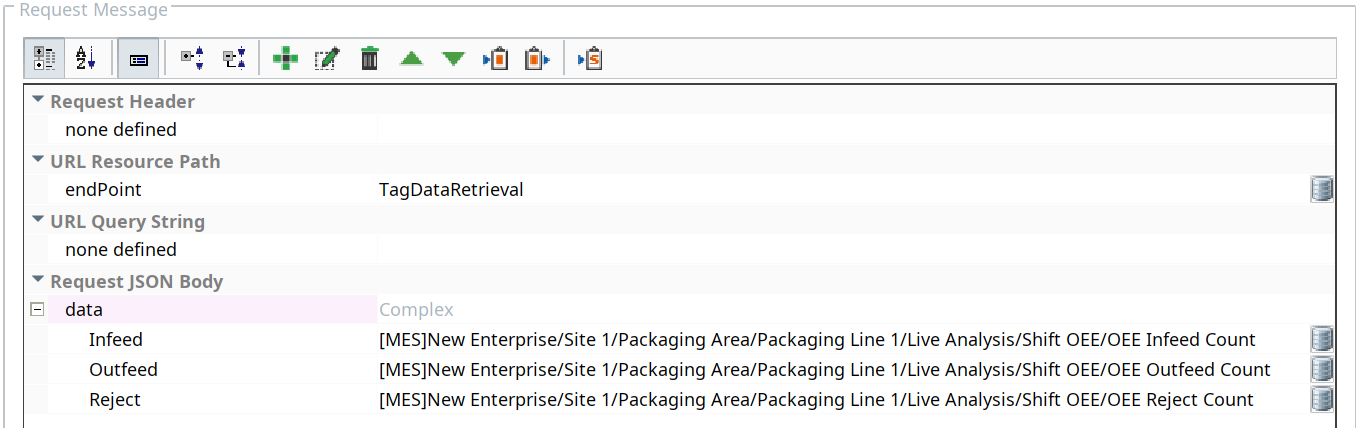
Create the complex array data, with three child elements, as shown to the right. Below are the three path strings used for this exercise:
[MES]New Enterprise/Site 1/Packaging Area/Packaging Line 1/Live Analysis/Shift OEE/OEE Infeed Count
[MES]New Enterprise/Site 1/Packaging Area/Packaging Line 1/Live Analysis/Shift OEE/OEE Outfeed Count
[MES]New Enterprise/Site 1/Packaging Area/Packaging Line 1/Live Analysis/Shift OEE/OEE Reject Count
The completed Request Message should look as shown to the right.
- Click Save in Designer before configuring the Response Message in the next section.

Configure Response Message
The Web Services module can automatically configure the entire Response Message by clicking the Run Web Service Configuration button. It will send the Request Message and then parse the response returned by the online RESTful provider.
Configure the Response Message for the TagDataRetrieval consumer as follows:
- Click the Run Web Service Configuration button. It will send the Request Message and then parse the response returned by the online RESTful provider.
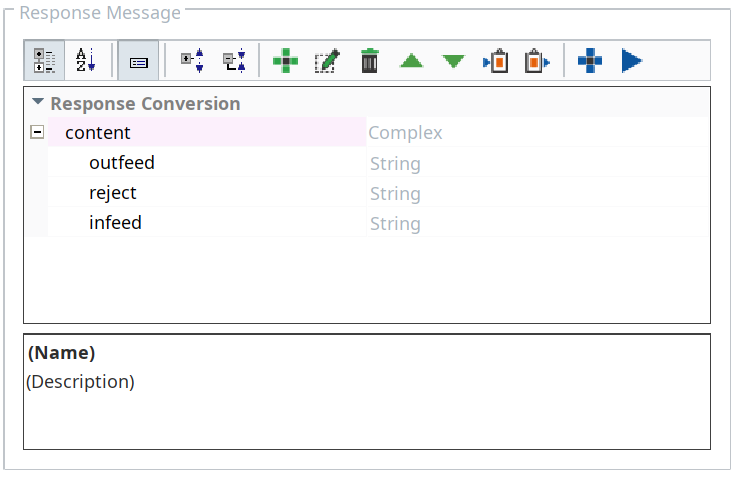
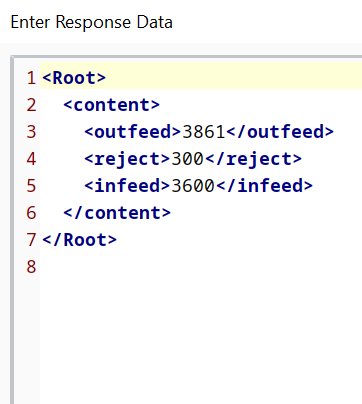
Verify that the Response Message returned by the TagDataRetrieval provider was parsed and placed into the Response Conversion. The dialog box with the response message should contain the fields shown to the right (your data values will be different).
Click OK to accept the message and allow the Web Services module to use it as its Response Message. The fields will populate in the Response Conversion, as shown below.