Running the Consumer
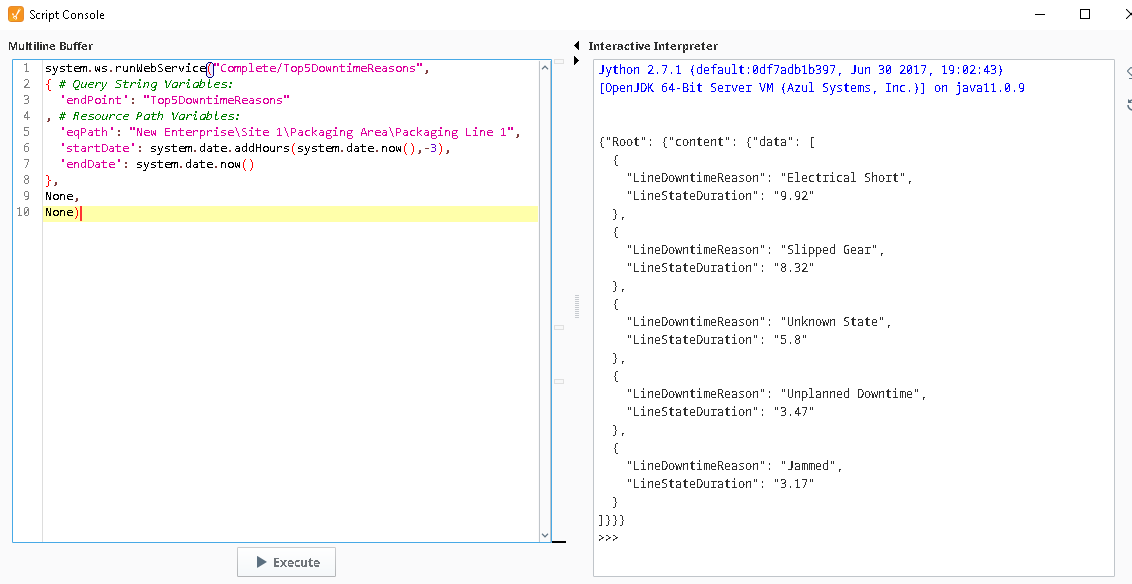
We will now run the Top5DowntimeReasons RESTful Consumer from the Script Console.
Run Top5DowntimeReasons from the Script Console
- Copy and modify the pre-written sample script, then run it in the Script Console.
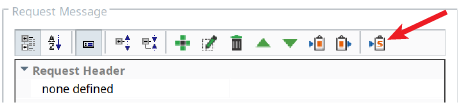
- In the toolbar of the Request Message section, click the Copy Sample Script button. Paste the copied sample script into the Script Console.
- Edit StartDateand EndDatevalues.
Example:'startDate': system.date.addHours(system.date.now(), -3)
'endDate':system.date.now()
- Execute the script. The results in the right-side panel should look as shown to the right (your data values will be different).