Configure Recipe Analysis
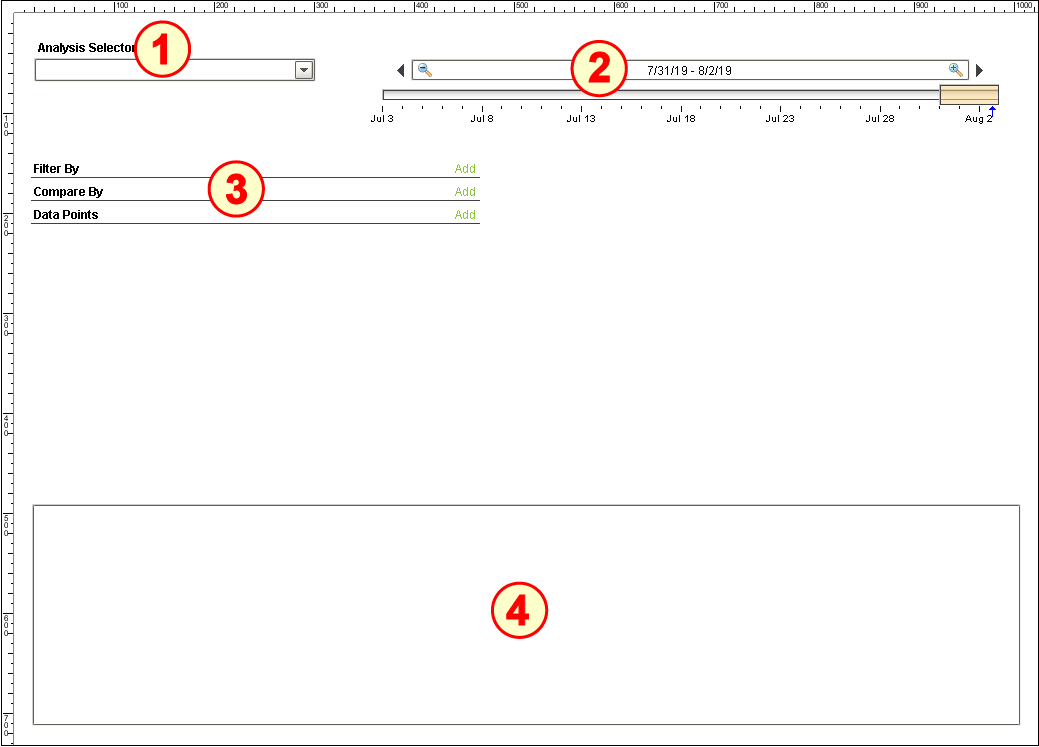
The Recipe Analysis set-up on the window REC_01_GUI/03_Analysis has four components:
- Production Stored Analysis Selector
- Date Range (Ignition)
- Production Analysis Selector
- Power Table (Ignition)
Configure Production Stored Analysis Selector
- Drag a Production Stored Analysis Selector component onto the window and place it in the upper-left corner.
- Add a Label above it that reads Analysis Selector.
- No configuration is required (the component knows where to find all stored analyses).

Configure Date Range
- Drag a Date Range component onto the window and place it in the upper-right corner. Resize to fit.
- No configuration is required (the Production Analysis Selector component will bind to its Start Date and End Date properties.

Configure Production Analysis Selector
- Drag a Production Analysis Selector component onto the window and place it under the Production Stored Analysis Selector component, as shown above.
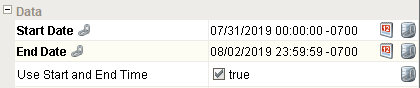
- Bind the Start Date and End Date properties to the Start Date and End Date properties of the Date Range component.
- Set the checkbox for the Use Start and End Time property.

Configure Power Table
- Drag a Power Table component onto the window and place it along the remaining bottom area of the screen, as shown above.
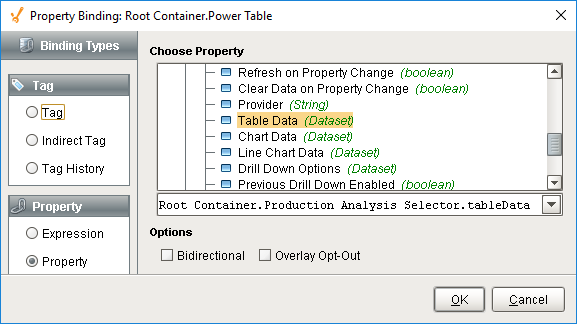
- Bind the Data property to the Table Data property of the Production Analysis Selector component.