Configure Settings Recipe from Script
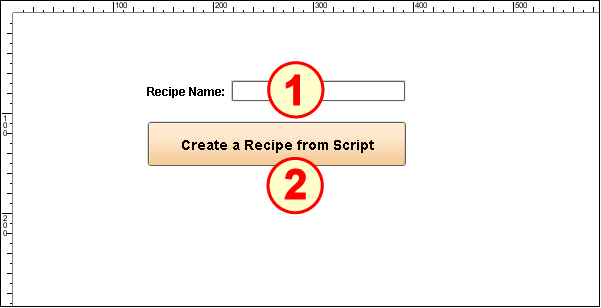
The Recipe From Script set-up on the window REC_02_SCR/01_Configuration has two main components:
- Text Field (Ignition)
- Button (Ignition)
Add Function to mesutils area of Script Library
- Navigate to the project.mesutils (reference within the User Manual) and copy/paste the following function into the mesutils script area (Script Library [project] section).
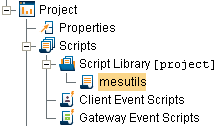
createRecipe() function for mesutils area
Code |
|
Configure Text Field
In a production environment, the recipe name would be provided by a database and not a GUI component like a Text Field. However, for convenience in running this script repeatedly (the function needs a unique name or it will throw an error), manual text entry allows us to change the name each run.
- Drag an Ignition Text Field component onto the screen. Resize it to about double its default length.
- Change the Name property to tf_RecipeName.
- Add a Label called Recipe Name: to its left.

Configure Button
This button will execute the function you stored in the mesutils section, which will create a recipe named whatever text string is in the Text Field. It also displays some of the recipe values and variances as log entries.
- Drag an Ignition Button onto the screen. Size it wide enough for the text shown.
- Set the Text property to Create a Recipe from Script.
Open the Component Scripting dialog box (Ctrl-J), select the actionPerformed event handler script area and paste in the following script.
Script for the actionPerformed event handler
Codedef createRecipe(recipeName, eqPath): from org.apache.log4j import Logger log = Logger.getLogger('createRecipeScriptLogger') recipeExists = mesutils.checkForObject(recipeName, 'Recipe') if not recipeExists: # create the recipe parentRecipeName = '' note = 'Manually-created recipe' system.recipe.createRecipe(recipeName, parentRecipeName, note) # assign production item to recipe system.recipe.addItemToRecipe(recipeName, eqPath, note) # display current recipe values category = '1' # indicates recipe values were created by the recipe module recipeVals = system.recipe.getRecipeValues(eqPath, recipeName, category) log.info('Original recipe values') log.info('--------------------------------') for ndx in range(recipeVals.size()): recipeItem = recipeVals.get(ndx) # get the recipe value item object #recipeItem = recipeVals.get(ndx).getRecipeValue() # if used in gateway scope itemName = recipeItem.getName() itemValue = str(recipeItem.getValue()) #itemSort = recipeItem.getSortOrder() #recipeItem.getMinValue() #recipeItem.getMaxValue() #recipeItem.getAssignedBy() #recipeItem.getSortOrder() #recipeItem.hasDescription() #recipeItem.getDescription() #recipeItem.getFormat() #recipeItem.getUnits() log.info('%s=%s' %(itemName, itemValue)) # assign values to the recipes items valueName = 'Torque Setting 1' value = '3.0' # always assign as a string, the module will convert to the proper type note = 'value changed' system.recipe.setPathRecipeValue(eqPath, recipeName, valueName, value, note) valueName = 'Zero Location' value = '7.5' note = 'value changed' system.recipe.setPathRecipeValue(eqPath, recipeName, valueName, value, note) # display new values recipeVals = system.recipe.getRecipeValues(eqPath, recipeName, category) log.info(' ') log.info('Modified recipe values') log.info('--------------------------------') for ndx in range(recipeVals.size()): recipeItem = recipeVals.get(ndx) itemName = recipeItem.getName() itemValue = str(recipeItem.getValue()) log.info('%s=%s' %(itemName, itemValue)) return True else: return False