Configure Control Chart
- Stored SPC Selector | Vision
- SPC Selector | Vision
- Individual and Range Chart - Vision
- Date Range (Ignition)
Configure Date Range
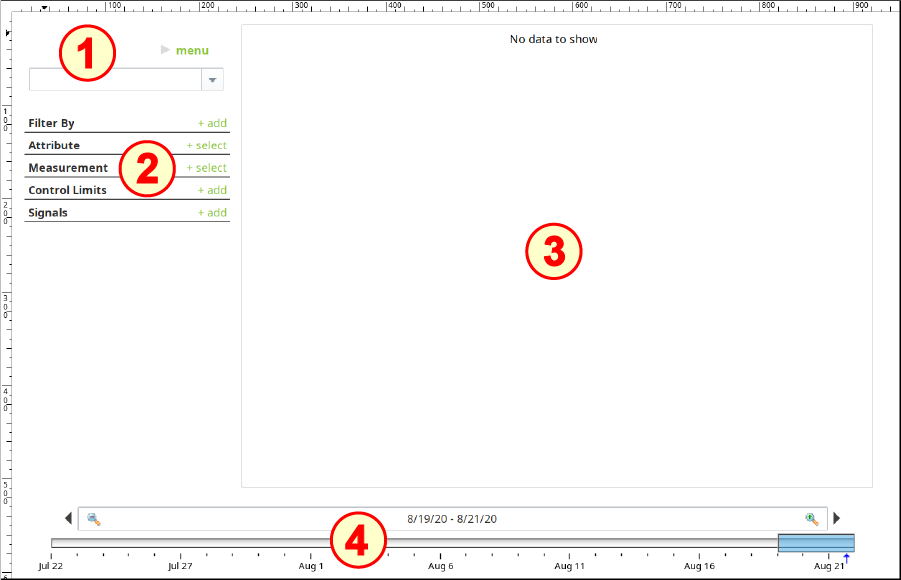
- Drag a Date Range component onto the window. Position and resize it it along the entire bottom edge of the window.
- No configuration is required.

Configure Stored SPC Selector
- Drag a Stored SPC Selector component onto the window. Position it near the top-left corner of the window (no resizing is required).
- No configuration is required.
Configure SPC Selector
- Drag an SPC Selector component onto the window. Position it under the Stored SPC Selector component (no resizing is required).
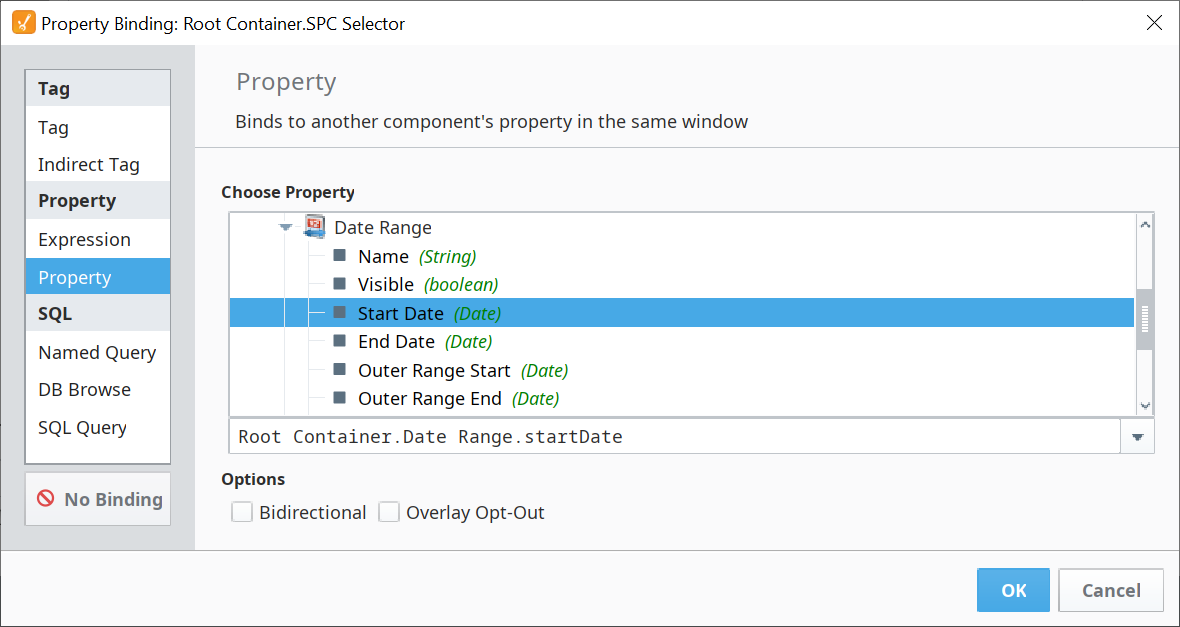
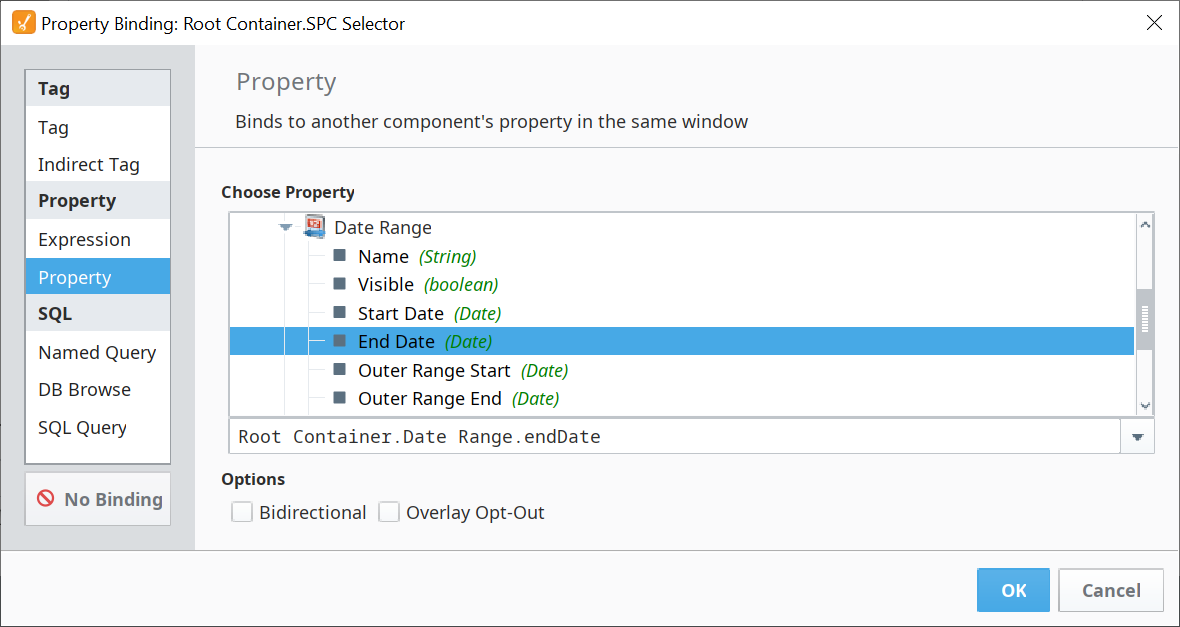
- Bind the Start Date property to the Start Date property of the Date Range component.
- Bind the End Date property to the End Date property of the Date Range component.
- Change SPC Data Format to match the format selected for your samples (in this example, select Individual).

Configure Individual and Range Chart
- Drag an Individual and Range Chart onto the window. Position it near the top-right corner of the window and resize to fill the remaining open space, as shown above.
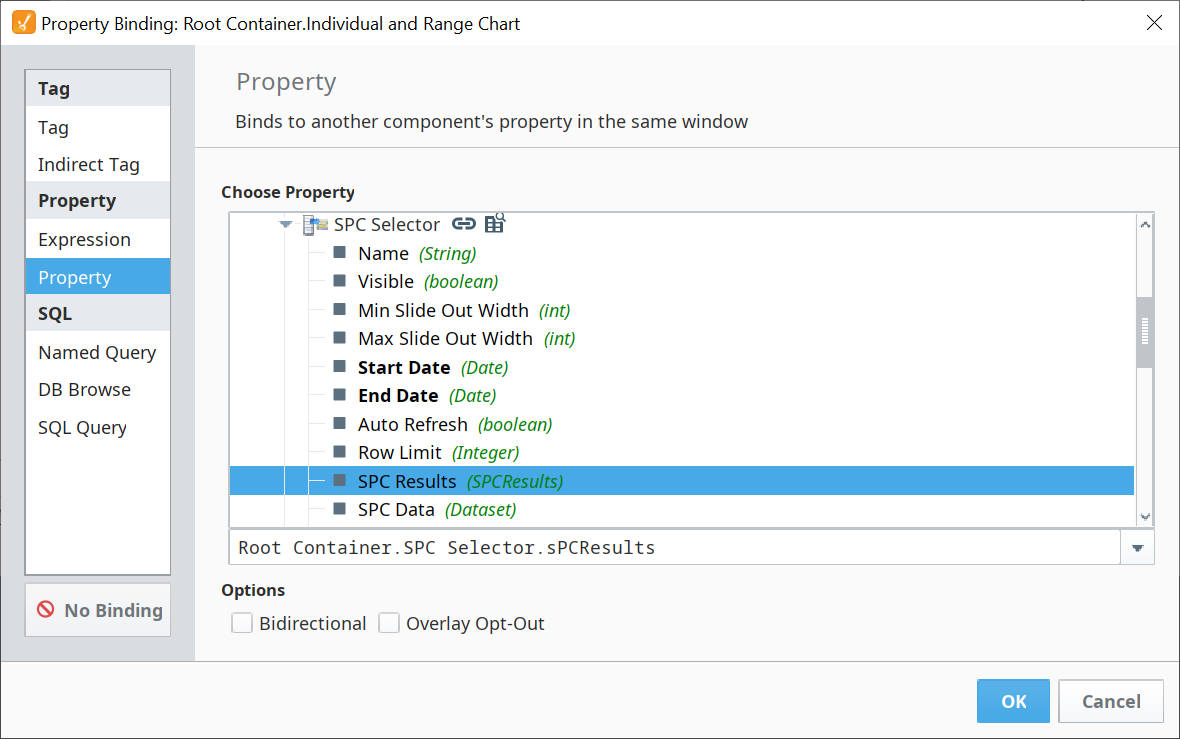
- Bind the SPC Results property to the SPC Results property of the SPC Selector.