Configure Control Chart
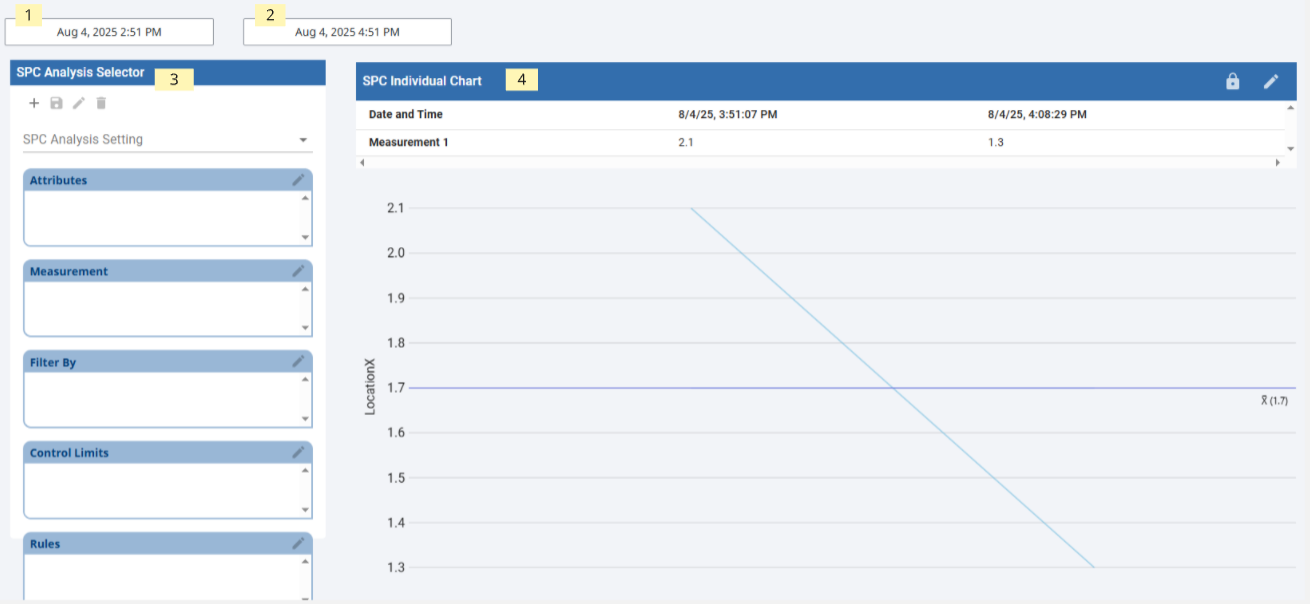
Components on Control Chart screen:
Area 1: DateTime Input
Area 2: DateTime Input
Area 3: SPC Analysis Selector
Area 4: SPC Individual Chart
- Create a new View called SPC_01_GUI/SPC Analysis and create page url for later use.
- Add Date Range Selectors:
- startDate: Drag Ignition DateTime Input component to view and rename as startDate.
- endDate: Drag Ignition DateTime Input component to view and rename as endDate.
- startDate: Drag Ignition DateTime Input component to view and rename as startDate.
- Add the Analysis Selector: Drag SPC Analysis Selector to view.
- Bind property spcChartSettings.startDate to startDate dateTime component value property.
- Bind property spcChartSettings.endDate to endDate dateTime component value property.
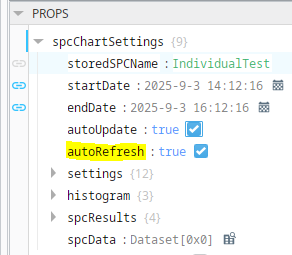
- Set autoRefresh = True
- This is required to enable setting control limits on a bound chart
- Drag SPC Individual Chart to view.
- Set property propertySource to Use_Binding
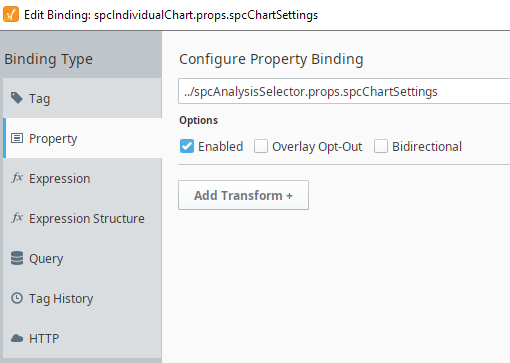
- Bind parent level of spcChartSettings property to the Analysis Selector spcChartSettings