Sepasoft MES Module Suite
Scripting in the Ignition Console
Access Libraries
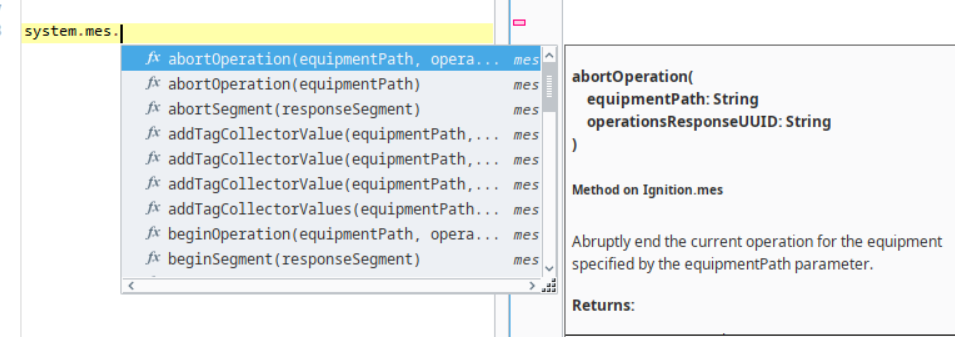
To access the MES libraries, type:
system.mes.
Once you hit the dot, you get libraries.
The Scripting Functions at this system.mes. level are universal to the MES objects. You can use these functions with MES objects.
Object Structure
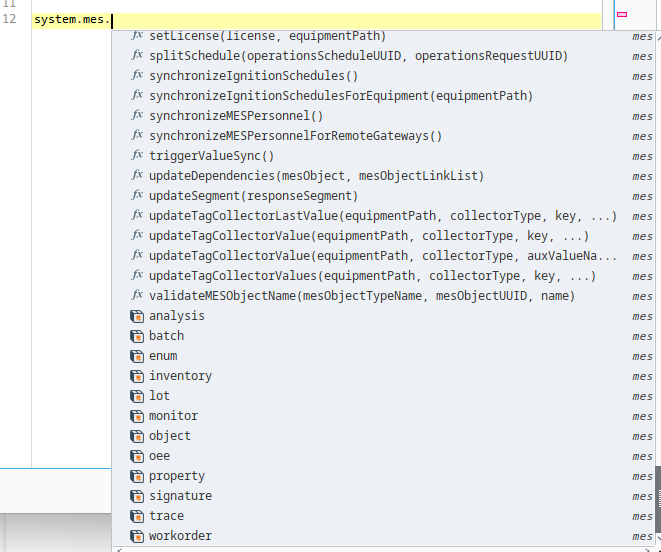
Under the shared functions, are specific libraries to each available MES object. These are listed in alphabetical order.
Load an MES Object
If you need to get an MESObject, it's easiest to go to the link and then get the object itself.
For this example, load the top-level equipment, mes enterprise, object.
To get an MES Object, you could use several options and the one to use depends on the context of the use-case
such as:
loadMESObject
or
getMESObjectLink
In most cases, you will want to get a link to the object and then return the object by its link, as shown below:
- Enter this code in the the Scripting Console:
Python |
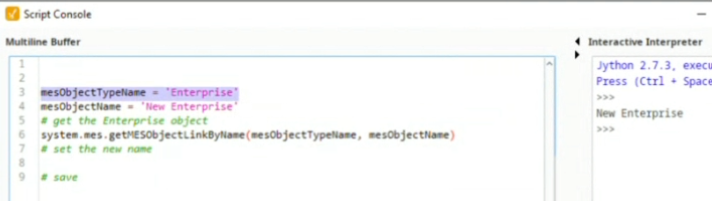
mesObjectTypeName ='Enterprise' mesObjectName = 'New Enterprise' # get the Enterprise object link system.mes.getMESObjectLinkByName(mesObjectTypeName, mesObjectName) |
- Execute and see New Enterprise on the right.
Returning the Object Type
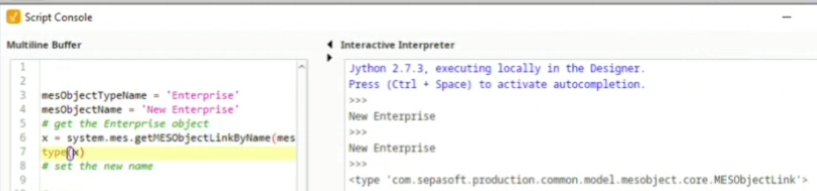
- To see what is returned, enter:
Python |
x = system.mes.getMESObjectLinkByName(mesObjectTypeName, mesObjectName) type(x) |
Using the Object Link
- Enter this code to retrieve the object itself.
Python |
#change the 'x' to 'eqLink' and get the object eqLink = system.mes.getMESObjectLinkByName(mesObjectTypeName, mesObjectName) eqp = eqLink.getMESObject() type(eqpLink) type(eqp) |
- Execute and Look at the results. First returns data type MESObjectLink and second object of MESEnterprise.
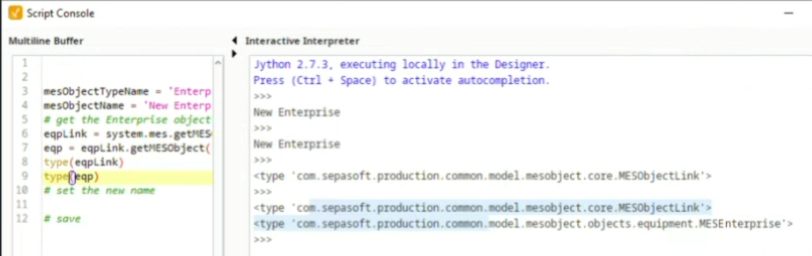
Now that the object is in memory, you can use the object methods.
Python |
mesObjectTypeName = 'Enterprise' currentEnterpriseName = 'New Enteprise' enterpriseName = 'AAA' # get the Enterprise object eqLink = system.mes.getMESObjectLinkByName(mesObjectTypeName, currentEnterpriseName) eqp = eqLink.getMESObject() eqp.setName(enterpriseName) |
View Available Methods on an MES Object
To introspect within the Scripts Console:
- Enter dir(eqp) in the execution side of the console (right side)
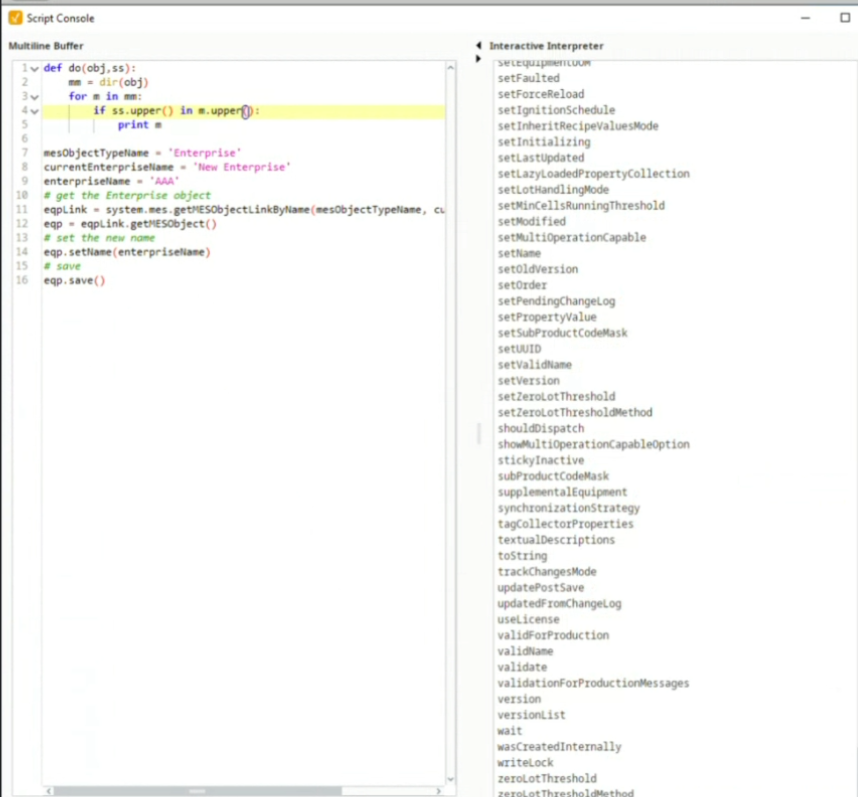
This returns a long list of methods without any formatting that is hard to read.
Create a function for dir.
Python |
#obj = the object passed | ss = search string | mm = all the members of that object #cycle through one member at a time. #add .upper to remove case sensitivity def do(obj.ss): mm = dir(obj) for m in mm: if ss.upper in m.upper: print m |
- To introspect the eqp object, in the execution side of the console (right side), enter:
Python |
do(eqp,'') |
Sepasoft MES Module Suite