Sepasoft MES Module Suite
Electronic Batch Record
Using Batch Procedure EBR Viewer
The Batch EBR Viewer component is installed with the Batch Procedure module.
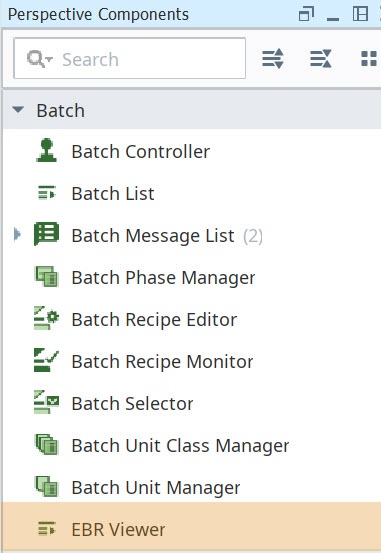

|
EBR Viewer Component is provided in 3.81.6 RC 1 and later. |
EBR is a comprehensive listing of parameter and processing data. Parameter data include the parameters at the Recipe/Batch, Operation, and Phase levels. EBR processing data include start, end, and steps carried out throughout the batch execution. Min and max parameter settings are only included if they differ from default values.
EBR records the current values of the parameters with time stamps and as the step parameter-values change, EBR records the changes with time stamps.
You can generate two types of EBR:
- An EBR for a Master Recipe EBR
- An EBR for a Batch (this is a recipe that has been executed) called Control Recipe EBR.
For properties and reference information, see Batch EBR Viewer Component.
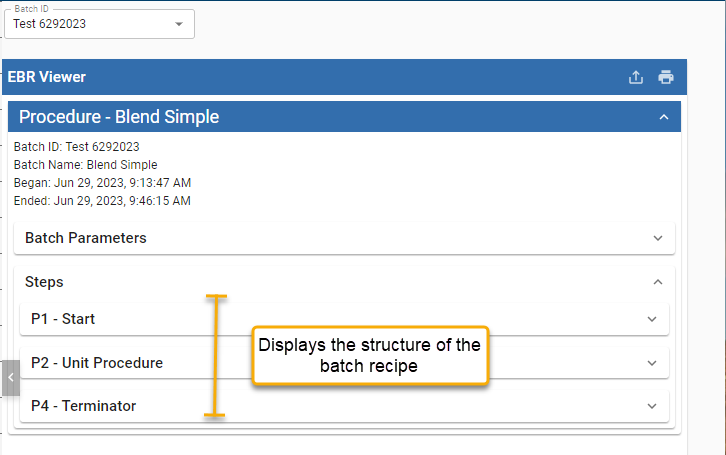
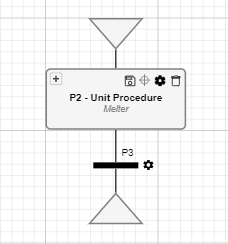
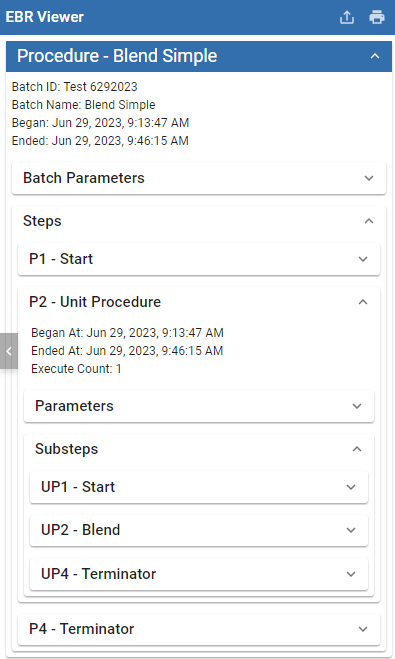
Viewing EBR
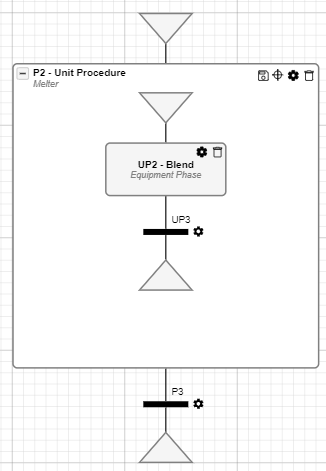
| EBR | Batch Recipe |
|---|---|
|
|
|
|
|
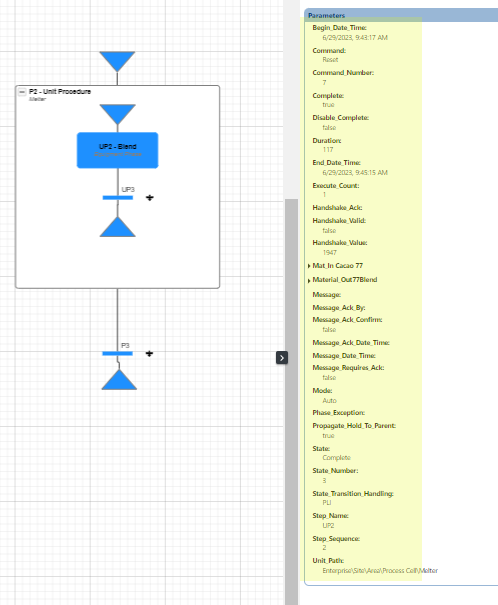
Drill down to see the parameter values and changes that occurred during batch execution. 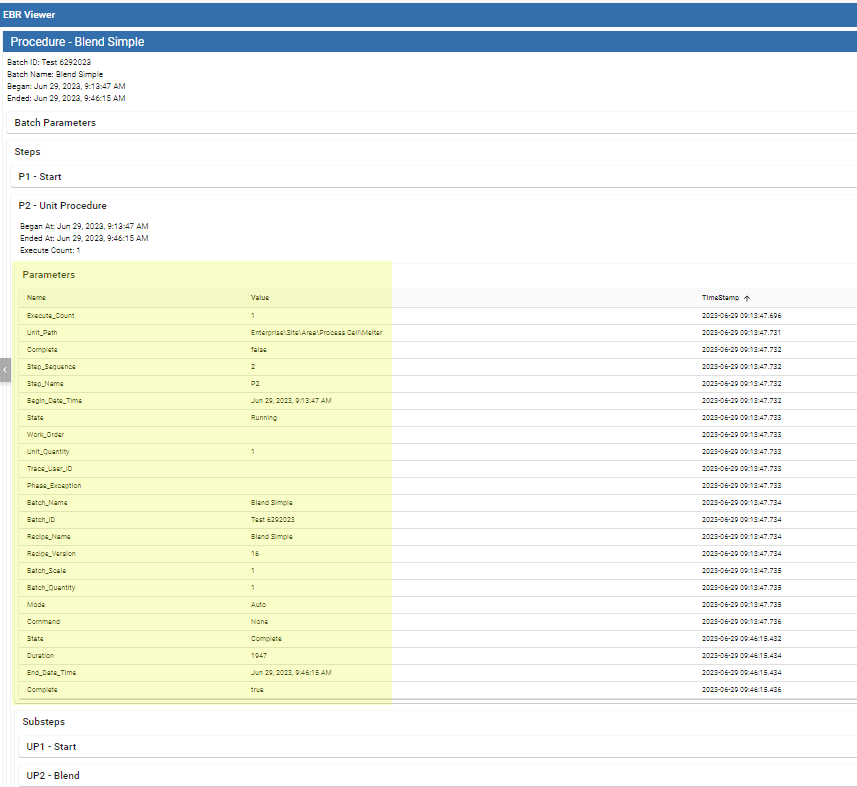
|
|
Specifying a BatchID or a RecipeName for EBR
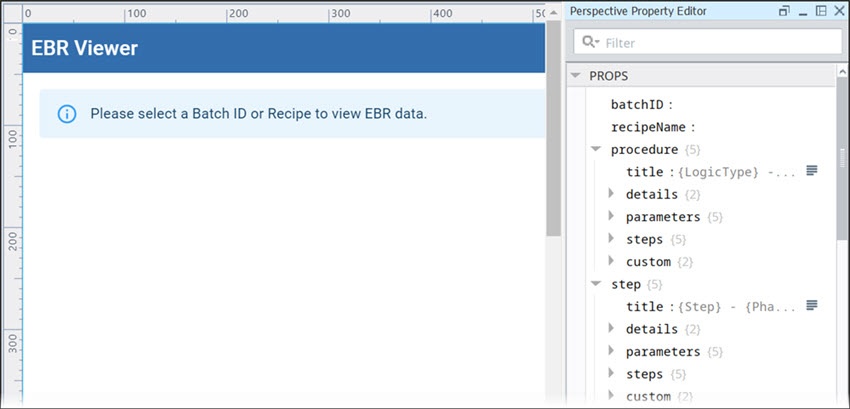
EBR Viewer component provides design-time properties that include the BatchID and RecipeName parameters.
- For a Recipe set RecipeName
- For a Batch (this is a recipe that has been executed) set BatchID.
You can set those in Ignition Designer and view the EBR output. See those below under EBR Viewer Component Properties.
For usability during run-time for the end-user to select a batch, use Ignition Expression Binding with a dropdown menu using the batch queue scripting functions.
Below is an example of binding a dropdown to get the last 20 batches that have executed in the batch queue.
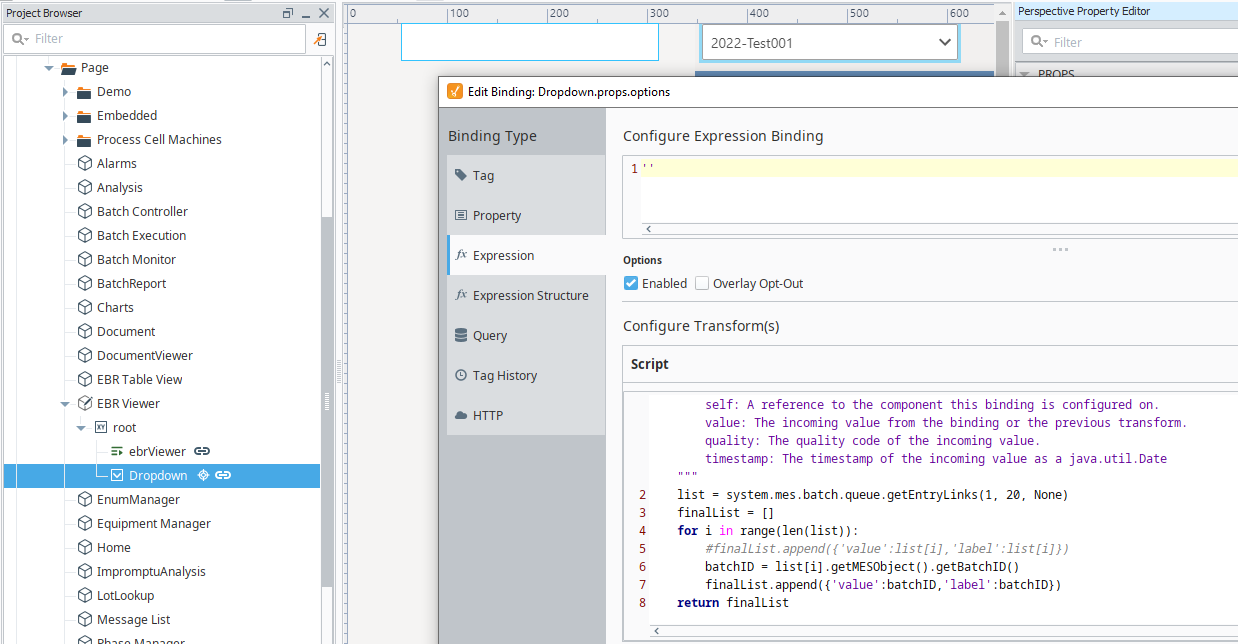
Binding EBR Viewer to a Dropdown Menu
|
|
Scripting function queue.getEntryLinks() is available in versions: 3.81.5 SP5 Stable and later 3.81.6 RC2 Release Candidate and later |
This script bound to a dropdown menu provides the ability to select a batch for EBR on a Perspective View during runtime.
Python |
def transform(self, value, quality, timestamp): """ Transform the incoming value and return a result. Arguments: self: A reference to the component this binding is configured on. value: The incoming value from the binding or the previous transform. quality: The quality code of the incoming value. timestamp: The timestamp of the incoming value as a java.util.Date """ list = system.mes.batch.queue.getEntryLinks(1, 20, None) finalList = [] for i in range(len(list)): #finalList.append({'value':list[i],'label':list[i]}) batchID = list[i].getMESObject().getBatchID() finalList.append({'value':batchID,'label':batchID}) return finalList |
Adding EBR Viewer in Ignition Designer
You must have the Batch Procedure module installed.
- In Ignition Designer, with a Perspective View active in the Project Browser, go to the Perspective Component Palette and add the EBR Viewer component to the design space.
Generating a PDF
When you open an EBR, you can download as a PDF.
Generate EBR via Script
To generate an EBR:
For Batch EBR: Use the EBR Viewer component or the system.mes.batch.queue.getBatchEBR(batchID, includeIdleSteps, includeSystemParameters, timeoutSeconds) scripting function.
For Master Recipe EBR: Use the EBR Viewer component or the system.mes.batch.recipe.getRecipeEBR(masterRecipeLink, includeSystemParameters) scripting function.
EBRs for control recipes provide details for the single batch that has been executed specified by the batchID of all the steps performed and parameter values with time stamps. It is populated from a combination of the BatchControlRecipe object, BatchControlLogic object, and the historical parameter data recorded during the batch execution.
Example
In the script console run the following code.
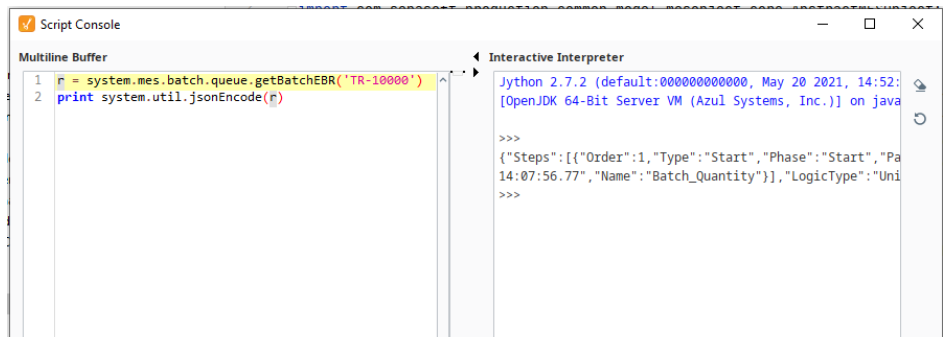
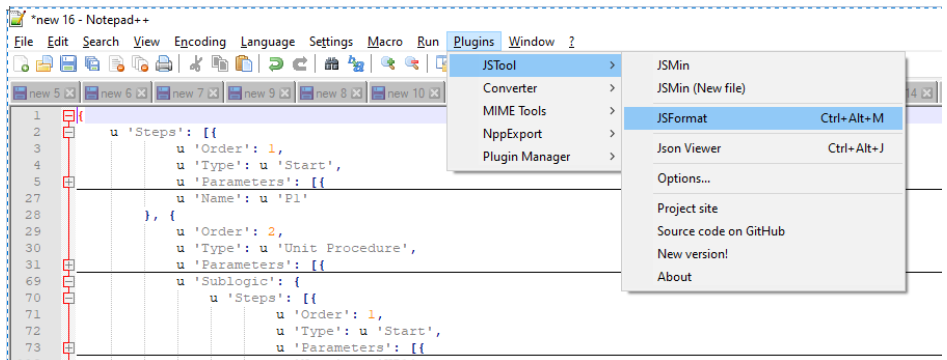
The results can be copied and pasted into a JSON viewer (I used NotePad--) with the JSFormater
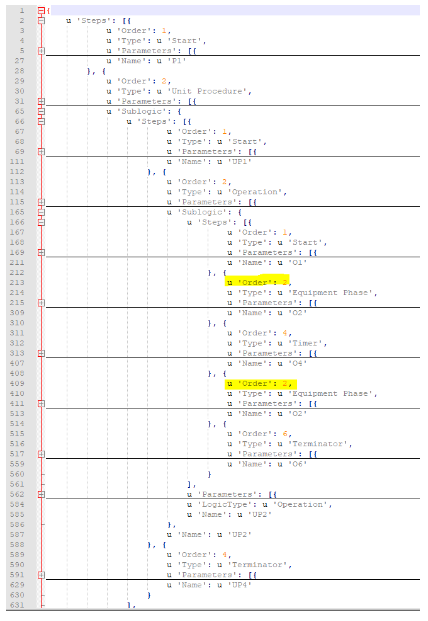
The output will follow the recipe and the order in which the steps were executed. In the image below, the O2 phase was executed manually after it ran initially.
EBRs for master batch recipes provide details for the recipe specified by the name including all the steps defined within the recipe.
For reference information, see system.mes.batch.recipe.getRecipeEBR()
Example
In the script console run the following code.
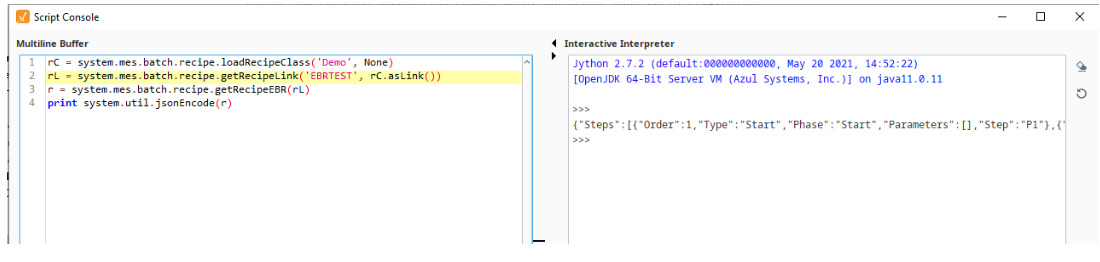
The results can be copied and pasted into a JSON viewer (I used NotePad--) with the JSFormater
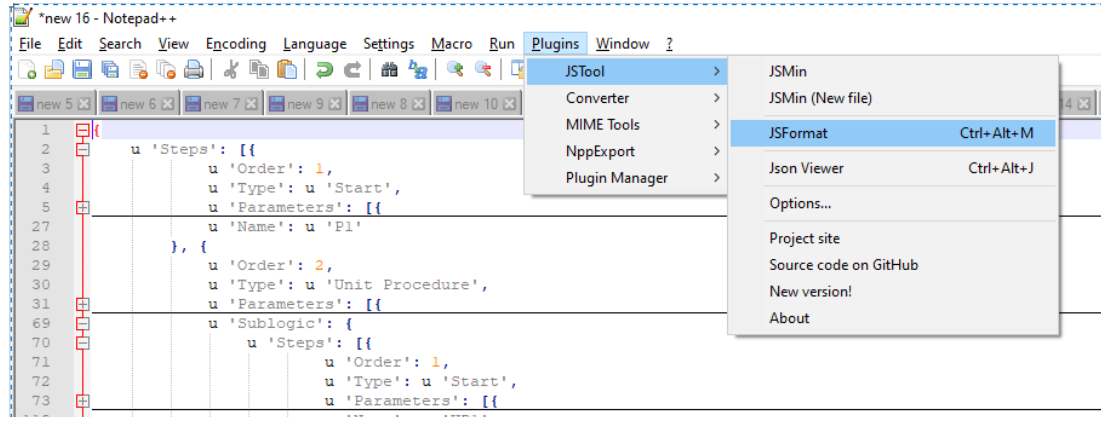
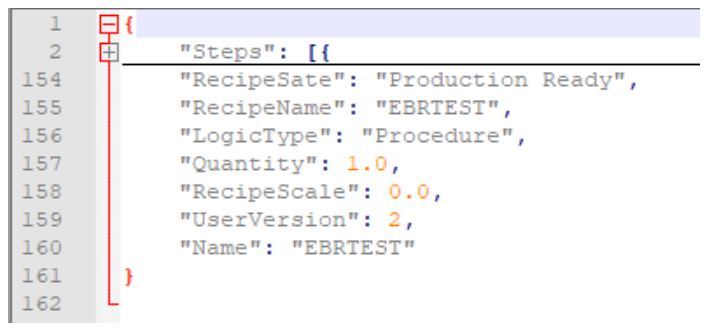
The output is similar but different from the EBR for a batch as shown above.
Sepasoft MES Module Suite