Sepasoft MES Module Suite
Material Sublot
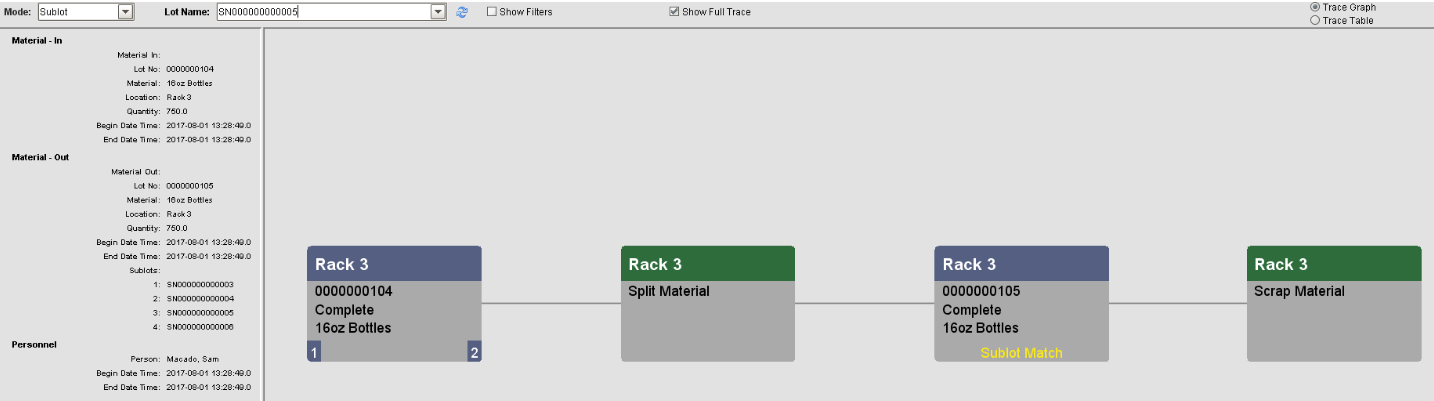
When an operation is running and producing parts or finished goods that are serialized, you may consider storing them as sub-lot objects of a single material lot. Sub-lots can be traced back throughout the process and show up as a highlight on the material lot object in the Trace Graph. Creating sub-lots is more efficient than executing a process segment for each part produced, however splitting sub-lots apart later on in the process would require new material lots to be created for each sub-lot for traceability purposes.
The Material Sublot is derived from the AbstractMESObject and inherits all the exposed properties, methods and events for that object.
Object Creation
Sub-lot objects can be created at the time of the operation using the response segment object functions:
- Response Segment object.addSublot()
- Response Segment object.addSublots()
They can also be created after the operation has completed using:
- system.mes.createSublots()
They can also be created using the MES Sublot List component.
Object Properties
Property values can be accessed and changed for an object by using the getPropertyValue() and setPropertyValue() method.
This object inherits the AbstractMESObject properties.
|
Name
|
Scripting
|
R/W
|
Description
|
|---|---|---|---|
| Lot . Assembly . Type | LotAssemblyType | Read | Currently this is here for reference and is included to align with the ISA-95 standard and will become significant in the next phase of the Track and Trace Module. |
| Sublot Status | SublotStatus | Read/Write | The status of the Material Sublot object. When a Material Sublot object is currently being processed by a Response Segment, this will be set to Active. When the Response Segment is ended, this will be set to the Final Lot Status setting in the Operation Segment configuration. If a Final Lot Status is not defined, it will be set to the default status of Completed. |
Object Events
Objects have events associated with them that allow for custom scripts to be added whenever the event occurs. Refer to MES Object Events for more information.
This object inherits the AbstractMESObject events...
|
Event Name
|
Description
|
|---|---|
| New |
The event is fired when a new instance of a Material Sub-Lot object is created. If no script is entered, then the default handler will be executed. To execute the default handler from within the script entered here, add a script line: event.runDefaultHandler() |
| CreateSerialNumber |
This event is run every time a Material Sublot object is requested to create a new serial number. This event provides a method to intercept the generation of serial numbers so that the format of the serial number or even the number itself can be modified. For systems that retrieve serial numbers from a ERP or other system, this event will allow obtaining a serial number from it. Script in this event can also read from a block of available serial numbers that are maintained in a database. |
Sepasoft MES Module Suite