Sepasoft MES Module Suite
Consumers
On this page:
- SSL Authentication
- Enable SSL client authentication
- Use default truststore
- Converting Private Keys to Java KeyStore
In this section:
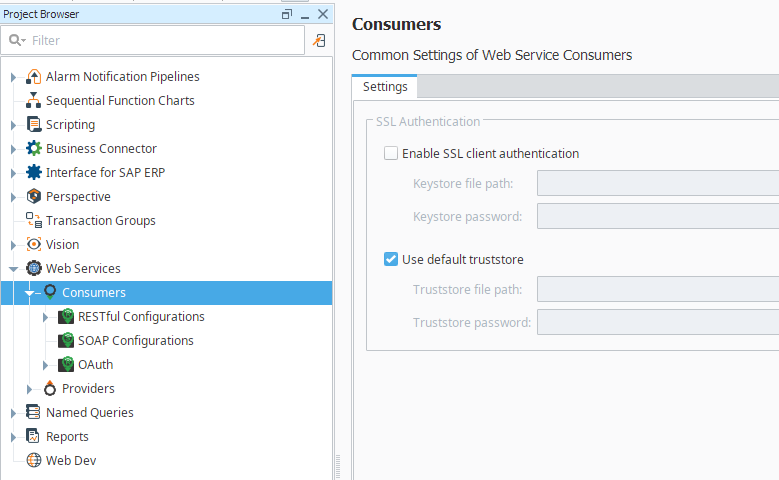
SSL Authentication
Enable SSL client authentication
If this is checked, SSL client authentication will be enabled. For additional information on SSL client authentication, see Oracle’s documentation: client authentication.
- Keystore file path
The path of a keystore file in Java KeyStore (JKS) format.
- Keystore file path
- Keystore password
The password of the keystore.
- Keystore password
Use default truststore
If this is checked, the default truststore will be used to authenticate the server's certificate. The default truststore is the standard truststore 'cacerts' located in the <java-home>\lib\security\ directory.
- Truststore file path
The path of a truststore file in Java KeyStore (JKS) format.
- Truststore file path
- Truststore password
The password of the truststore.
- Truststore password
Converting Private Keys to Java KeyStore
- Convert x509 Cert and Key to a pkcs12 file

|
Make sure you put a password on the p12 file, otherwise you'll get a null reference exception when you try to import it. You might want to add the -chain option to preserve the full certificate chain. |
- Convert the pkcs12 file to a java keystore
keytool -importkeystore -deststorepass [changeit] -destkeypass [changeit] -destkeystore server.keystore -srckeystore server.p12 -srcstoretype PKCS12 -srcstorepass some-password -alias [some-alias]
Sepasoft MES Module Suite