Sepasoft MES Module Suite
Creating Materials
The Sepasoft Modules Batch Procedure, OEE Downtime, and Track Trace use the concept of Material Classes and Material Definitions to manage materials. Material Classes provide a method for grouping similar materials together into a category.
Material Definitions are necessary for OEE Downtime production run definition, material traceability records in Track and Trace, as well as the traceability tie-in (Material In and Material Out parameters & BOM) features within Batch Procedure.
The MES Material Manager - Perspective or OEE Material Manager - Vision component is primarily used to create material definitions and classes for OEE, Track and Trace, and Batch Procedure. The MES Object Editor component can also be used to create material definitions and classes but is limited to the Vision module front-end.
How are materials deleted or, more accurately, disabled in a Material Class?
In the MES world, objects are rarely truly "deleted"; instead, they are often disabled. To effectively "delete" all materials within a Material Class and its subclasses, you would use a Python script that loads the MaterialClass object, then iterates through its child MaterialDef objects and any nested MaterialClass objects. For each material definition found, the setEnabled(False) method is called to disable it, and the changes are saved. This approach ensures that the materials are no longer active in the system.
What is the recommended practice for organizing materials within Material Classes to maintain system performance?
It is recommended that Material Classes or Sub-Classes hold no more than 20 Material Definitions. Overly large hierarchies or too many materials under a single node (Root, Class, or Sub-Class) can significantly slow down editing operations. This is because each time an object is modified, that object and others in the same class hierarchy have their version field incremented, impacting performance. A provided script can help flatten material hierarchies by moving materials from sub-classes to the root while retaining similar naming, aiming to mitigate these performance issues.
Material Root Object

|
The Material Root is the base class for all OEE Material Classes and Definitions. All materials utilized in OEE Downtime operations (e.g. production runs, etc.) and those created using MES Material Manager component are children of the Material Root. There is only one Material Root object per Ignition Gateway instance. Any material definitions otherwise created (e.g. for traceability purposes in Track and Trace) are not automatically children of the Material Root and therefore will not appear in the Material Manager component. If the Material Root object does not exist in the database at startup/restart of the Production module, an instance will be created by it. The Material Root object cannot be edited or deleted. |
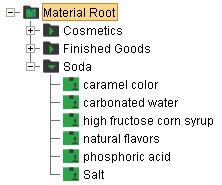
Adding, Editing and Deleting Material Classes
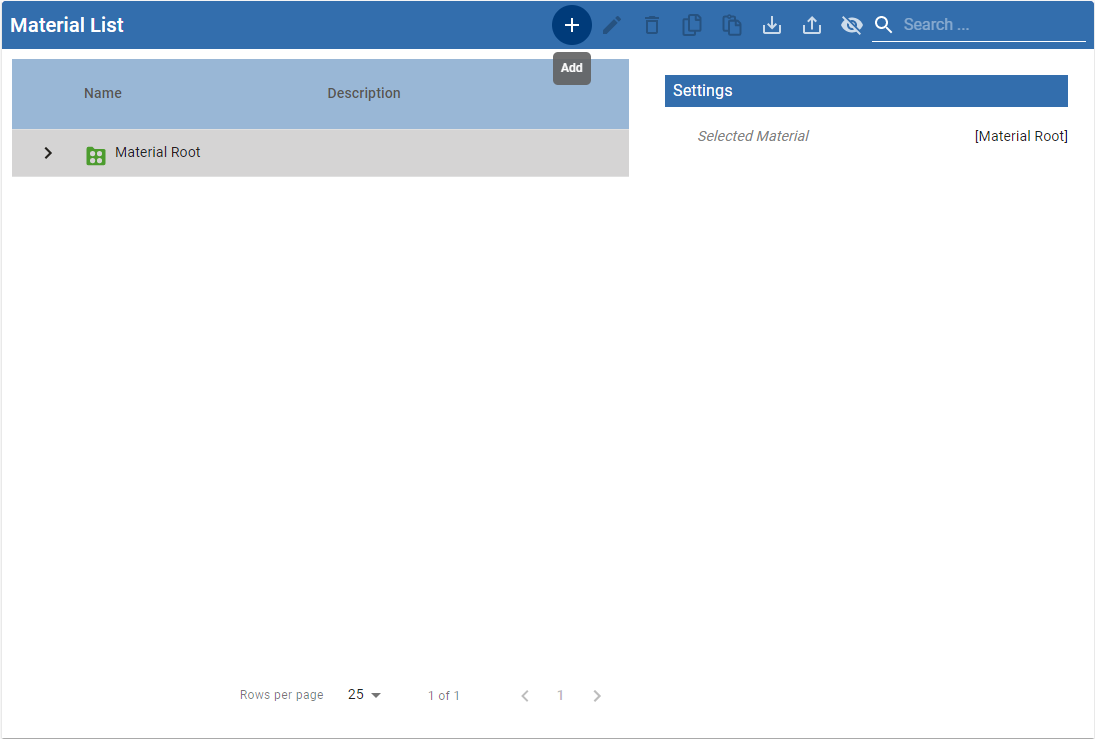
Material Classes can be created at the Material Root level or underneath an existing Material Class
- Add - Click on Material Root or the Material Class you wish to create a Material Class under and select New Material Class
- Edit - Click on the Material Class you wish to edit and select Edit
- Provide a name for the Material Class and click Save
- Delete - Click on the Material Class you wish to delete and select Delete
Copying and Pasting a Material Class
- Select the Material Class to be copied and click Copy
- Select the Material Root or Material Class to copy to and click Paste
- Expand the destination folder to see the pasted Material Class
Exporting Material Classes
Select the Material Root or Material Class to be exported and Click Export
- When the save window appears, name the file to be exported and Click Save
Importing Material Classes
Select the Material Root or Material Class to import to and click Import
- Use the File open dialog box to select the xml file to be imported and Click Open
Create Material Classes for Large Numbers of Material Definitions
|
|
For design scenarios with several hundred or even thousands of material definitions, a best practice is to create multiple Material Classes to logically and numerically divide the material definitions. This reduces load time within the system when accessing, creating, or editing material definitions. Typically this is done through scripting. |
Material Definitions
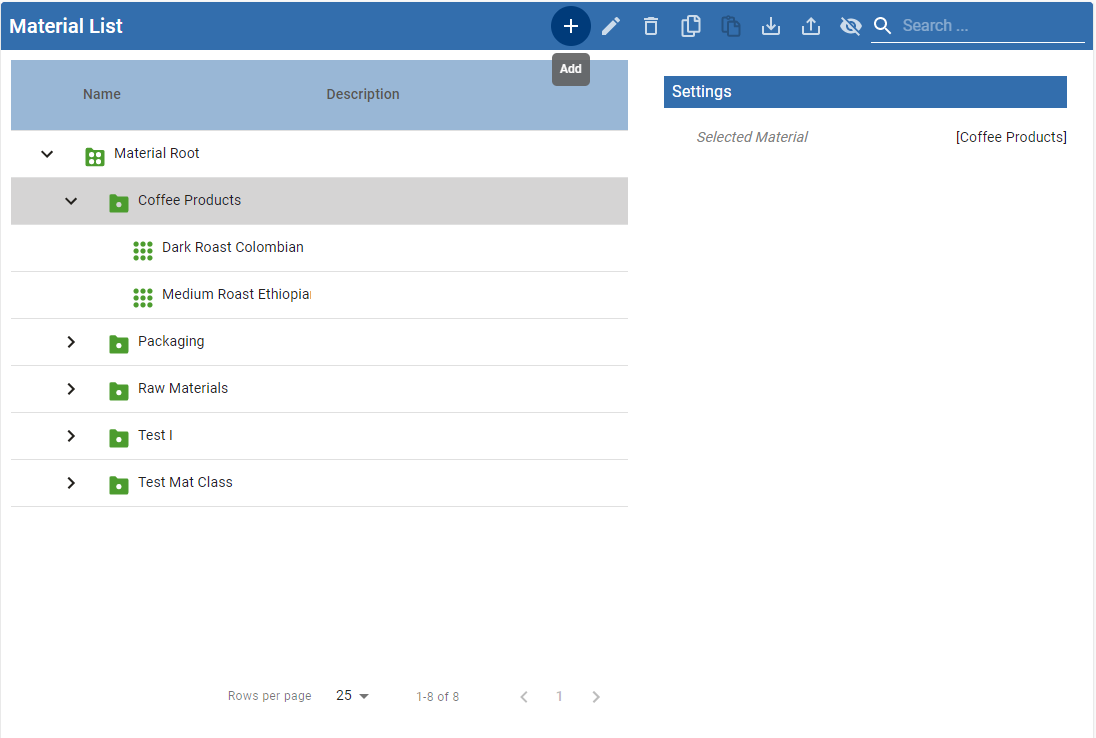
Material definitions can be added to a Material class but not to the Material Root.
Adding, Editing and Deleting Material Definitions
- Add - Click on the Material Class you wish to add a Material Definition to and select New Material Definition
- Edit - Click on the Material Definition you wish to edit and select Edit
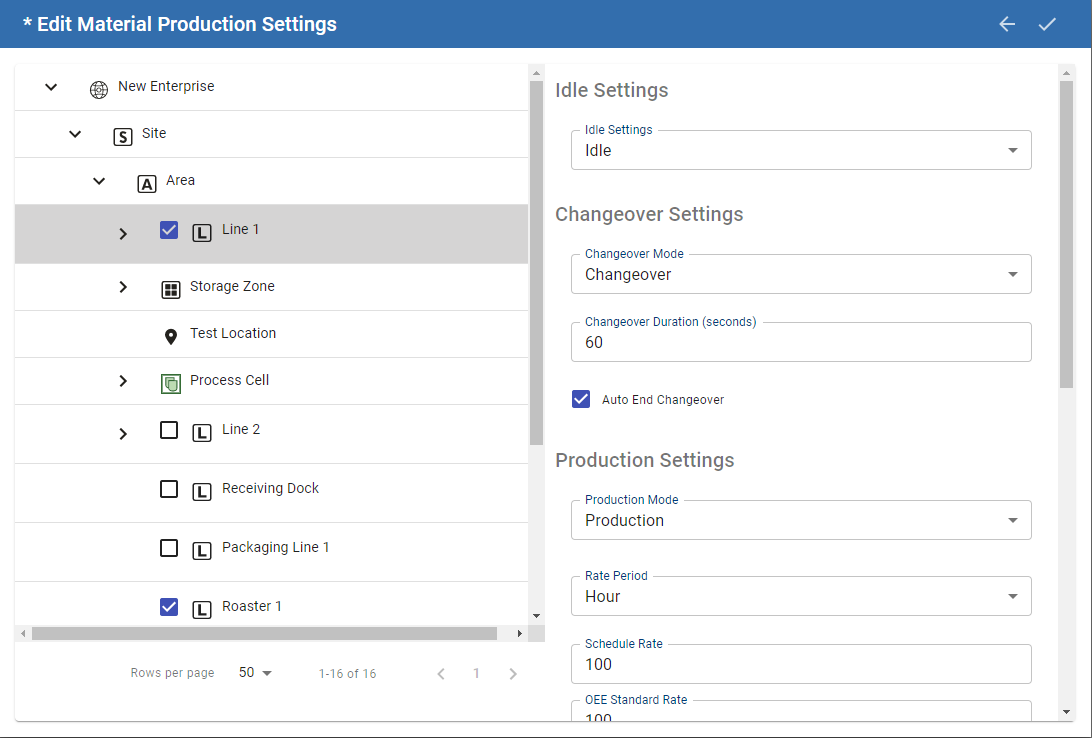
- Enter a Name for the Material Definition.
- Enter a Description (optional).
- Select Production under settings, navigating to the Production Line you wish to associate with the material for production. By selecting the checkbox, you associate the material with the line, indicating a production run can executed for that combination.
- There are quite a number of options available for Changeover and Production Settings, which we will go into more detail on the OEE Material Production Settings page
- Click Save to add this Material Definition
In the background the Operations Definition and Operation Segments (i.e. ISA-95 Operations Model Data Objects) required for this material to run on this line are automatically created for you. In the example, the Operation MaterialDefinitionName-Enterprise:Site:Area:Line 1 will be created.
- Delete - Click on the Material Definition to be deleted and select Delete
Copy and Paste Material Definition
- Select the Material Definition to be copied and click Copy
- Select the Material Class to which the definition is to be copied to and click Paste
- Expand the destination folder to see the pasted Material Definition
Creating Materials Through Scripting
The following scripts are provided to show how to create Material Classes and Definitions through scripting. Two functions are used, one to check and create Material Classes, the other to check and create Material Definitions and then add them to the passed Material Class. If the materials created need to be used for OEE Production Runs, then they will be added to the Material Root class.
Place the checkCreateMaterialClass() and checkCreateMaterialDef() functions (shown below) in a project or shared script library and call them as shown in the following example:
Python |
className = 'Finished Goods' matName = [] matName.append('Mixed Nuts 8oz') matName.append('Mixed Nuts 16oz') addToRoot = True objClassLink, retVal = checkCreateMaterialClass(className, addToRoot) print retVal for i in range(len(matName)): objDefLink, retVal = checkCreateMaterialDef(matName[i], objClassLink) print retVal |
Python |
>>> Creating Material Class Finished Goods. Added to Material Root Created Material Definition Mixed Nuts 8oz. Adding to Material Class Finished Goods Created Material Definition Mixed Nuts 16oz. Adding to Material Class Finished Goods >>> |
checkCreateMaterialClass()
Python |
def checkCreateMaterialClass(name, addToRoot): #This function is passed a name for a Material Class and will create it if it doesn't already exist. #If addToRoot is True, then this class will be added to the Material Root, allowing any material definitions in this class to #be used by The OEE Material Manager #Inputs - name for material class as string #Inputs - addToRoot as boolean #Outputs - link as MESObjectLink to the Material Class #Outputs - RetVal as String status filter = system.mes.object.filter.createFilter() filter.setMESObjectTypeName('MaterialClass') filter.setMESObjectNamePattern(name) list = system.mes.searchMESObjects(filter) if list.size() == 0: retVal = "Creating Material Class " + name + "." obj = system.mes.createMESObject('MaterialClass') obj.setPropertyValue('Name', name) link = system.mes.object.link.create(obj) else: link = list.get(0) obj = list.get(0).getMESObject() retVal = "Material Class " + name + " already exists." if addToRoot: rootFolder = 'Material Root' parentList = obj.getParentCollection().getList() if parentList.findByName(rootFolder) is None: retVal = retVal + " Added to " + rootFolder obj.addParent(system.mes.loadMESObject(rootFolder, 'MaterialRoot')) else: retVal = retVal + ' It is already a child of ' + rootFolder system.mes.saveMESObject(obj) return link, retVal |
checkCreateMaterialDef()
Python |
def checkCreateMaterialDef(name, objClassLink): #This function will check if the passed Material definition exists and if not creates it. #It will then check to see if it is a member of the given Material class and if not will add it. #Inputs - name for material def as String #Inputs - objClassLink for MaterialClass #Outputs - link as MESObjectLink to the Material Definition #Outputs - RetVal as String status filter = system.mes.object.filter.createFilter() filter.setMESObjectTypeName('MaterialDef') filter.setMESObjectNamePattern(name) list = system.mes.searchMESObjects(filter) if list.size() == 0: obj = system.mes.createMESObject('MaterialDef') obj.setPropertyValue('Name', name) retVal = "Created Material Definition " + name + "." else: retVal = "Material Definition " + name + " already exists." obj = list.get(0).getMESObject() if objClassLink is not None: clsName = objClassLink.getName() parentList = obj.getParentCollection().getList() if parentList.findByName(clsName) is None: obj.addParent(objClassLink) retVal = retVal + " Adding to Material Class " + clsName else: retVal = retVal + " It is already a child of the Material Class" system.mes.saveMESObject(obj) objLink = system.mes.object.link.create(obj) return objLink, retVal |
Creating Material Operations and Production Settings Through Scripting
When a new material is created in the OEE Material Manager - Vision and associated to a production line, operations and process segments for changeover and production as well as an operation definition are automatically created in the background. The production operations segment has complex properties called Production Settings that store information that is used to caclulate OEE such as Standard Rate.
The following scripts are provided to show how to create the association between materials and lines to configure a new material operation for OEE Downtime and how to set the various production settings. Place the configureMaterialOperation() in a project or shared script library and call it as shown in the following example:
Python |
linePath = '[global]\Nuts Unlimited\Folsom\Packaging\Packaging Line 1' prodCode = 'Mixed Nuts 16oz' config = {'Standard Rate':150, 'Schedule Rate':100, 'Rate Period':'Min', 'Units':'Cases'} print configMaterialOperation(prodCode, linePath, config) |
Python |
Configuring Mixed Nuts 16oz for [global]\Nuts Unlimited\Folsom\Packaging\Packaging Line 1 with parameters {'Units': 'Cases', 'Schedule Rate': 100, 'Standard Rate': 150, 'Rate Period': 'Min'} Schedule Rate set to 100 Cases per Min OEE Rate set to 150 Cases per Min on Packaging Line 1 OEE Rate set to 150 Cases per Min on Casepacker OEE Rate set to 150 Cases per Min on Checkweigher OEE Rate set to 150 Cases per Min on Filler OEE Rate set to 150 Cases per Min on Palletizer Mixed Nuts 16oz enabled on [global]\Nuts Unlimited\Folsom\Packaging\Packaging Line 1 >>> |
configMaterialOperation()
Python |
def configMaterialOperation(matName, eqPath, config): print 'Configuring %s for %s with parameters %s' % (matName, eqPath, str(config)) retVal = '' matLink = system.mes.getMESObjectLinkByName('MaterialDef', matName) operList = system.mes.oee.createMaterialProcessSegment(matLink, eqPath) for opSeg in operList: if opSeg.getMESObjectTypeName() == 'OperationsSegment': matProp = opSeg.getComplexProperty('Material', 'Material Out') if matProp: matProp.setRate(config['Schedule Rate']) matProp.setUnits(config['Units']) matProp.setRatePeriod(config['Rate Period']) print "Schedule Rate set to %i %s per %s" % (matProp.getRate(), matProp.getUnits(), matProp.getRatePeriod()) count = opSeg.getComplexPropertyCount('ProductionSettings') # There is a Production setting property for the line and each lineCell. This script will set # the standard rate to be the same for all cells as well as the line, but you could filter for the line or a specific cell for complexPropNum in range(count): productionSettings = opSeg.getComplexProperty('ProductionSettings', complexPropNum) productionSettings.setOEERate(config['Standard Rate']) productionSettings.setOutfeedUnits(config['Units']) if matProp: print "OEE Rate set to %i %s per %s on %s" % ( productionSettings.getOEERate(), matProp.getUnits(), matProp.getRatePeriod(), productionSettings.getEquipmentRef().getMESObject().getName()) opSeg.setPropertyValue('ProductionSettings', productionSettings) retVal = "%s enabled on %s" % (matName, eqPath) system.mes.saveMESObjects(operList) return retVal |
Sepasoft MES Module Suite