Sepasoft MES Module Suite
Creating Personnel Resources
The MES Object Editor component provides a visual method for creating personnel classes. The Editor Mode property of the component must be set to Personnel.
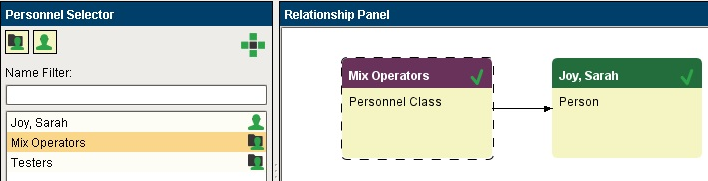
Person
Ignition users and roles can be created in the Ignition gateway or using the Ignition User Management component. Personnel Resources used by Track & Trace are automatically created from Ignition users (if they have a first and last name). Synchronization of Ignition users with MES Personnel Objects occurs automatically every hour, but can also be forced through scripting using the system.mes.synchronizeMESPersonnel(). You may consider doing this when new users are added and you want the users to show up immediately in the MES Object Editor.

|
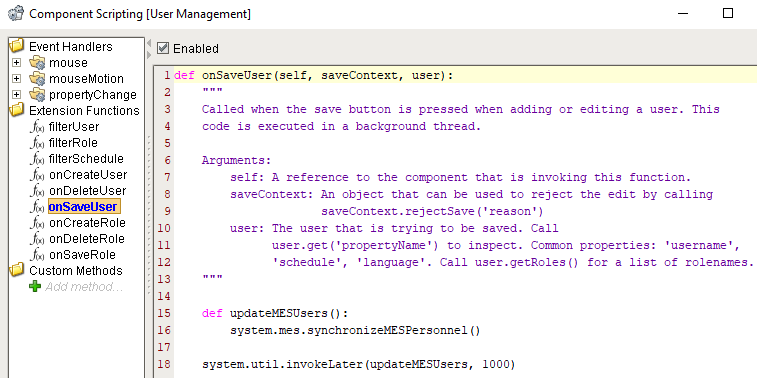
You can add the following script to the the onSaveUser extension function of the User Management component to force MES to immediately synchronize new users.
|
Personnel Class
When Ignition users are added using the Ignition User Management component, they can be associated to roles. Roles are used by Ignition as part of the security implementation as to who access to do what, from logging into a project, to accessing a screen or pressing a button. Every component has a security setting where this can be defined.
Personnel Classes, on the other hand, group users together that can then be associated to operations. In your application, ignition security roles and personnel classes may be one and the same, and you could simply use script to create and add users to a personnel class whenever they are given a certain role. Production control over who can start an operation can also be a mixture of ignition security roles and membership of a personnel class. You may simply use Track & Trace to track who the operator was and ignition security roles to control who can perform certain operations.
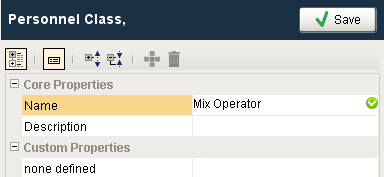
Click on the  icon to select Add Personnel Class. A popup will appear with sections grouped into Core Properties, Custom Properties.
Scripting
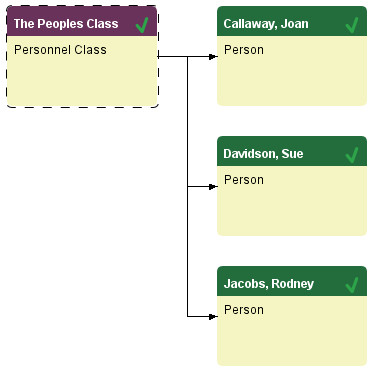
If a company has hundreds of employees, you'll probably want to dynamically create personnel classes and add users through scripting. The script below shows how to check if a class exists, and if not create it and add any users found to it.
Python |
perClsName = 'The Peoples Class' try: perCls = system.mes.loadMESObject(perClsName,'PersonnelClass') except: #Class does not exist, we'll create it perCls = system.mes.createMESObject('PersonnelClass') perCls.setPropertyValue('Name', perClsName) system.mes.saveMESObject(perCls) #Create a filter to return all users filter = system.mes.object.filter.createFilter() filter.setEnableStateName('ENABLED') filter.setMESObjectTypeName('Person') results = system.mes.loadMESObjects(filter) for obj in results: # print obj.getName() #Add each user to this class perCls.addChild(obj) #Save the changes system.mes.saveMESObject(perCls) |
Sepasoft MES Module Suite