Sepasoft MES Module Suite
Database Connections
Create datasource connections to databases.
See Below:
- Create a Database Connection for MySQL
- Other Database
- Database Configuration Best Practices
- All databases
- Microsoft SQL
- MySQL
- Postgress
- Oracle
Create a Database Connection for MySQL
Verify which Ignition Gateway you are working in:
For Ignition 8.3.x, to create connections:
- In Ignition Gateway, go to Connections > Databases > Connections > Create Database Connection.
- Follow the Create Database Connection wizard.
For Ignition 8.1.x, to create connections:
- In Ignition Gateway, go to Config > Databases > Connections > Create New Connection.
MySQL
A variety of databases can be used with the Sepasoft MES modules. The MES modules create and maintain their own schemas to store configuration information and production data. All you have to do is provide the database for them to reside in. Since MySQL is free, reliable and easy to use, it is the most common choice for use with Ignition.
To configure the MySQL database:
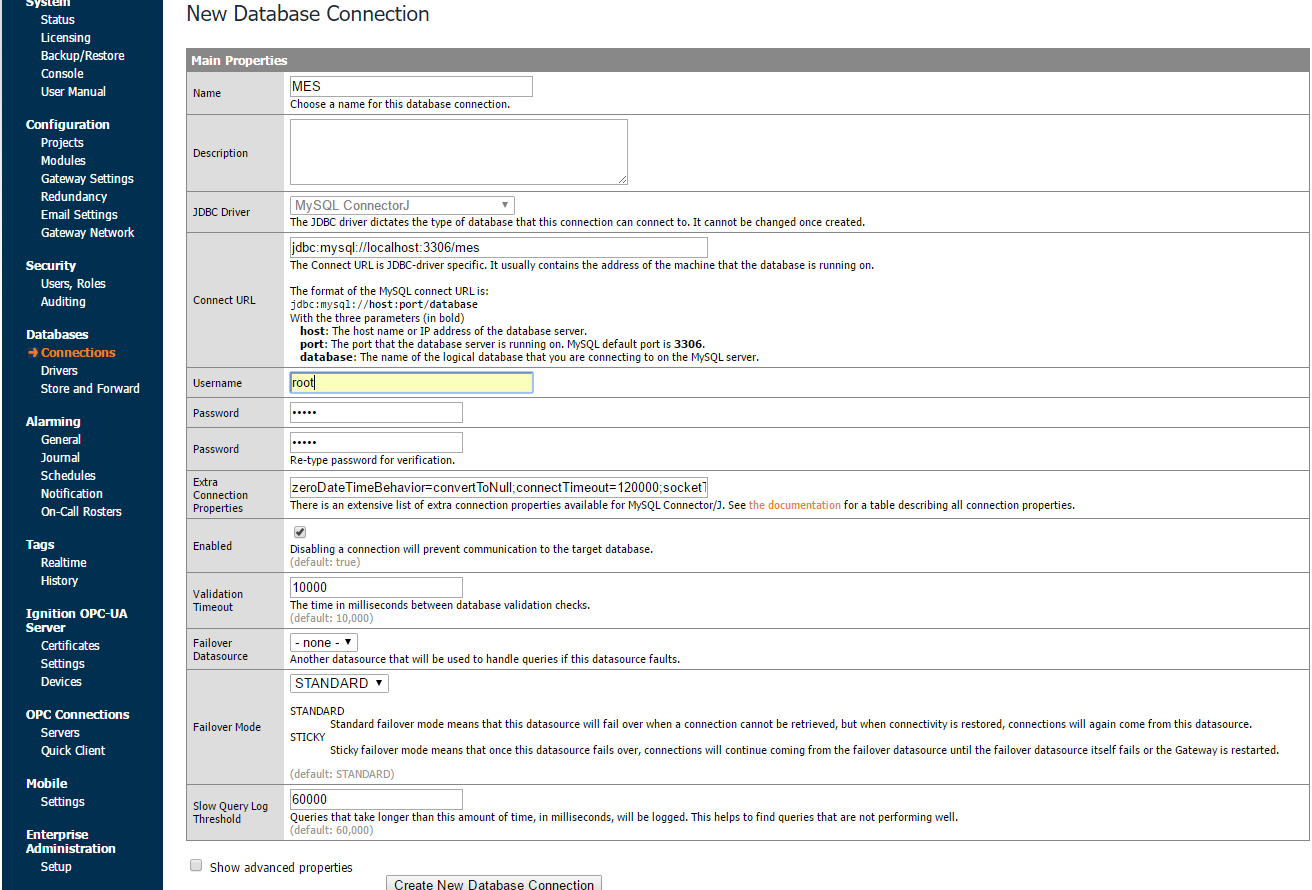
- Choose the MySQL ConnectorJ and click Next.
- Complete the following configuration items below:
- Name
- Connect URL
- Username
- Password
- Extra Connection Properties: Append serverTimezone=UTC to the end of the settings. This is a new requirement for MyQL Connector/J 8.0. More info is available in Section 4.14 and Section 4.3.3.1.7 of the MySQL documentation.
- Click Create New Database Connection at the bottom of the page.
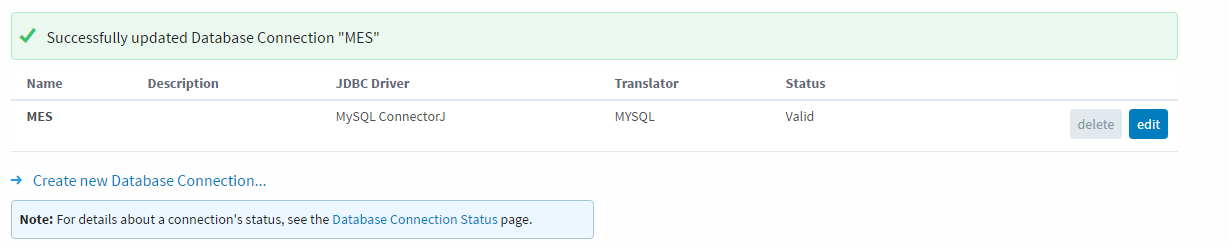
- Verify that the connection displays "valid" on the database status page before continuing to the next section. We now have a connected database to store the MES data in.

Other Database
You can use any of the other databases supported by Ignition.
Database Configuration Best Practices
All databases
- In the gateway database configuration set Maximum Database Connections to at least 24 for the database used for MES. If you are setting up a database for an Enterprise gateway, then that value must be 24 plus 2 for each gateway connected to the Enterprise.
Microsoft SQL
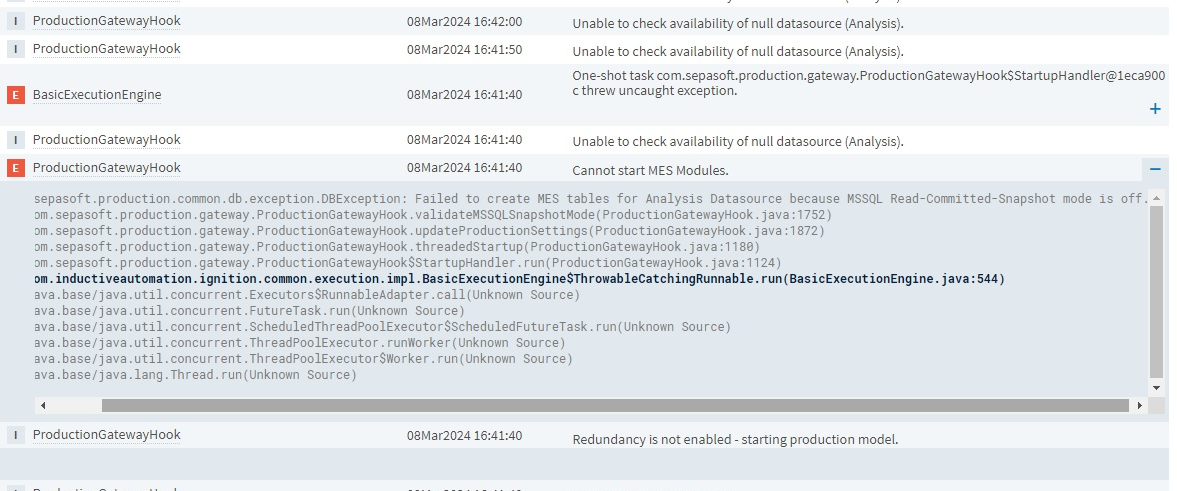
- Set READ_COMMITTED_SNAPSHOT to ON. If this is not ON, then you will see an exception in the Ignition logs and the production module will not start.
You can use this query to determine your database's snapshot level: DBCC USEROPTIONS WITH NO_INFOMSGS
MySQL
- Nothing specific to MySQL.
Postgress
- Nothing specific to Postgress.
Oracle
- Nothing specific to Oracle.
Sepasoft MES Module Suite