Sepasoft MES Module Suite
Equipment Manager Configuration Menu
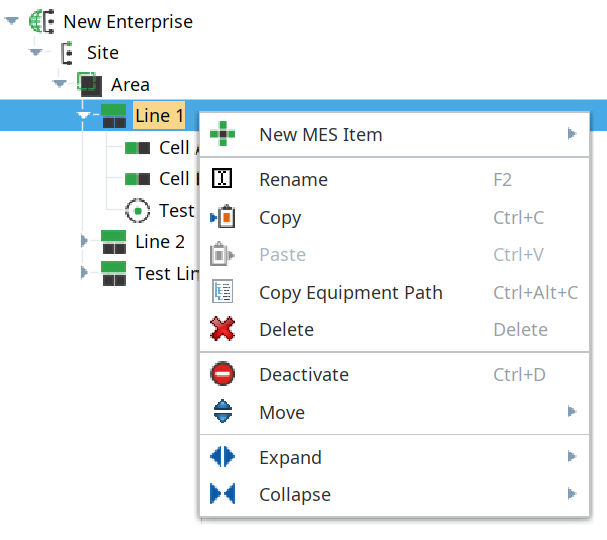
A menu is available by right-clicking on the equipment tree. It provides options for creating new equipment as well as for renaming, copying, pasting, deleting, activating/deactivating, or moving equipment.
Cannot Modify Parent Equipment

|
Users cannot make any modifications to parent equipment in the MES Equipment Manager or via equipment-related scripting (an error will be thrown). To make modifications to parent equipment, log in to the parent gateway and make the modifications or run equipment-related scripts from there. Users can make modifications to equipment on child servers using either the MES Equipment Manager or equipment-related scripting. If an operation is running on a line, then the line and its children cannot be delete. The operation must be stopped first. |
Sepasoft MES Module Suite