Sepasoft MES Module Suite
Unable to Access Endpoint
There are several reasons why the application may not be able to access the webservices endpoint. Most of these issues can be fixed by Importing a new security certificate.
Importing a new certificate when:
- Certificate has changed
- The version of Java is unable to recognize the certificate for other reasons than a new one
- Able to connect in a web browser but unable to connect to the endpoint in web services
Terms to Know
Truststore: used by client applications to know a server's certificate is trustable.
Keystore: used by server applications to store certificates and private keys, when clients make requests the certificate comes from the keystore.
Error in Logs
The error that displays in the gateway logs:
Exception in the Ignition Status Logs
com.inductiveautomation.ignition.client.gateway_interface.GatewayException:
com.inductiveautomation.ignition.client.gateway_interface.GatewayException: SSL Error (at ....):
avax.net.ssl.SSLHandshakeException: PKIX path building failed:
un.security.provider.certpath.SunCertPathBuilderException: unable to find valid certification path to requested target
Nix, Ubuntu and Windows Servers
Use Keytool Commands to Import
Restart Ignition after executing these commands.
keytool should be available on both nix/windows:
- keystore needs to be the path to the cacerts file that ignition uses
- storepass is changeit by default
- alias can be anything as long as it's not already in the certificate
/usr/local/share/ignition# keytool -trustcacerts -keystore
'lib/runtime/jre-nix/lib/security/cacerts' -storepass changeit -importcert -alias mySelfSignedCert -file 'cert.crt'
Output from command
Warning: use -cacerts option to access cacerts keystore
Owner: CN=..., O="...", L=..., ST=..., C=...
Issuer: CN=..., O="...", L=..., ST=..., C=...
Serial number: ...
Valid from: Fri Jun 29 16:57:27 CDT 2018 until: Wed Jun 28 16:57:27 CDT 2028
Certificate fingerprints:
         SHA1: ...
         SHA256: ...
Signature algorithm name: SHA256withRSA
Subject Public Key Algorithm: 2048-bit RSA key
Version: 3

Extensions:

#1: ObjectId: 2.5.29.35 Criticality=false
AuthorityKeyIdentifier [
KeyIdentifier [
0000: 3E 46 C5 C6 D0 75 7F B6   54 ED 9E B2 FC A2 50 B5  >F...u..T.....P.
0010: A6 6F B0 86                                        .o..
]
]

#2: ObjectId: 2.5.29.19 Criticality=true
BasicConstraints:[
  CA:true
  PathLen:2147483647
]

#3: ObjectId: 2.5.29.15 Criticality=false
KeyUsage [
  Key_CertSign
  Crl_Sign
]

#4: ObjectId: 2.5.29.14 Criticality=false
SubjectKeyIdentifier [
KeyIdentifier [
0000: 3E 46 C5 C6 D0 75 7F B6   54 ED 9E B2 FC A2 50 B5  >F...u..T.....P.
0010: A6 6F B0 86                                        .o..
]
]

Trust this certificate? [no]:  yes
Certificate was added to keystore
Export from Web Browser
This example is in Chrome.
- Go to website with self signed cert starting with https://
- Click the lock icon to the right of the URL
- Click Connection Is Secure
- Click Certificate is Valid
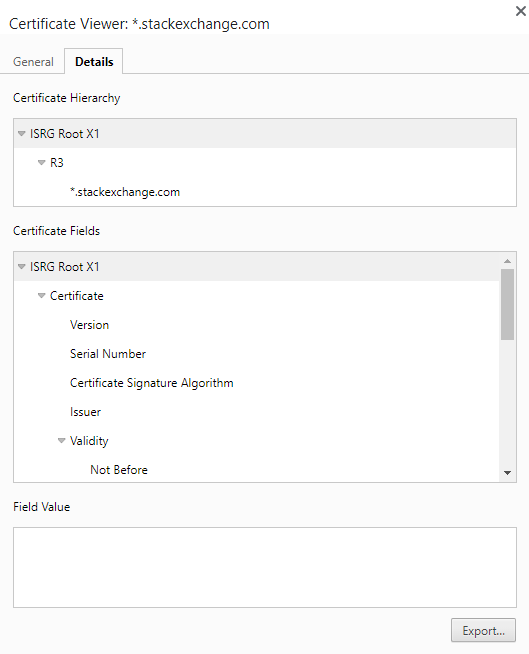
- Go to Details Tab
- Click Export
Restart Ignition
Sepasoft MES Module Suite