Sepasoft MES Module Suite
Interface for SAP ERP
The Interface for SAP ERP module is an add-on for the Business Connector. It enables the Business Connector to listen for requests from SAP, enabling SAP to initiate data transfer to MES.

|
To use the Interface for SAP ERP, the Business Connector module must be installed in the Ignition Gateway |
This section describes the setup procedure for configuring the Interface for SAP ERP module, as well as the additional functionality added to the Business Connector when the Interface for SAP ERP module is installed.
Interface for SAP ERP Installation and Configuration Steps:
Jco Library - For installation steps, see video: Install Interface for SAP ERP
SAP
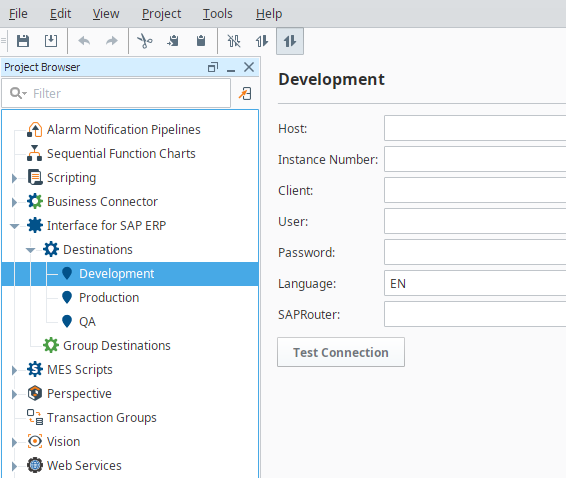
It enables the Business Connector to connect to SAP an provides built-in templates for common data exchange scenarios
|
|
There are fundamental steps to making a successful connection and moving data to and from SAP. Engaging with the SAP team early in the process is required for any successful integration to SAP. The following items will be needed from the SAP team as a starting point to your project:
|
Sepasoft MES Module Suite